
Unity URP Shader Graph for Efficient Fat Game Visuals
Building multiplayer games with high player counts requires a strict approach to both network bandwidth and rendering overhead. When dozens of stylized avatars crowd the screen in a fast-paced multiplayer match, the rendering cost of your character materials can quickly tank the frame rate on mobile devices and low-end browsers. While Unity's Universal Render Pipeline (URP) and Shader Graph offer an intuitive visual workflow, they can easily generate bloated, unoptimized code behind the scenes if left unchecked.
For developers building web and mobile multiplayer titles using tools like Fish-Networking, optimization is not an afterthought—it is a core gameplay requirement. Every instruction saved in your fragment shaders directly translates to a more stable frame rate, allowing the CPU to process critical simulation ticks and client-side prediction without thermal throttling. By understanding how Shader Graph translates visual nodes into HLSL code, you can build highly optimized, beautiful stylized characters that scale seamlessly across low-end mobile devices and browser-based platforms.
In this guide, we will explore practical strategies to streamline your shaders, reduce build sizes, and keep your GPU bound limits in check. We will look at how to decimate your nodes, leverage URP shader stripping, and structure your character materials so that your visual quality scales without compromising your multiplayer performance.
- Aggressively decimate Shader Graph nodes and target under 100 nodes for mobile to avoid performance cliffs.
- Use half precision by default to trigger fast paths on mobile GPUs, saving float for coordinate math.
- Shift heavy calculations like rim lighting and simple math from the fragment stage to the vertex stage.
- Leverage URP shader stripping to reduce mobile and browser build sizes by 30% to 50% compared to the Built-in Pipeline.
- Apply texture channel packing to keep texture samples at or below 4 per fragment on low-end devices.
The Heavy Toll of Stylized Density: Why 'Fat' Visuals Strain URP on Mobile and WebGL
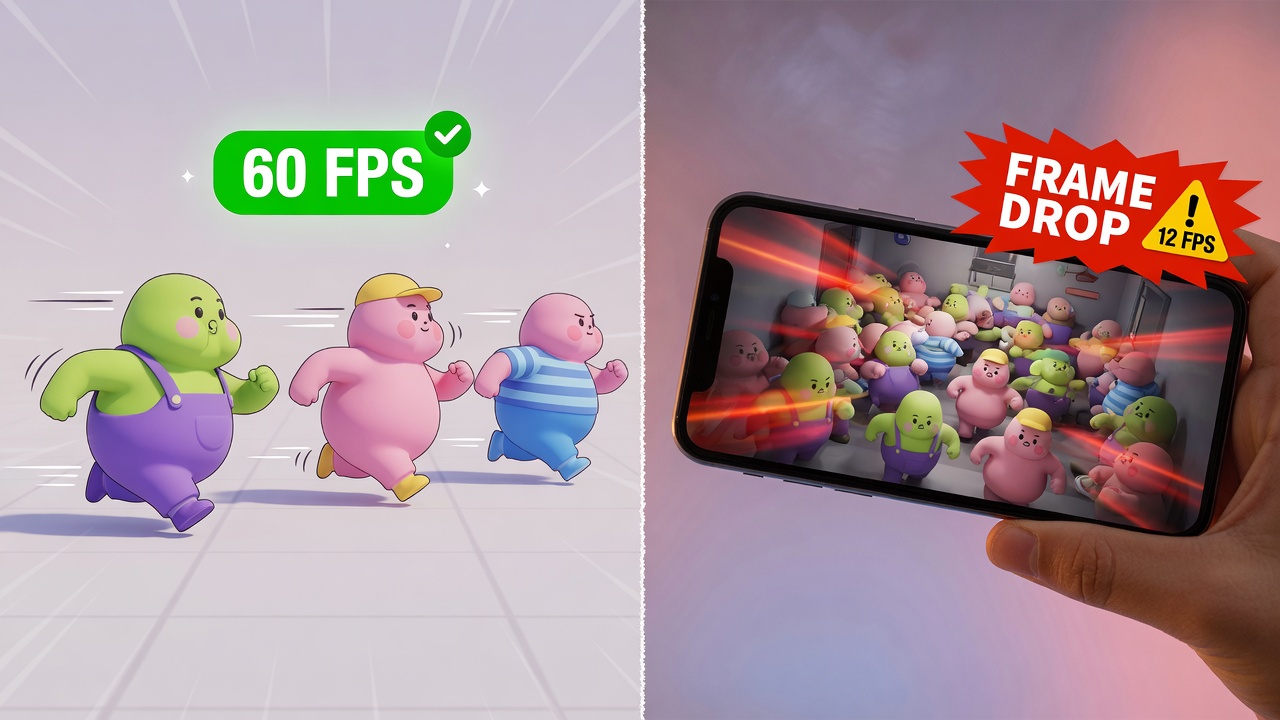
Stylized, "fat" game visuals—characterized by thick, rounded geometry, chunky silhouettes, and soft, exaggerated shading—present a deceptive performance trap in Unity's Universal Render Pipeline (URP). While these models often feature lower overall polygon counts than their photorealistic counterparts, their soft, overlapping shapes and dense screen presence drive massive overdraw on mobile tile-based deferred rendering (TBDR) architectures and low-spec WebGL platforms. When multiple large, rounded characters crowd the screen, the GPU repeatedly shades the same pixels, rapidly exhausting fillrate limits and bottlenecking performance.
The Variant Explosion and Batching Bottlenecks
To make these stylized worlds feel alive, developers rely heavily on avatar customization—swapping hats, armor, skins, and accessories. In Shader Graph, handling these cosmetic variations through naive node setups or excessive material keywords causes a massive explosion in shader variants. This variant bloat not only balloons build sizes for web and mobile platforms but also breaks the SRP Batcher. Instead of drawing dozens of characters in a single, efficient batch, the CPU becomes bottlenecked by draw calls as it constantly switches shader states for each unique cosmetic combination.
Multiplayer Scaling Under Network Pressure
This rendering overhead becomes critical when scaled to high-player-count multiplayer environments. When using high-performance networking frameworks like Fish-Net (Fish-Networking), the CPU is already heavily taxed by client-side prediction, entity interpolation, and state synchronization. If the GPU is choked by unoptimized, pixel-heavy shaders and broken batches, the frame rate drops. This frame rate degradation directly degrades client-side prediction accuracy, leading to noticeable jitter, input lag, and a compromised multiplayer experience. To maintain a high tick rate, your URP shaders must be as lean as your network architecture.
Decimating Shader Graph Nodes for Lean Character Materials
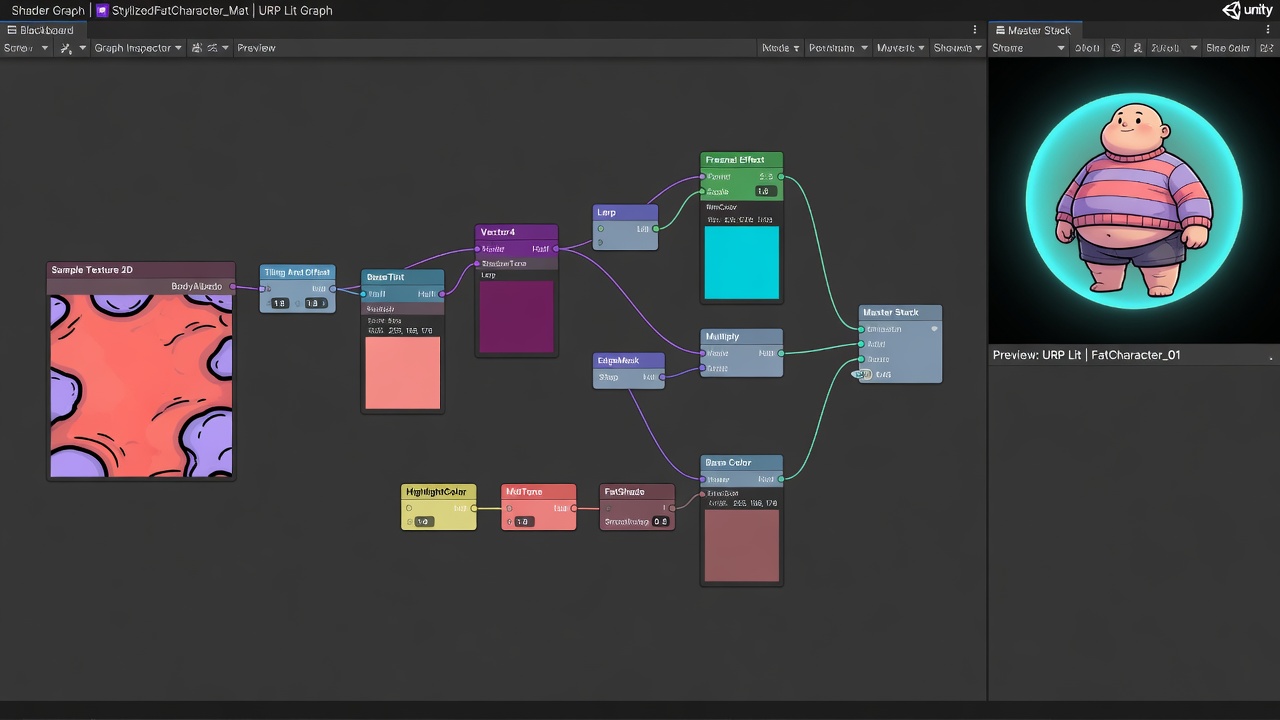
To maintain the strict, lag-free performance required for real-time client-side prediction, your rendering pipeline must not waste a single GPU cycle on unnecessary math. When building stylized, visually dense characters in Unity URP, developers often fall into the trap of letting Shader Graph auto-generate bloated HLSL. Every node you place compiles directly into instructions that mobile and WebGL GPUs must execute thousands of times per frame. To keep your game running at a high tick rate, you must aggressively decimate your nodes, remove unused inputs, and keep your total Shader Graph node count under ~100 to avoid hitting severe mobile instruction limits and performance cliffs.
Optimizing your character materials starts with strict graph hygiene. A clean graph directly translates to fewer registers used and faster execution on tile-based mobile GPUs. You can immediately recover lost performance by applying these core node reduction strategies:
- Remove Unused Nodes and Connections: Never leave dangling nodes or default properties connected unless they are actively contributing to the final output.
- Bake Static Values: Instead of calculating complex math at runtime, bake static values directly into your textures.
- Downsize Data Structures: Look for opportunities to utilize smaller data formats. If a calculation only requires two dimensions, pass a Vector2 instead of a Vector3 to keep the data footprint as light as possible.
Beyond general node reduction, certain default Shader Graph nodes contain hidden, expensive math that can be manually optimized. A prime example is the Fresnel Effect node. By default, the generated ISA execution costs at least 88 clock cycles because the node normalizes both the Normal and ViewDir vectors internally. If you pass already-normalized vectors into a custom function instead, you can bypass these redundant operations, cutting the execution cost in half to just 44 clock cycles.
Similarly, the default Rotate UV node is heavily bloated with redundant remapping math. By replacing this node with a simplified custom rotation function, you can streamline the math and drop its cost from 73 clock cycles down to 56 clock cycles. When multiplied across dozens of customized, high-player-count avatars, these small math savings are exactly what keep your GPU from bottlenecking your multiplayer simulation.
Squeezing Every Clock Cycle: Half Precision, Vertex Math, and Early-Z

To prevent these avatar rendering overheads from stalling your network simulation, you must optimize how the GPU processes every single pixel on screen. In mobile and WebGL development, the easiest performance win lies in your data types. You should use half precision by default for colors, normals, and simple vectors. This triggers 16-bit fast paths on Mali and Adreno GPUs that are twice as fast as full 32-bit float calculations.
Full 32-bit floats should be reserved strictly for operations that demand extreme accuracy, such as world-space positions, high-precision texture coordinates, and depth calculations. Everything else—including lighting vectors, vertex colors, and mask channels—should run on half precision to maximize register efficiency and memory bandwidth.
Shifting the Math to the Vertex Stage
Because stylized "fat" visuals often result in high overdraw, your shaders will spend most of their time in the fragment stage. To alleviate this bottleneck, move expensive calculations from the fragment shader to the vertex shader. Math operations placed in the vertex stage run only once per vertex rather than once per pixel, dramatically reducing the processing load on fillrate-bound mobile GPUs.
- Rim and Fresnel Effects: Calculate the view vector and normal dot product at the vertex level, then interpolate the result to the fragment stage.
- Simple Lighting: Compute basic diffuse lighting and specular highlights per-vertex for background characters and distant avatars.
- UV Animations: Perform coordinate offsets, scaling, and rotations on the vertex shader before passing the modified UVs down the pipeline.
Protecting Early Depth Testing
Even the most optimized math is wasted if the GPU is rendering pixels that are ultimately hidden behind other objects. To ensure mobile GPUs can use early depth testing to speed up rendering, never write to the depth buffer in the fragment shader. When early depth testing (Early-Z) is active, the GPU discards occluded pixels before running the fragment shader, saving massive amounts of processing power.
Texture Atlasing and Channel Packing for Multi-Avatar Crowds
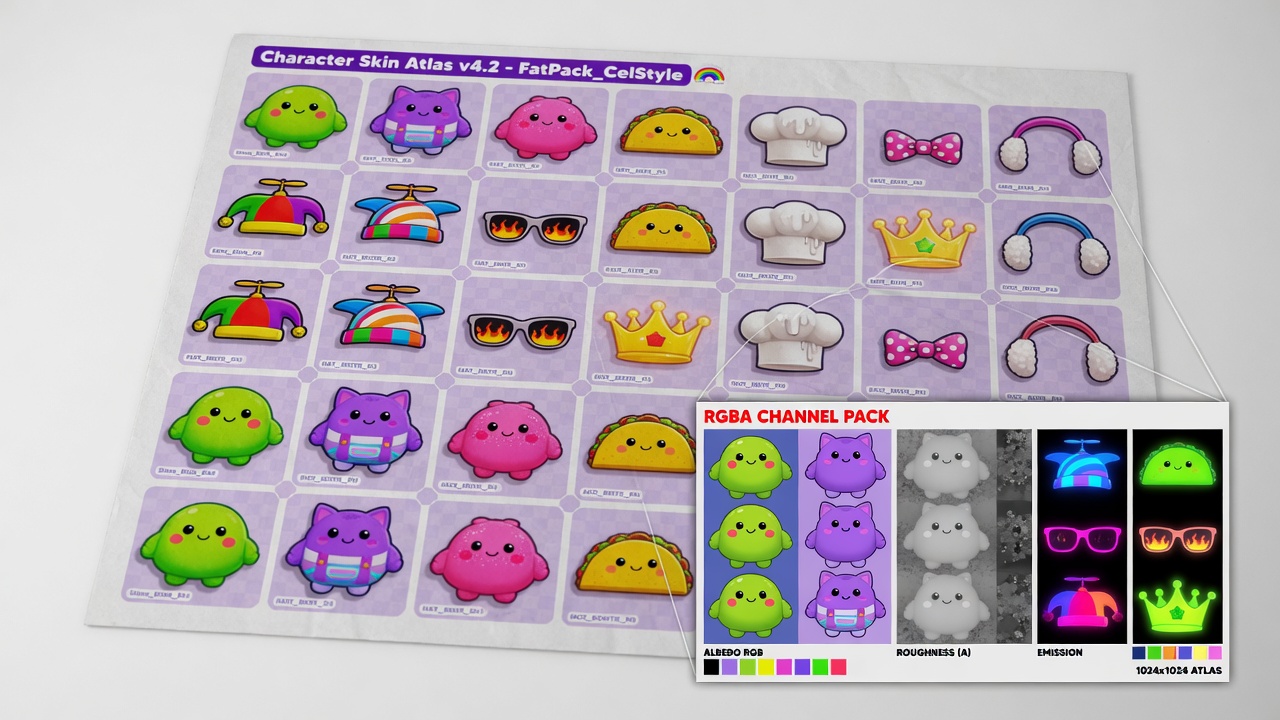
To prevent these fragment-stage bottlenecks from stalling your rendering pipeline, your texture sampling strategy must be as streamlined as your math. In high-player-count multiplayer games, rendering dozens of unique, stylized avatars can instantly saturate GPU memory bandwidth and break batching. The solution lies in aggressive texture atlasing and channel packing, allowing multiple distinct character models to share the same material draw call and dramatically reduce state changes.
Instead of assigning individual texture sets to every customized avatar, compile their textures into shared global atlases. When combined with Unity's Scriptable Render Pipeline (SRP) Batcher, this approach allows the GPU to render a dense crowd of diverse characters in a fraction of the draw calls. However, simply grouping textures is only half the battle; you must also optimize how individual channels are utilized.
Squeezing Data into RGBA Channels
Rather than sampling separate textures for different material properties, pack your grayscale masks into the individual channels of a single RGBA texture. A highly efficient layout for mobile and WebGL platforms includes:
- Red Channel: Metallic or specular mask
- Green Channel: Smoothness or roughness map
- Blue Channel: Ambient Occlusion (AO)
- Alpha Channel: Emission mask or detail map
By adopting this packing scheme, a single texture sample in your URP Shader Graph provides four distinct pieces of surface data, minimizing the number of samplers the GPU must keep open.
Strict Sample Budgets for High Player Counts
When designing shaders for low-end mobile devices, you should limit texture samples and use channel packing to target ≤4 texture samples per fragment. Exceeding this budget quickly leads to texture cache misses and memory bandwidth starvation, especially when rendering dense crowds of players utilizing Fish-Net's client-side prediction where frame rates must remain perfectly smooth.
By keeping your sampler count low and packing your data tightly, you ensure that your game's visual density scales seamlessly without overwhelming the mobile memory bus or degrading the multiplayer tick rate.
Aggressive Shader Stripping: Trimming the Fat from Build Sizes and Memory
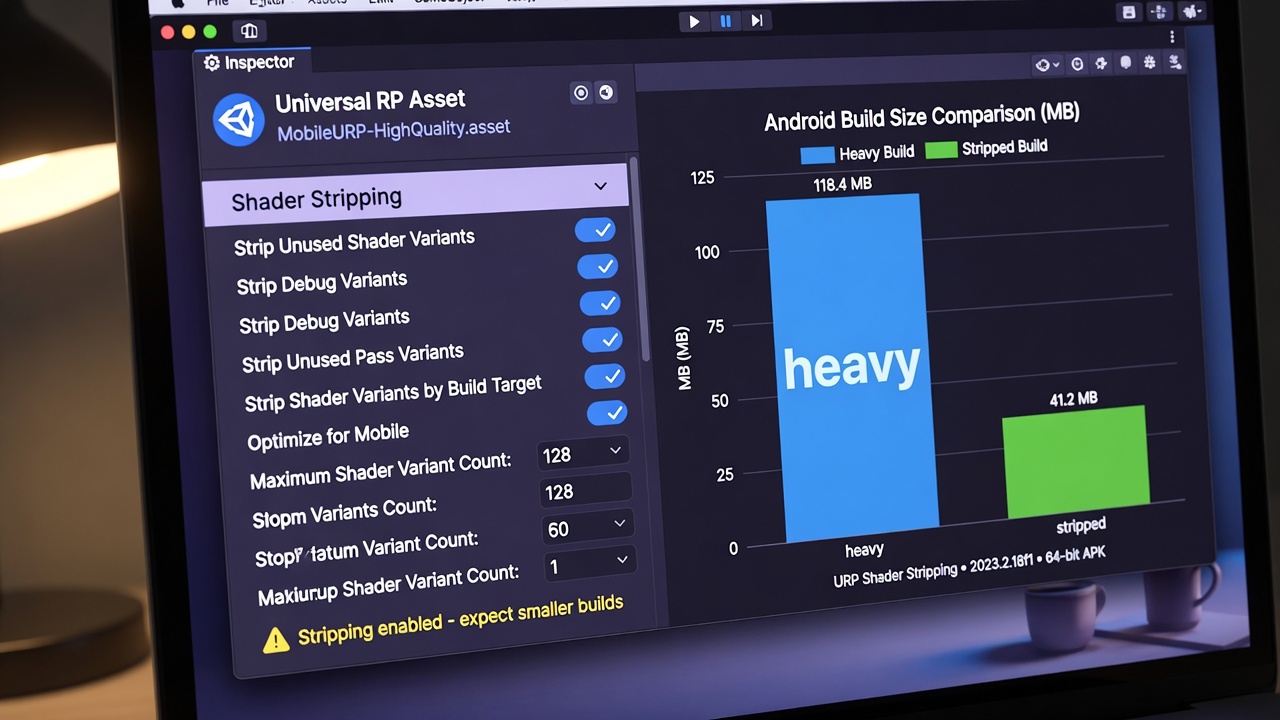
To prevent your highly optimized, packed-channel shaders from bloating your final executable, you must address the silent killer of mobile and WebGL performance: shader variant explosion. When deploying stylized, high-player-count games, every unused permutation of lighting, shadowing, and fog eats up precious memory and stalls load times. Thankfully, the Universal Render Pipeline provides dedicated stripping mechanisms to prune this waste before it reaches your players.
Leveraging these built-in pipelines is highly effective; URP's shader stripping automatically removes unused shader variants, often reducing mobile builds by 30-50% compared to Built-in Pipeline projects. This dramatic reduction in package size and runtime memory footprint is essential for keeping browser-based WebGL builds and mobile downloads lightweight and fast to initialize.
Pruning Unused Pipeline Features
The most direct way to eliminate unnecessary variants is by auditing your URP Asset settings. If you disable features in the URP Asset, URP automatically excludes ('strips') the related shader variants. This speeds up builds, and reduces memory usage and file sizes. For a dense multiplayer game, you should systematically disable features that your stylized aesthetics do not require:
- Additional Lights Cast Shadows: Disabling this prevents the generator from compiling shadow-receiver variants for secondary light sources.
- Soft Shadows: If your art style uses crisp, stylized shadows, disabling soft filtering strips complex filtering kernels across all shaders.
- High-DPI Shadow Maps: Limit shadow resolution and cascade counts to strip cascade-blending variations.
Beyond global pipeline settings, manage your custom Shader Graph keywords with care. Utilize material quality tiers and LOD SubShaders so that your varied character customizations can still share efficient SRP Batcher batches. By organizing your keywords as local rather than global, and limiting their scope to necessary quality levels, you prevent the compiler from generating combinatorial variations that degrade performance and inflate memory on low-end targets.
Baking, Fallbacks, and Scaling Multiplayer Visuals with Fish-Net
Optimizing the shaders themselves is only half the battle; the final step is ensuring those shaders scale gracefully alongside your networking logic. For low-end mobile and WebGL targets, real-time lighting is a luxury you cannot afford when rendering dozens of customized avatars. Your scene must be completely baked, and your materials should omit real-time normal maps entirely to save critical ALU cycles. Instead, bake your normal maps and ambient occlusion (AO) directly into the albedo texture, simulate specular highlights using cheap cubemaps, and ensure your lighting is fully baked.
When configuring your rendering pipeline for these restricted devices, limit your active environment to a single directional light and configure aggressive fallbacks. Swapping out complex Lit graphs for Simple Lit or Unlit master stacks on low-end quality tiers keeps the fragment shader footprint minimal. To verify that these fallbacks are working as intended, profile your game using Unity’s Frame Debugger, RenderDoc, or the Mali Offline Compiler. If a critical Shader Graph node structure still generates bloated instruction sets, do not hesitate to rewrite those hot paths directly into hand-coded HLSL custom function nodes.
Syncing Visual Performance with Network Tick Rates
In high-player-count multiplayer environments, GPU bottlenecks directly degrade CPU performance, which in turn ruins client-side prediction. If the GPU is stalled rendering heavy fragment shaders, the main thread cannot process incoming network ticks on time. To prevent this, pair your lean, optimized shaders with Fish-Net’s native performance tools:
- Object Pooling: Use Fish-Net's built-in pooling system to instantiate and recycle avatar prefabs, preventing GC spikes and shader compilation hiccups during rapid spawns.
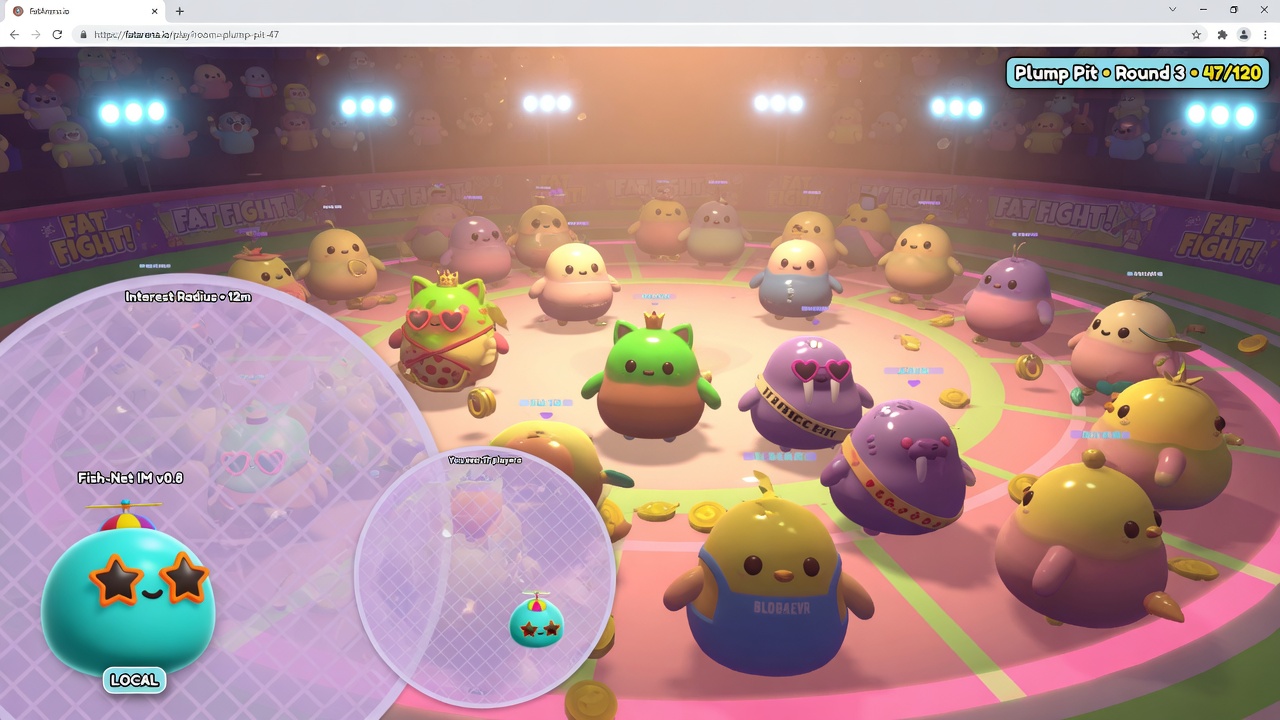
- Interest Management: Implement distance-based and grid-based interest management to completely disable rendering and network updates for players who are out of view.
- LOD Swapping: Tie Fish-Net's observer conditions directly to material LOD swaps, ensuring that distant players automatically fall back to unlit, single-pass shaders.
By combining aggressive Shader Graph optimization with Fish-Net’s efficient state synchronization, your game can maintain high tick rates and stable frame times, delivering a smooth, responsive multiplayer experience on even the most hardware-constrained mobile and browser platforms.
Key Takeaways
Explore the bigfatgames.com suite of Unity URP optimization tools and Fish-Networking integrations today to maximize your game's performance and player capacity.
Frequently Asked Questions
You Might Also Like
- Browser Game Development Unity URP Mobile Rendering Optimization for Browser Games
- Performance Optimization Texture and Material Settings for URP Efficiency
- Performance Optimization Unity URP Draw Call Reduction Techniques
- Fish-Net Multiplayer Scaling Fish-Networking for High-Player Browser IO Experiences
- Performance Optimization Lighting Optimization in Unity URP