
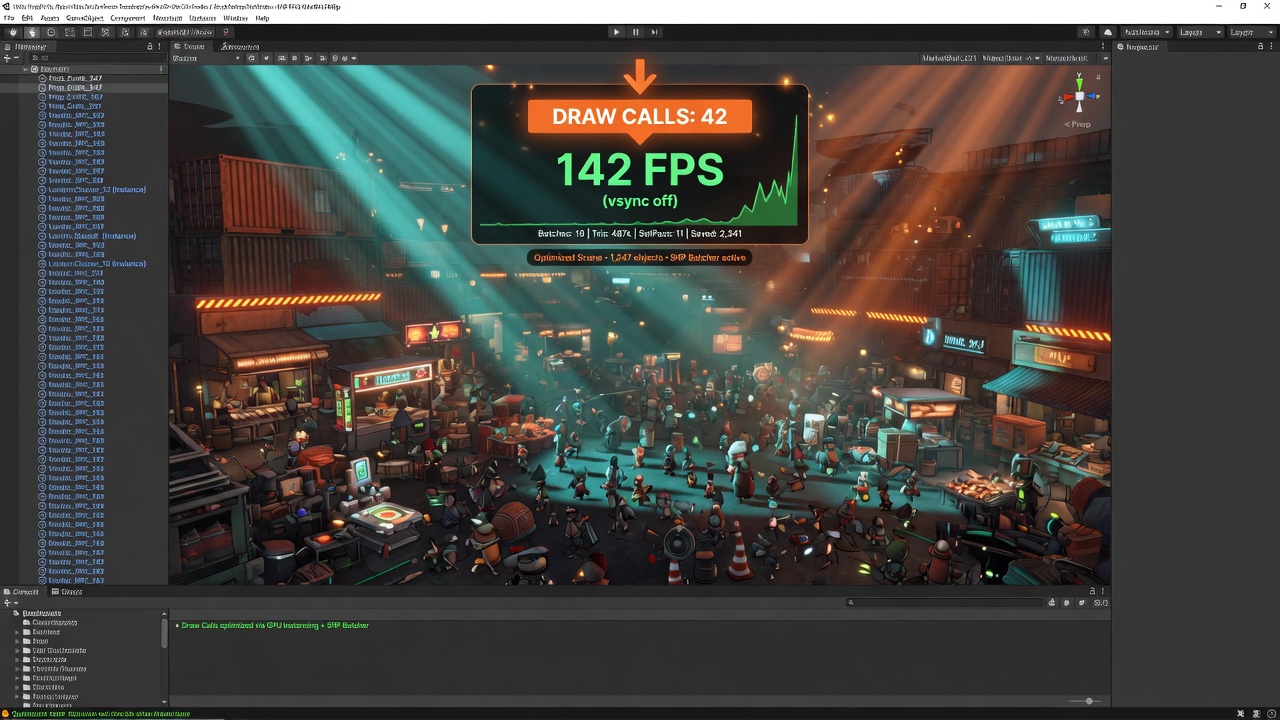
Unity URP Draw Call Reduction Techniques
Every game developer knows the gut-wrenching feeling of watching their frame rate tank as scene complexity grows, often pointing the finger directly at a skyrocketing draw call count. But in Unity's Universal Render Pipeline (URP), managing rendering overhead is not just about reducing a single number. It is about understanding how modern hardware and URP's batching engines interact to free up valuable CPU cycles.
While legacy pipelines forced us to combine meshes manually or rely heavily on basic dynamic batching, URP shifts the paradigm. For instance, the SRP Batcher in URP reduces the CPU cost of render-state changes between draw calls instead of primarily reducing the number of draw calls themselves. To optimize effectively, we must respect Unity's built-in priority system, which prioritizes draw call optimizations in a strict order: SRP Batcher and static batching first, then GPU instancing, and finally dynamic batching.
By mastering these native systems alongside advanced features like the GPU Resident Drawer—which automatically uses the BatchRendererGroup API to apply instancing and reduce draw calls for many identical objects—and Hierarchical LOD (HLOD) tools that can slash draw calls from thousands down to under 200, you can unlock massive performance gains. Let's dive into the core mechanics of URP's rendering pipeline so you can pinpoint exactly where your CPU is bottlenecked and which batching strategy to deploy first.
- URP optimizes rendering by reducing CPU state-change overhead via the SRP Batcher rather than just lowering raw draw call counts.
- Unity follows a strict optimization priority, favoring the SRP Batcher and static batching over GPU instancing and dynamic batching.
- The GPU Resident Drawer leverages the BatchRendererGroup API to automatically instance identical meshes on the GPU.
- Combining meshes with HLOD tools can dramatically compress draw call counts from several thousand to under two hundred.
The Real Cost of Draw Calls (And How URP Ranks Optimizations)
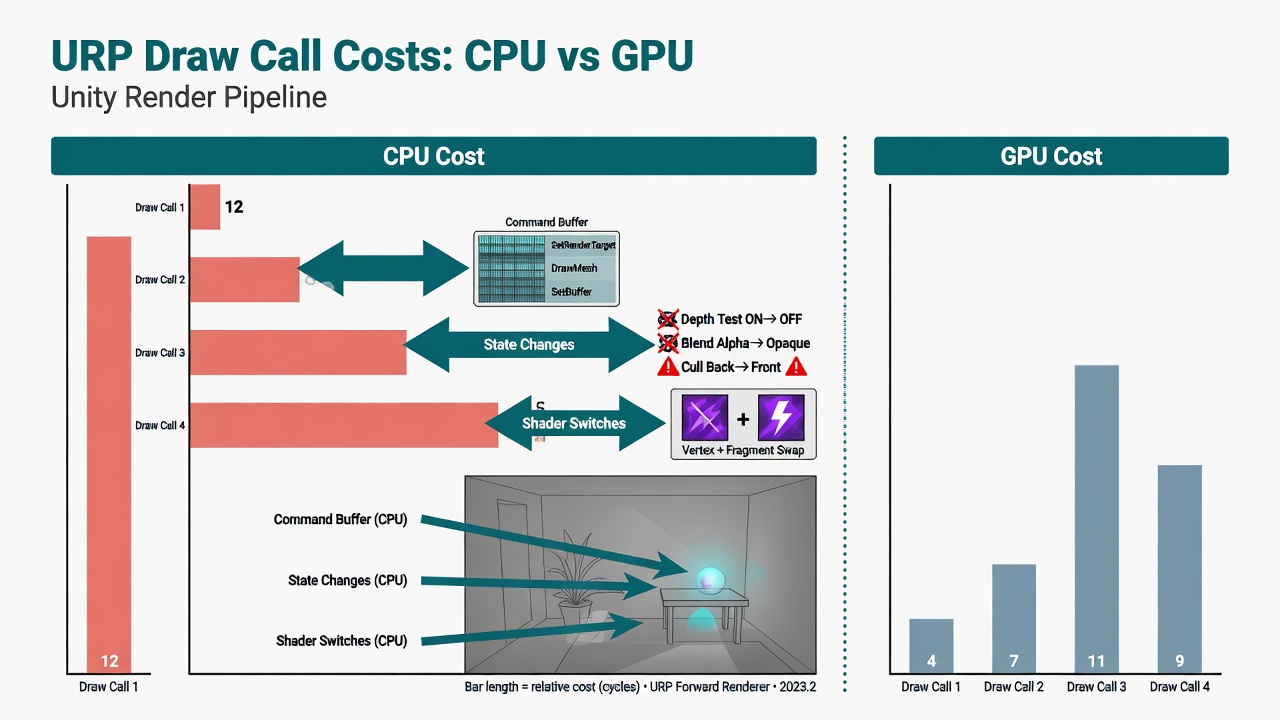
pipeline to understand why draw calls cost so much in the first place. Every time your game needs to render an object, the CPU must package up render-state information—including shaders, textures, and lighting data—and issue a draw call to the GPU. When a scene contains thousands of unique objects, this CPU-to-GPU communication quickly becomes a massive bottleneck, leaving your graphics hardware waiting idly for instructions.
To combat this overhead, URP relies on specific batching and instancing systems to group these instructions together. However, trying to optimize your scene without understanding how Unity processes these systems is a recipe for wasted engineering hours. URP doesn't treat all optimization techniques equally; it follows a strict internal hierarchy.
Unity prioritizes draw call optimizations in the following order:
- SRP Batcher and static batching
- GPU instancing
- Dynamic batching
By aligning your optimization workflow with this exact hierarchy, you avoid fighting against the engine's native rendering path. Let's start at the very top of this priority list by looking at how to master the SRP Batcher.
The SRP Batcher: Eliminating the CPU Overhead of State Changes
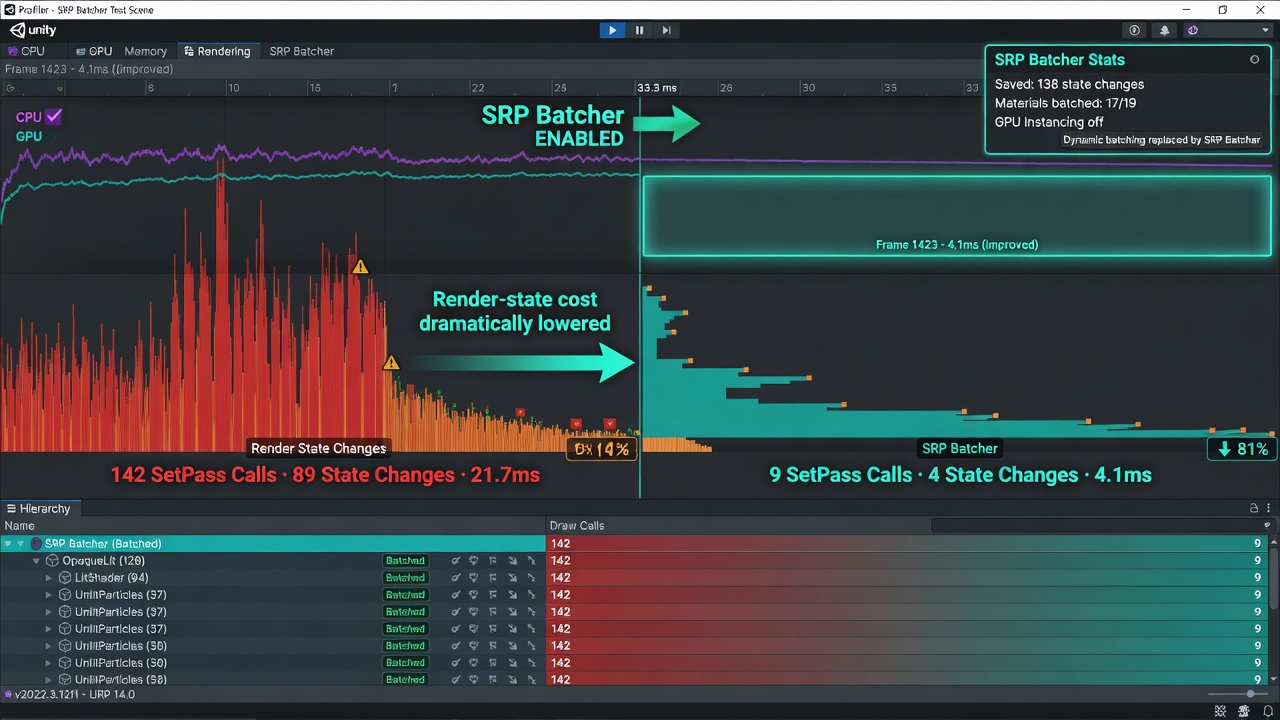
The first thing to understand about the Scriptable Render Pipeline (SRP) Batcher is that it changes the game on how we measure performance. Instead of optimizing draw call count, the SRP Batcher mainly reduces the CPU cost of render-state changes between draw calls. This means you do not have to aggressively combine your materials just to keep your frame rates stable.
In older rendering pipelines, material diversity was a performance killer because every unique material forced the CPU to set up a new render state. The SRP Batcher bypasses this bottleneck by keeping material data persistent in GPU memory. Because it batches at the shader variant level, objects sharing the same shader can be processed in a fast, continuous stream—even if they use different textures, colors, or material properties.
How to Enable and Validate the SRP Batcher
- Enable the setting: Open your URP Asset settings in the Inspector and ensure the 'SRP Batcher' checkbox is checked.
- Ensure shader compatibility: Use standard URP shaders (like Lit or Simple Lit). If you write custom HLSL shaders, make sure all material properties are declared within a
CBUFFERblock. - Verify in the Inspector: Select any material in your project and check the bottom of the Inspector window; it will explicitly show whether the shader is compatible.
- Confirm in the Frame Debugger: Open the Frame Debugger during play mode to verify that your draw calls are being grouped under 'SRP Batch' nodes.
While the SRP Batcher handles material overhead beautifully, what happens when you need to render thousands of identical meshes, like dense foliage or massive crowds? That's where we shift our focus to GPU instancing and the modern GPU Resident Drawer.
Scaling Up: Mastering GPU Instancing and the GPU Resident Drawer
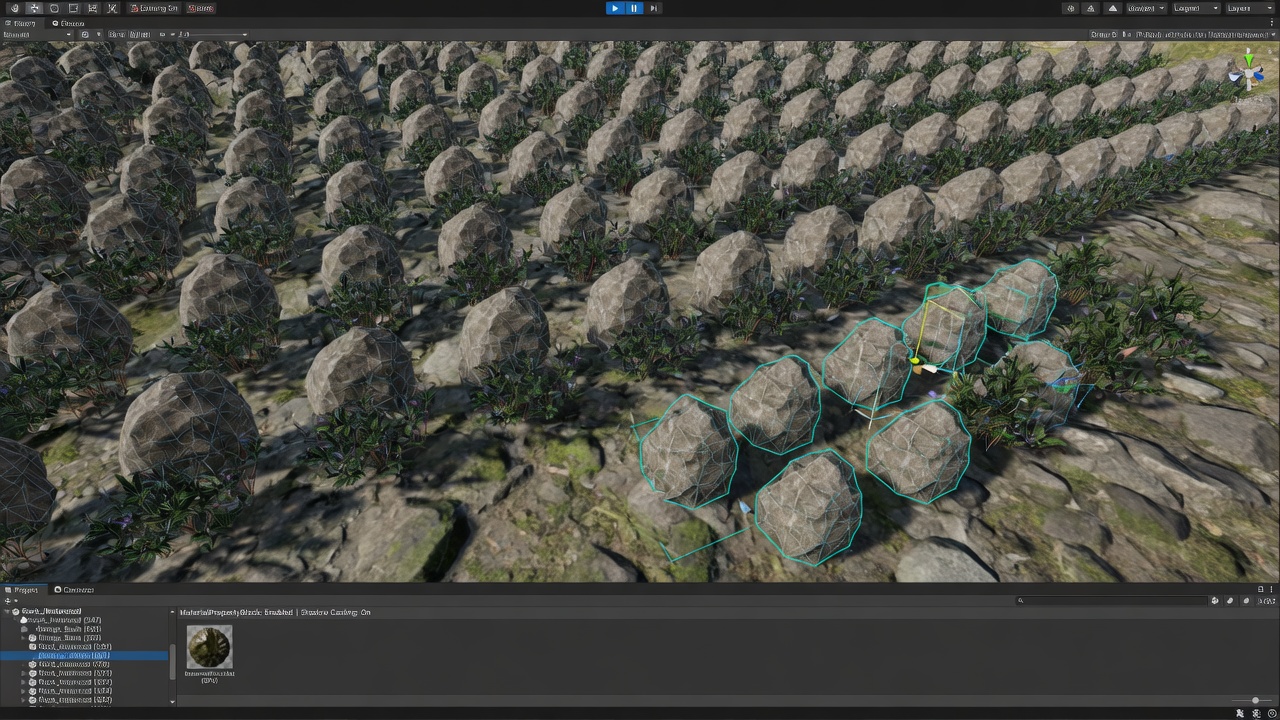
To tackle these massive, repetitive scenes without choking your CPU, GPU instancing steps in to draw thousands of identical meshes using a single draw call. Under the hood in modern URP, this process gets a massive upgrade through the GPU Resident Drawer.
Instead of relying on manual setup, the GPU Resident Drawer automatically uses the BatchRendererGroup API to apply instancing and reduce the number of draw calls across many identical objects. This offloads the rendering logic from the CPU directly to the GPU, keeping your frame rates buttery smooth even when rendering dense forests or sweeping sci-fi cities.
Customizing Instances Without Breaking the Batch
But what if those thousands of objects need to look slightly different? You do not want a forest where every single tree is the exact same shade of green. To handle this, you can set per-instance properties by defining variables within a UNITY_INSTANCING_BUFFER_START block in your custom shaders. This allows you to pass unique values—like variation in color or custom wind offsets—to individual instances while still drawing them in a single, highly efficient pass.
While instancing is perfect for dynamic, repeating props, we also need a robust strategy for the unique, unmoving geometry that makes up the bulk of our environments. Let's look at how static batching and smart material management handle the rest of your scene.
Static Batching: Balancing Memory Against Material Management
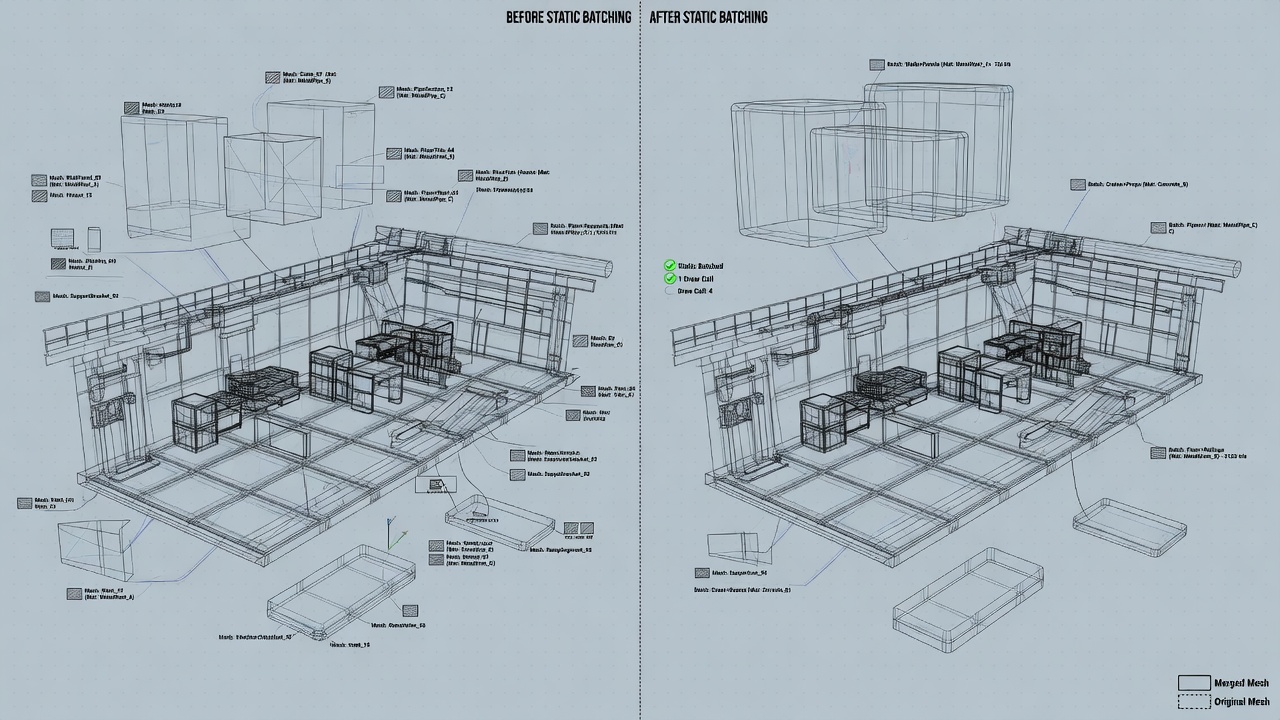
Marking your environment geometry as static tells Unity to combine these meshes into a massive, unified buffer at build time. This build-time mesh combination allows the engine to send fewer, larger chunks of data to the GPU, significantly cutting down on draw call overhead. It is a classic, reliable optimization technique, but it comes with a major catch: memory consumption.
Because static batching physically duplicates the vertex data of every batched object in memory, a scene with hundreds of cloned static props will see its RAM footprint balloon. This is where URP's SRP Batcher changes the game. Since the SRP Batcher already eliminates the CPU overhead of state changes across different materials using the same shader, relying heavily on static batching can actually be counterproductive. Instead of blindly combining meshes and wasting memory, you should prioritize making your materials SRP Batcher compatible. This preserves precious RAM while keeping your draw call overhead to an absolute minimum.
However, when your scene scales to massive proportions, even smart batching and material management can't stop the sheer volume of geometry from overwhelming the pipeline. To solve this, we must look at how to merge meshes dynamically at different distances.
HLODs and Mesh Merging: Taming Massive Scenes
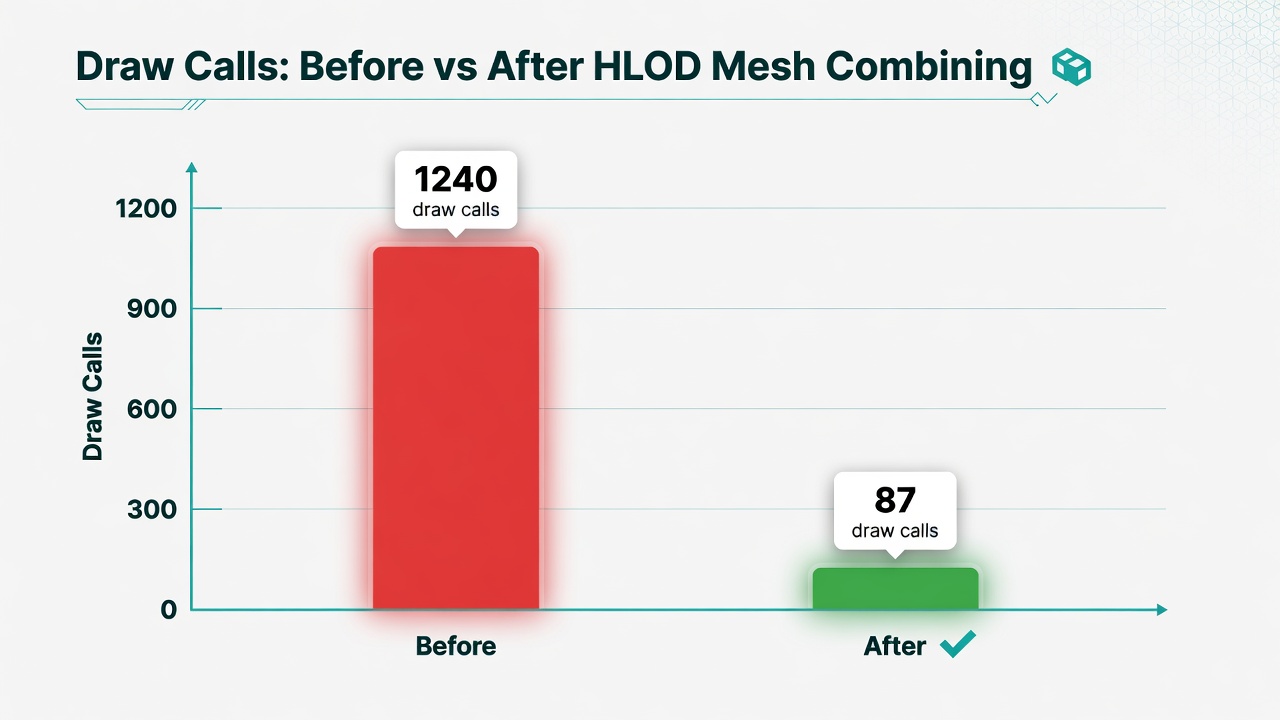
This is where Hierarchical LOD (HLOD) and strategic mesh combining step in. When the camera is far away, treating hundreds of individual props as separate entities—even with efficient batching—wastes valuable CPU and GPU cycles. By merging these meshes and their textures into single, simplified assets at greater distances, you bypass the draw call overhead entirely.
For large-scale environments, industry-standard tools like Simplygon or Unity's HLOD system are invaluable. They automate the process of combining meshes, generating simplified proxy geometry, and baking textures into unified atlases. The performance impact of this approach is massive: in complex scenes, using HLOD mesh combining tools can reduce draw calls from having somewhere between three and four thousand draw calls down to 161.
By combining these high-level optimizations with URP's internal batching hierarchy, you ensure your project remains performant. Maximizing URP performance isn't about chasing a single silver bullet; it's about layering SRP batching, instancing, and HLODs to keep the pipeline running smoothly at any scale.
Key Takeaways
Explore our suite of Unity URP optimization tools at bigfatgames.com to streamline your game's rendering pipeline and boost performance today.