Unity WebGL Memory Budgets for Fish-Net Browser IO Fat Games
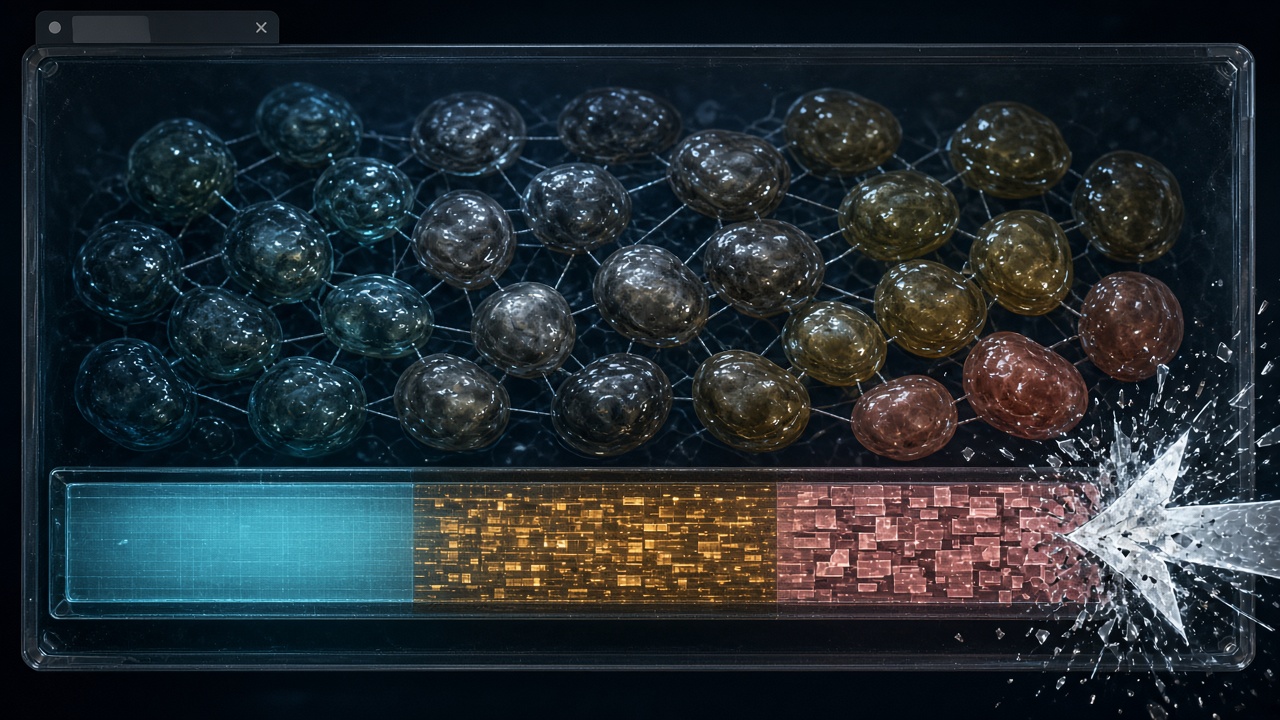
A fat Fish-Net match does not usually die because the GPU ran out of texture slots. It dies because the Unity Web heap is one contiguous WASM block, and the browser failed to find a larger contiguous range when that block tried to grow. Unity documents that the heap can expand up to 4 GB, limited by Maximum Memory Size, and that automatic resizing can crash the page when that allocation fails. The tab is gone even if your profiler still showed headroom under the cap.
Unity 6 starts that block at a default Initial Memory Size of 32 MB, which is also the hard ceiling if Memory Growth Mode is None. Geometric growth, the recommended mode, increases the heap by 0.2 times the current size and caps each step at 96 MB. The recommended Maximum Memory Size is 2048 MB. Unity says that is enough for most applications, and that values up to 4096 MB are allowed, but builds over 2048 MB have known bugs in Firefox and in Chrome before version 119. Older Unity versions were capped at 2 GB. Desktop can often absorb a growth step. Mobile browsers often cannot, so Initial Memory Size should be set to typical heap use rather than left on the desktop growth path.
Fish-Net's own claim is zero hotpath allocations, unlike the regular garbage Mirror and Netcode produce. That claim does not cover your replicate payloads, spawn waves, or character skins. On Web, the garbage collector runs only at the end of the frame, when no managed code is executing, so string, delegate, or array churn inside a tick can spike the heap before collection ever starts. AssetBundles and Addressables download straight into that same Unity heap. One WebGL capture still held 800 MB of RAM after VRAM was cut to 200 MB, and mipmap streaming does not work on Unity WebGL or WebGPU, so a low-mip start will not fill in later. The rest of this ledger is how to size the block, keep the tick quiet, and stop skins from living twice.
- The Unity Web heap is one contiguous WASM block, and a failed growth step can crash the tab even while you are still under the cap.
- Unity 6 defaults to a 32 MB initial heap and a recommended 2048 MB maximum; geometric growth steps by 0.2 of the current size, capped at 96 MB.
- On mobile browsers, set Initial Memory Size to typical match use instead of relying on desktop-style heap growth.
- The Web garbage collector runs only at the end of the frame, so Fish-Net tick code must not allocate.
- Addressable skins stay in the Unity heap; cutting VRAM does not free that CPU copy, and mip streaming does not work on WebGL.
Three Heap Bills, One WASM Block
A portal build that is already small is not the same thing as a match that stays up. Transport, jitter, bandwidth, interest management, and URP frame cost are covered in their own pieces; once those are in shape, the remaining failure is the Unity Web heap itself.
That heap is one contiguous WASM block. Automatic growth is supposed to buy room when players, skins, and spawns come online, but resizing can kill the tab if the browser cannot find a new contiguous range — even when the configured maximum has not been reached. Unity documents that failure directly: growth can crash the application when allocation of a contiguous block fails. Portal guidance from CrazyGames makes the same point: errors happen during the resize because the browser may simply fail to allocate more memory. Download size, Brotli, and a green portal checklist do not predict that moment. The crash arrives after the session is already live.
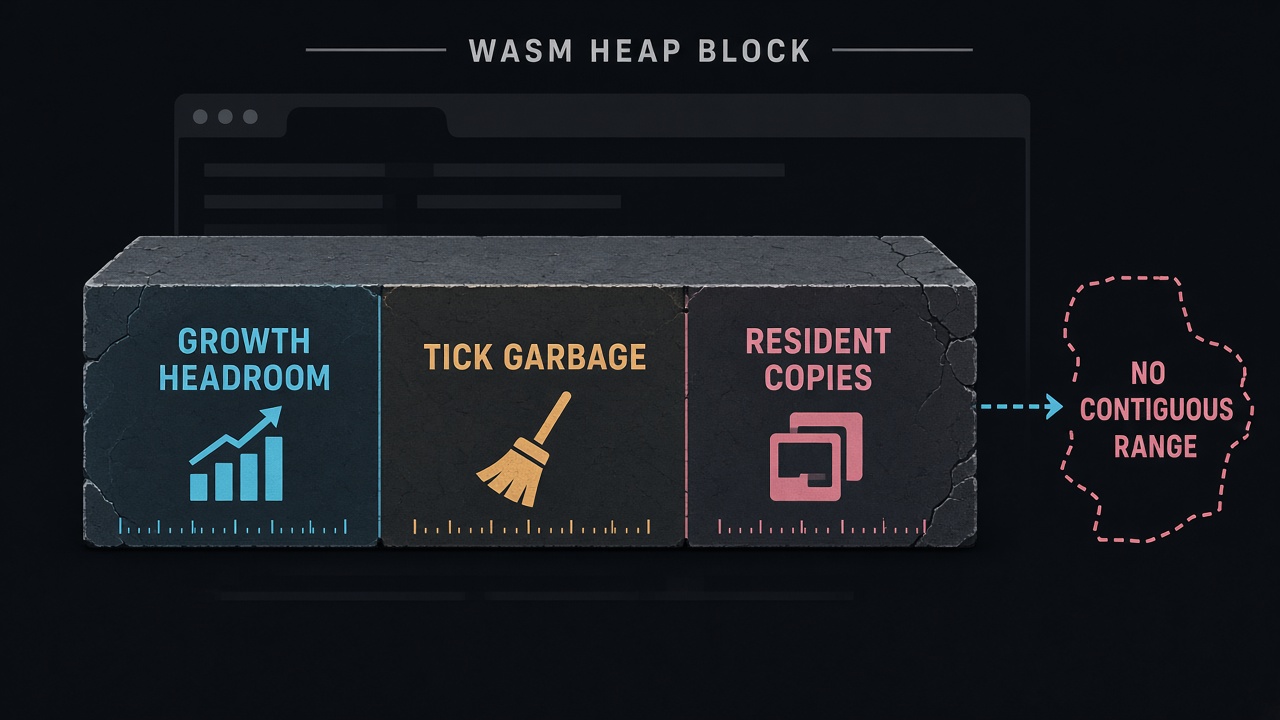
Bill the match as three charges against that single block, not as three separate caps.
- Growth headroom is the unused span the next resize must claim in one piece. If the tab's address space is fragmented, the step never completes, cap or no cap.
- Per-tick managed churn is strings, delegates, and temporary arrays inside replicate and reconcile. On Web the garbage collector runs only at the end of the frame, so a crowded tick can spike the heap before collection ever runs. Fish-Net's hot path is built to allocate nothing; keep replicate and reconcile data as structs and pool network spawns so a blob wave does not mint objects mid-tick.
- Resident copies are addressable skins, URP render targets, and audio that stay on the CPU side of the same WASM heap. Cutting VRAM does not free that copy, and mip streaming will not bail you out on WebGL or WebGPU — ship the resolution you mean to keep.
Profile the live heap in a crowded match, then unload addressable skins and pooled prefabs the session no longer needs. The three bills share one block; if any one of them forces a resize the browser cannot finish, the tab is already gone.
Fix the Phone Heap, Step the Desktop Heap
Those three bills only stay payable if the single WASM block is born at the right size. A higher Maximum Memory Size does not save the tab when the browser cannot find one new contiguous range for the next growth step.
The default Initial Memory Size is 32 MB, and that value is also the ceiling if Memory Growth Mode is None. The build never asks for a larger block. Leave growth on and 32 MB is only the birth size — far too small for a crowded Fish-Net match, so the first waves force a realloc before the session has settled.
Geometric steps versus a flat 16 MB
Geometric growth is the recommended mode. Each expansion adds 0.2 times the current heap, and Unity caps that step at 96 MB. Linear growth moves in fixed 16 MB steps. Once the heap is already large, geometric covers more ground per successful realloc; linear asks the browser for a new contiguous range more often. Either mode can still fail under the configured cap, because the replacement block has to be one unbroken range, not a sum of free holes.
| Growth mode | What each step does | Browser IO reading |
|---|---|---|
| None | No growth. The 32 MB default is also the ceiling. | Only if a measured match already fits in the initial block. |
| Linear | Adds 16 MB each time the heap is full. | More realloc attempts. A poor fit for a fat match. |
| Geometric (recommended) | Adds 0.2 times the current heap, capped at 96 MB per step. | Use when desktop must grow. Not a phone strategy. |
2048 MB is the ship ceiling, not the slider
How far growth may run depends on the editor generation. Unity 6 and later can grow toward 4 GB, still limited by Maximum Memory Size. Older Unity Web builds stopped at 2 GB. The recommended maximum is 2048 MB. Values up to 4096 MB are allowed, and complex desktop 3D may want more than 2048, but Unity says 2048 MB is enough for most applications. Builds over 2048 MB have known bugs in Firefox and in Chrome before version 119. The 4 GB figure is a platform ceiling, not a budget a browser IO build should aim at.
On mobile browsers, set Initial Memory Size to measured typical heap use. Do not inherit desktop geometric growth and hope the phone can realloc mid-match. Unity's guidance is that mobile needs the advanced tuning options rather than default desktop growth. Measure that typical heap on a crowded match — addressables loaded, skins resident, the blob wave already spawned from the pool — then set the initial size so the contiguous block exists before the first tick. Desktop can step. A phone that starts at 32 MB and tries to grow through those steps is asking for the realloc the tab is least likely to finish.
Treat 2048 MB as the ship ceiling, not a starting slider, and reserve headroom inside it for the other two bills: per-tick churn that end-of-frame GC has not collected yet, and the CPU-side copies that stay resident after a VRAM cut. If those already fill the contiguous block, the next 0.2 step is the crash, even while Maximum Memory Size still looks unused.
What a Tick May Touch Before End-of-Frame GC
A growth ceiling only keeps the match up if the tick itself does not ask for a new block first. On Web, the garbage collector runs only when no managed code is executing, at the end of each frame. A Fish-Net tick sits inside that window: replicate and reconcile can raise the heap, and collection has not started. If that spike needs a fresh contiguous WASM range, the tab can still die under a cap you already set.
Fish-Net documents zero hotpath allocations and contrasts that with Mirror and Netcode, which allocate garbage regularly. That claim is true of the library only if player code does not put the garbage back. A replicate or reconcile loop that builds strings, arrays, delegates, or LINQ results is illegal under this budget even when Fish-Net's own hot path is clean. Those objects land on the same contiguous heap as skins and audio, and they stay there until the frame ends.
Store replicate and reconcile data as structs so the tick writes values it already owns instead of new objects. Ban per-tick string keys — a formatted id, a concatenated state name, a lookup built from text — because each one is a managed allocation the collector cannot reclaim mid-tick. Pool fat-character and blob prefabs so a spawn wave reuses instances instead of allocating a burst the next growth step has to absorb.
Pooling, serializers, and interest management have their own mechanics. The rule here is only what a tick is allowed to touch before end-of-frame GC: structs, pooled instances, and buffers that already exist. Nothing that asks the WASM heap for a new range while managed code is still running.
Fat-Character Skins That Stay in the CPU Heap
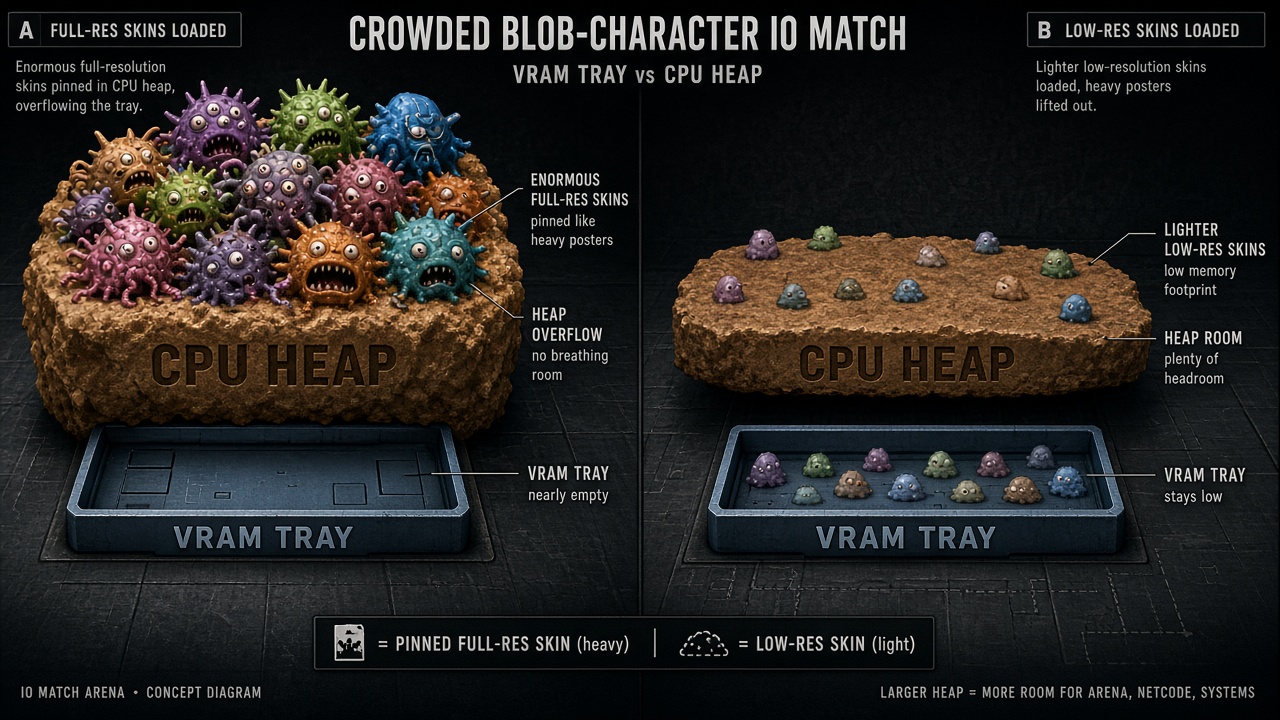
An allocation-free tick only protects the second bill. The third is already resident in the same contiguous WASM block: every fat-character skin the client has pulled in. AssetBundles are downloaded directly into the Unity heap, so they do not create a separate browser allocation you can ignore or free from the outside. Addressables ride that same path. A blob wave of high-res bodies is not “in the GPU now, so the heap is clear.” It is CPU memory the growth step still has to jump over.
Cutting VRAM does not free that copy. In one Web capture, VRAM was reduced to 200 MB and the process still held 800 MB of RAM, because Addressables kept the full-resolution textures on the CPU side. Mip streaming, texture compression tricks aimed at the GPU, and a WebGPU swap do not punch a hole in the WASM block. The browser still has to find one new contiguous range if that resident set forces a growth step the tab cannot finish.
Do not wait for mips that will never arrive
Mipmap streaming does not work in Unity WebGL or WebGPU. A low-mip start cannot pull higher mips in later, and there is no WebGPU fallback that reclaims the CPU copy once the full texture has landed. Budget the skin as if the bytes you downloaded are the bytes you will keep until you unload them.
- Ship separate lower-resolution addressable groups for each fat-body tier instead of one full-res atlas everyone loads.
- Load the high-res group only for characters inside relevance, and unload it when that player leaves — do not wait for streaming or a renderer change to drop the copy.
- Keep the pooled spawn on the low-res group so a blob wave does not pin full-resolution CPU textures for bodies the camera cannot resolve.
That unload is the only reclaim the heap actually gets. The 2048 MB ship ceiling still has to cover growth headroom and end-of-frame GC slack; an 800 MB skin set that VRAM cuts never touched is already most of a phone’s usable block and a large slice of a desktop match. Profile the live heap with the crowded roster loaded, then drop the high-res group before you ask the browser for another geometric step.
URP Targets Are a Fixed Tax on the Same WASM Heap
Skins are not the only resident bill that sits in that one contiguous WASM block. URP stores its extra render targets in the same Unity heap the match is already trying to grow, and those targets stay allocated for the life of the camera, not for a single tick.
Depth Texture and Opaque Texture are stored targets, not free debug views. Unity's guidance is to disable Depth Texture unless you need it, and the same rule applies to Opaque Texture: leave either one on only when a shader actually samples it. If nothing reads the copy, the pipeline is still paying for a full-size buffer the browser never asked for.
Additional-light shadows, extra cameras, and MSAA copies pile on the same way. Turning off Cast Shadows on lights that do not need them reduces how much memory URP uses, and it cuts GPU bandwidth at the same time. A second camera is another set of targets. MSAA is another copy of the colour buffer. None of that is freed by lowering VRAM or by the end-of-frame collector, because it is resident pipeline state, not per-tick garbage.
Strip the targets before you raise the cap
- Turn Depth Texture off unless a shader samples it.
- Turn Opaque Texture off unless a shader samples it.
- Disable additional-light shadows that the match does not read.
- Drop extra cameras and MSAA copies that only duplicate the same frame.
- Treat what remains as a fixed heap tax, then set Maximum Memory Size with that tax already counted.
Count that tax before you raise Maximum Memory Size. Growing the heap does not make an unused depth copy cheaper, and a browser IO match that already needs headroom for growth and skins cannot afford a renderer that holds buffers nobody samples. This is not a Shader Graph walkthrough, a GPU Resident Drawer setup, or a simulation-versus-rendering split. Frame-time work belongs in the existing URP browser and GPU Resident Drawer articles. Here the only question is what those targets cost in the WASM heap the tab has to keep contiguous.
Read the Crowd, Then Unload the Wave
Stripping unused URP copies only tells you the fixed tax. It does not tell you whether a live Fish-Net wave still fits. Capture the WASM heap in a crowded match, not an empty lobby. A quiet scene hides spawn waves, prediction structs, and the CPU-side skin copies that only appear once players are relevant.
Before you chase that climb, rule out the cheap residents. A background clip set to CompressedInMemory used only 5 MB of RAM in a Memory Profiler capture. If the heap is still growing by tens or hundreds of megabytes while that clip sits in the mix, audio is not the bill. The growth is coming from something that stays resident between ticks.
Unload it on relevance, not on a scene change. When a player leaves the interest bubble, release the high-resolution addressable skin group and return the pooled fat-character prefab. Waiting for a later scene-transition article leaves those copies inside the same contiguous WASM block for the rest of the match. The browser still has to find a new range if that block has to grow, even if you are under the configured cap.
The ship rule
- Phone builds set Initial Memory Size to measured typical heap use; desktop stays on geometric growth and treats 2048 MB as the ceiling.
- Ticks allocate nothing: structs and pooled spawns, so end-of-frame GC is not the only thing standing between a wave and a resize.
- Every fat skin has an unload path when the player leaves relevance.
If the heap still climbs after that rule is in place, the leak is a resident copy you have not released. It is not a slider that should move toward 4 GB. Raising the maximum only asks the tab for a larger contiguous block it may never finish allocating.
Key Takeaways
Profile a crowded Fish-Net WebGL match, lock phone initial size and desktop geometric growth under 2048 MB, then unload every fat skin that leaves relevance before you raise Maximum Memory Size.
Frequently Asked Questions
You Might Also Like
- Performance What Runs Where: Splitting Fish-Net Simulation and URP Rendering for Browser IO Fat Games
- Fish-Net Multiplayer Mass-Aware Interest Management for Browser Fat Games with Fish-Net and URP
- Fish-Net Multiplayer Fish-Net Object Pooling and Network Spawning Best Practices
- URP Optimization Unity 6 URP GPU Resident Drawer for High-Entity Multiplayer IO Games with Fish-Networking
- Browser Game Development Unity URP Mobile Rendering Optimization for Browser Games