

Fish-Net Object Pooling and Network Spawning Best Practices
In high-performance multiplayer development, runtime instantiation is the silent killer of server tick rates and client frame times. Every time a projectile is fired or an item is dropped, traditional instantiation triggers memory allocation, causing garbage collection spikes that ruin the user experience. Fish-Networking solves this bottleneck at its core with built-in object pooling that keeps instances of loaded prefabs in memory for later use, providing vastly superior spawning performance for both clients and servers.
Unlike Mirror and Netcode which allocate garbage regularly, Fish-Net features zero hotpath allocations to ensure unmatched scalability. In performance benchmarks with 200 CCU, FishNet retained 92.6% server performance while Mirror plummeted to 16.8%. Furthermore, when handling 4,000 idle spawned NetworkObjects, FishNet maintained a perfect 100% server performance at a constant 1.5ms, whereas Mirror retained only 36%. To translate these architectural advantages into your game, you must retrieve NetworkObjects from the pool prior to network spawning so they pull from memory rather than instantiating new objects. By default, the object pool is enabled, but NetworkObjects only utilize it if their Default Despawn Type is set to Pool instead of the default Destroy setting.
For developers targeting browser-based WebGL environments or fast-paced IO games where hundreds of entities are constantly spawned and despawned, mastering this lifecycle is essential. By combining networked object pooling with WebSockets and client-side prediction, you can eliminate devastating GC spikes and scale your game to support over 1,000 concurrent players in production. This guide will walk you through setting up default pools, pre-warming instances, and implementing custom pool overrides to secure a rock-solid, high-performance multiplayer loop.
- Fish-Net's zero hotpath allocation design eliminates regular garbage generation to ensure superior scalability under high player loads.
- Enabling automatic pooling requires changing the Default Despawn Type on NetworkObjects from Destroy to Pool.
- Pre-warming pools and retrieving NetworkObjects before spawning prevents costly runtime instantiation overhead.
- Custom pooling systems can easily inherit from the base ObjectPool class to handle specialized state resets like SyncTypes.
- Combining object pooling with WebSockets and Area of Interest enables browser-based IO games to scale to over 1,000 concurrent players.
The Cost of Spawning: Why Object Pooling is Critical for High-CCU Multiplayer
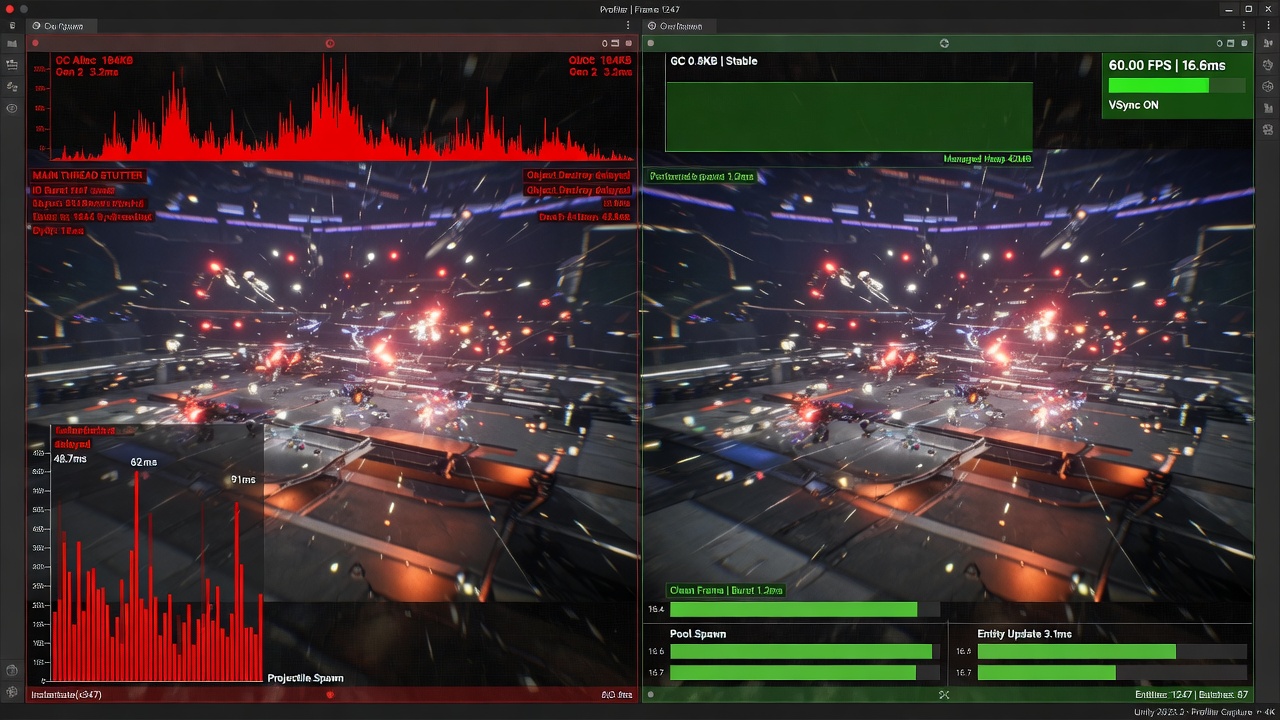
In multiplayer development, the constant creation and destruction of network entities is a silent performance killer. When a projectile is fired, an item is dropped, or an enemy spawns, relying on Unity's default Instantiate and Destroy cycle introduces severe CPU spikes and triggers garbage collection (GC). On resource-constrained target platforms like mobile devices and WebGL browsers, these micro-stutters destroy the player experience. To achieve a smooth, high-performance gameplay loop, developers must shift from allocating memory on the fly to recycling existing instances.
This is where Fish-Networking's built-in architecture becomes a game-changer. Instead of paying the heavy performance penalty of initializing components and allocating memory every time an object enters the world, the engine simply disables the object on despawn, stores it, and re-enables it when needed, significantly boosting spawning performance on both the client and the server.
Comparing Architectures: Zero Hotpath Allocations
While legacy frameworks and competing solutions struggle to maintain stability under heavy loads, FishNet's core architecture is built from the ground up for extreme efficiency. This lack of runtime GC pressure from zero hotpath allocations ensures vastly superior scalability and overall performance, preventing the frame drops that typically plague fast-paced multiplayer games.
The practical impact of this architectural difference is stark when looking at raw server throughput under stress:
- Server Overhead: In performance benchmarks featuring thousands of idle spawned NetworkObjects, FishNet retained full server performance with constant low frame times, whereas Mirror's performance degraded sharply to a fraction of its baseline.
- MMO Scalability: Eliminating GC spikes from constant spawn/despawn cycles is absolutely essential for massive multiplayer environments with hundreds of active entities in view.
- Production Capacity: This optimized, allocation-free pipeline has proven its viability in live environments, successfully supporting large concurrent player counts in production games.
By leveraging networked object pooling, developers can bypass the overhead of Unity's engine-level allocations entirely. This ensures that even during chaotic combat sequences with hundreds of active projectiles and status effects, your frame times remain flat, your server tick rate stays locked, and your players experience seamless, low-latency gameplay.
Unlocking Out-of-the-Box Efficiency: Configuring Default Despawn Types and Network Resets
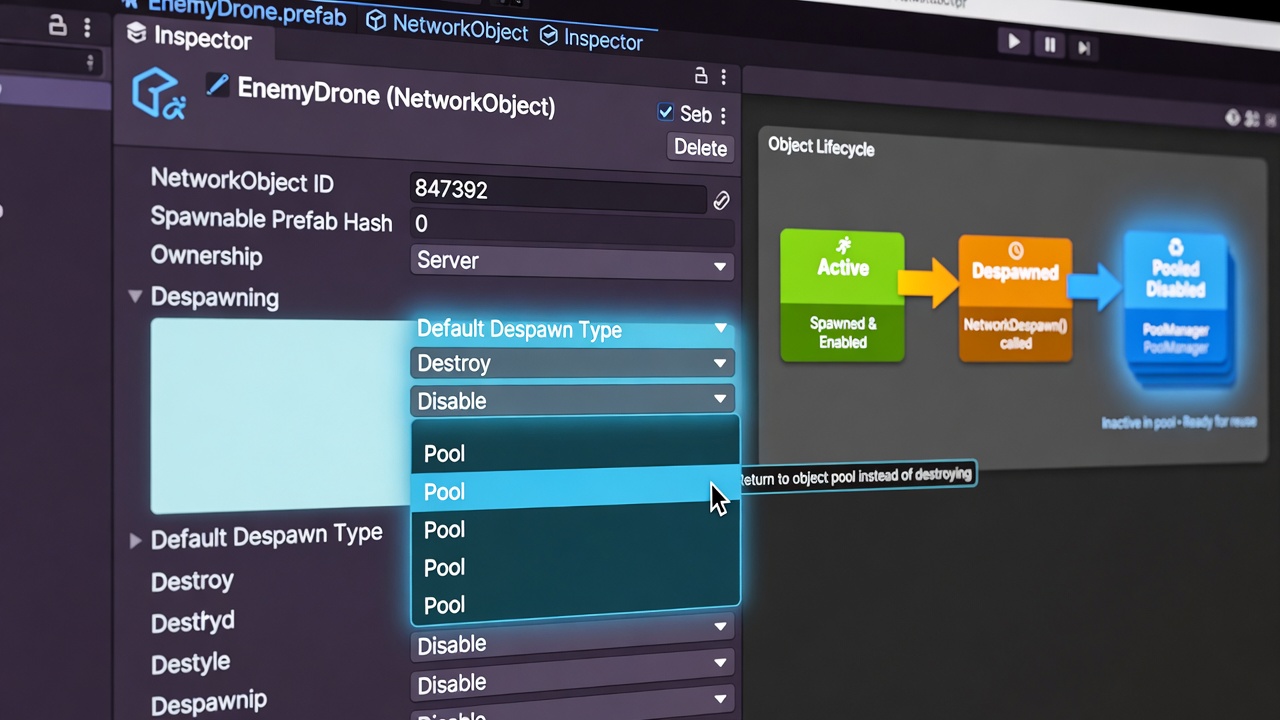
Achieving this level of performance starts with configuring Fish-Net’s built-in pooling system, which is incredibly straightforward but requires a few deliberate settings to activate. By default, the object pool is enabled globally, but individual NetworkObject components on your prefabs default to a Default Despawn Type of Destroy. To switch this over, select your networked prefab, locate the NetworkObject component in the Inspector, and change this dropdown value to Pool. This single adjustment instructs Fish-Net to bypass the standard Destroy call and route the object back into the active pool automatically. If needed, you can still trigger this pooling behavior via an explicit despawn call.
One of the biggest pain points of custom pooling in Unity multiplayer is resetting the state of recycled objects. Fish-Net handles this natively. When an object is returned to the pool, it automatically resets its network values, including all active SyncTypes on the object. This prevents stale data from leaking into the next spawn cycle, guaranteeing that when a client receives a recycled projectile or enemy, it behaves exactly like a freshly instantiated instance. While Fish-Net comes with this highly optimized basic object pool out of the box, it also fully supports any custom object pool of your choice, allowing you to integrate specialized reset logic or third-party memory systems if your project requires them.
Scene-Placed Objects vs. Runtime Prefabs
It is important to distinguish between scene-placed NetworkObjects and runtime-spawned prefabs. Scene-placed objects are simply disabled (deactivated in the hierarchy) upon despawn rather than pooled or destroyed. The true power of the pooling architecture lies in your runtime-spawned prefabs—such as projectiles, impact effects, and damage numbers—which are dynamically spawned and despawned hundreds of times per minute. For these dynamic objects, you can also use manual Despawn overloads on the NetworkManager or NetworkObject itself. This allows you to explicitly override the default settings on a per-call basis, giving you the flexibility to destroy specific instances under exceptional circumstances while keeping the default recycling behavior active for standard gameplay loops.
Retrieving, Pre-Warming, and Spawning NetworkObjects in Production
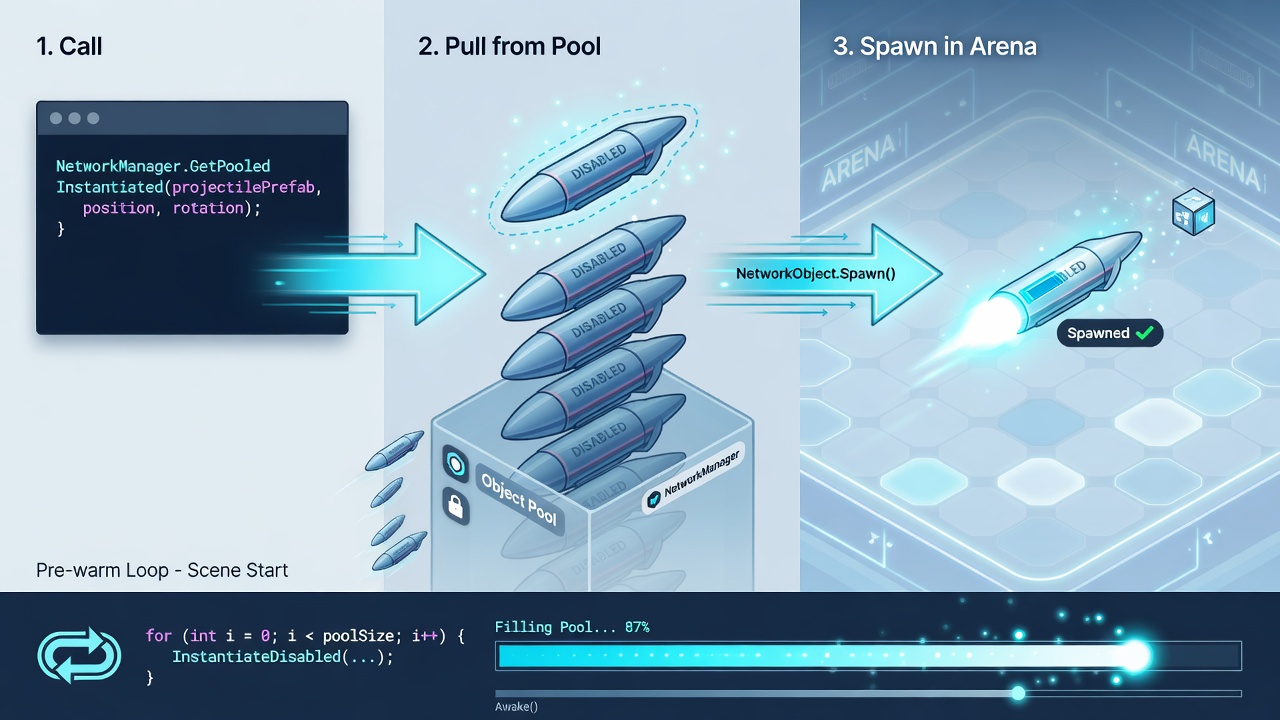
To fully exploit these recycling mechanics during dynamic gameplay, you must bypass the standard Unity Instantiate workflow entirely. Instead of creating a new instance when a projectile fires or an item drops, the server must query Fish-Net’s pool first. By retrieving the NetworkObject from the pool prior to network spawning, you ensure that the engine pulls an inactive, pre-allocated instance rather than incurring the heavy cost of instantiating new objects from scratch.
The Retrieval and Spawning Flow
The standard API flow for a server-authoritative spawn using the pool involves fetching the object from the NetworkManager's pooling system, configuring its starting position and rotation, and then calling the network spawn method. On the server, this looks like:
- Query the pool via
InstanceFinder.NetworkManager.GetPooledNetworkObject(prefab, position, rotation). - Modify any initial gameplay state or non-synchronized variables on the retrieved component.
- Call
InstanceFinder.ServerManager.Spawn(networkObject)to replicate the object to all observing clients.
When the server executes this spawn, clients do not instantiate the prefab either. Instead, their local Fish-Net systems automatically intercept the spawn payload, fetch a matching inactive object from their local client-side pools, and activate it instantly.
Pre-Warming the Pool for High-Frequency Objects
While retrieving objects on the fly prevents runtime allocations after the pool is populated, the very first spawns of a match can still cause frame-rate hiccups if the pool is empty. To eliminate this initial spike, you can pre-warm the ObjectPool by manually storing NetworkObjects via the NetworkManager API before runtime demand hits. This is typically done during scene loading or match initialization.
By instantiating your expected peak volume of high-frequency assets—such as projectiles, impact effects, and resource pickups—and immediately passing them to the pool using NetworkManager.StorePooledNetworkObject(instance), you guarantee zero-allocation hotpaths from the very first frame of combat.
Sizing Your Pools through Profiling
Pre-warming requires precise calibration. If your pre-warm sizes are too low, the system will fallback to runtime allocations when demand spikes. If they are too high, you waste precious system memory. Developers should profile spawn and despawn rates during high-intensity playtests to identify the maximum concurrent active count for each prefab. Set your pre-warm limits slightly above these observed peaks to maintain a stable memory footprint without risking mid-game allocations.
Extending the Architecture: Implementing Custom Object Pools for Complex NetworkObjects
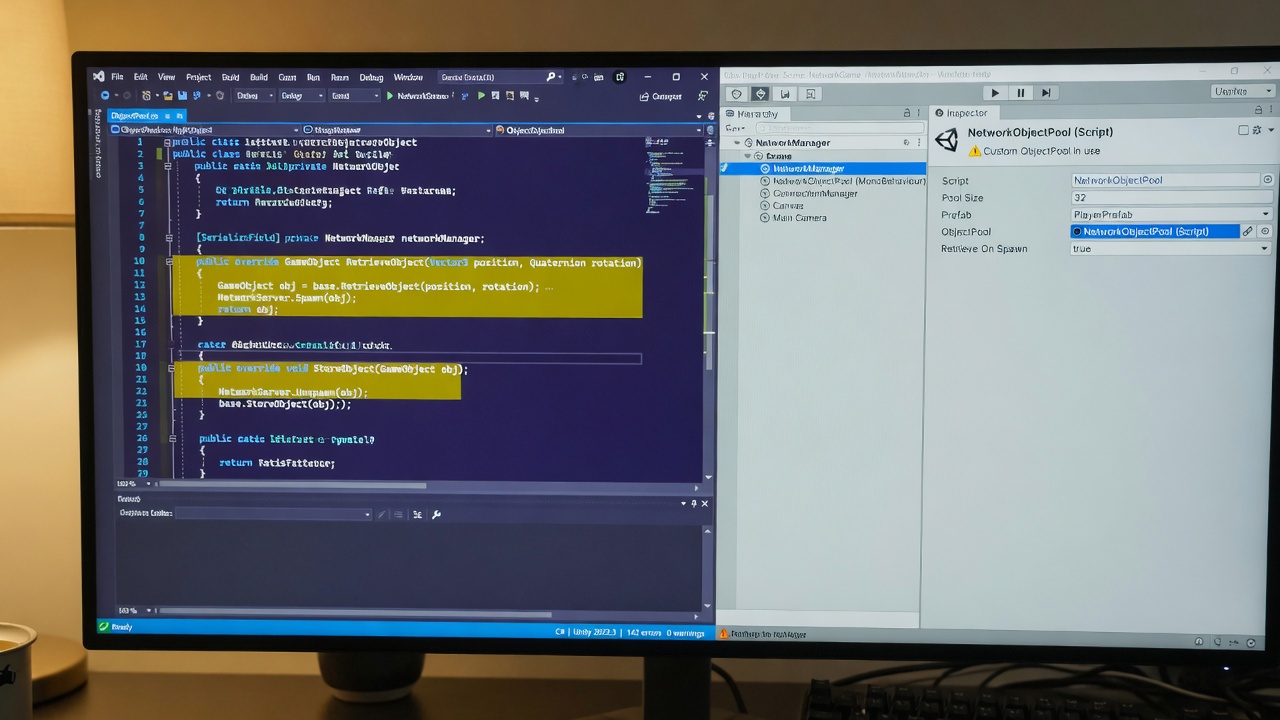
While the default pool handles simple projectiles and temporary visual effects with ease, complex entities require more granular control over their lifecycle. When dealing with heavily customized character avatars, vehicles, or nested structures, relying solely on generic activation and deactivation can leave residual game state behind. To solve this, you can bypass the default pooling behavior with a tailored implementation.
Steps to Implement a Custom Object Pool
- Create a new C# script and write a class that inherits directly from FishNet's ObjectPool base class.
- Implement your custom override methods for retrieving and storing network prefabs, allowing you to intercept the lifecycle hooks.
- Attach this component to a GameObject in your scene (typically the same GameObject that holds your NetworkManager).
- Drag and drop this new component into the ObjectPool field on your NetworkManager component to register it globally.
By overriding the retrieval and storage hooks within your custom pool, you can execute specialized setup and cleanup logic. For instance, when an object is returned to the pool (stored), you should reset non-networked MonoBehaviours, halt active particle systems, clear physics velocities on Rigidbodies, and reset Animator states. Crucially, you do not need to manually clear network buffers; Fish-Net still automatically resets all core network values, SyncTypes, and RPC states even when a custom pool is active.
When to Upgrade to a Custom Pool
Custom pooling is highly recommended for "fat" multiplayer avatars that carry deep hierarchies of cosmetic items, weapons, or nested NetworkObjects. It is also an invaluable tool when targeting browser-based WebGL environments. Under strict browser memory constraints, a custom pool allows you to implement aggressive memory-capping strategies, ensuring old assets are fully purged from memory when the player count fluctuates, rather than letting the pool grow indefinitely.
Optimizing for the Web: Predictive Spawning, WebSockets, and High-CCU Scaling
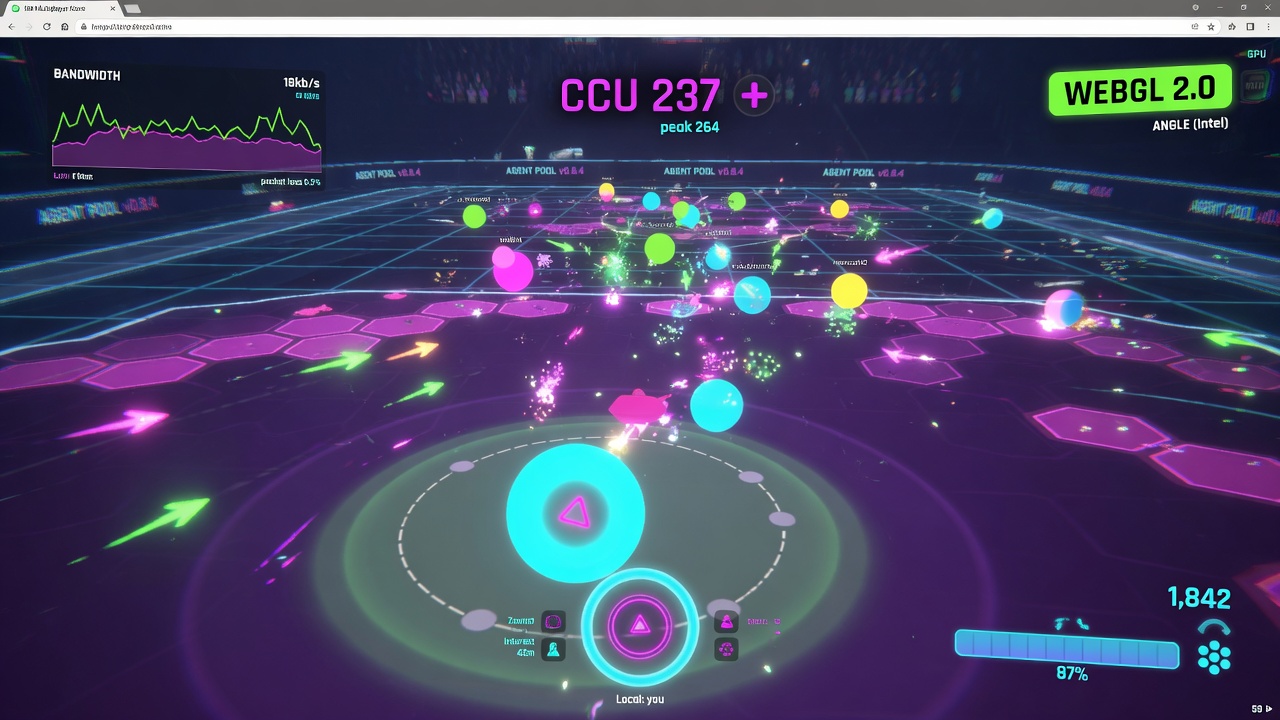
This strict memory control is particularly critical when deploying browser-based IO games, where garbage collection spikes can cause noticeable micro-stutters during intense gameplay. In WebGL environments, every byte of allocated memory matters, making the combination of custom pooling and client-side systems the ultimate strategy for buttery-smooth performance.
Instant Feedback: Combining Prediction with Local Pooling
When firing high-frequency projectiles or spawning rapid-fire visual effects, waiting for a server roundtrip ruins the player experience. By leveraging Fish-Net's built-in client-side prediction alongside local object pooling, you can immediately retrieve a visual entity from the local pool the moment the player presses the trigger. The client simulates the motion instantly, and when the server's authoritative spawn packet arrives, Fish-Net's prediction systems reconcile the state seamlessly, avoiding any double-spawning or visual hitches. This approach keeps the game feeling incredibly responsive, even under poor network conditions.
Culling and Bandwidth Control via Area of Interest
To scale your multiplayer game to support dozens, hundreds, or even over a thousand concurrent players, you cannot sync every pooled object to every client. Combining object pooling with Fish-Net's Area of Interest (AoI) management ensures that clients only receive network updates and spawn requests for entities within their immediate vicinity. When an entity leaves a player's AoI range, it is automatically despawned and returned to the local pool. When it re-enters, it is instantly grabbed from the pool and re-initialized. This prevents unnecessary network traffic and reduces CPU overhead by ensuring that off-screen objects remain inactive.
Scaling to High CCU on Low-End Hardware
When targeting browser environments, developers rely on WebSocket transports to handle incoming and outgoing data. Because WebGL cannot dynamically allocate memory as gracefully as desktop platforms, keeping your pool size strictly bounded is vital. Fish-Net's highly optimized serialization pipeline uses 67-78% less bandwidth than Mirror out of the box, with later updates pushing that efficiency to 90-95%. Best of all, because Fish-Net is entirely free and open-source with no CCU caps or paywalls, you can scale your production game to hundreds or thousands of players with massive bandwidth and resource savings.
Key Takeaways
Supercharge your project's performance by integrating our premium Unity URP and optimization tools into your Fish-Net workflow today.