
Building Dedicated Servers with Fish-Networking for Scalable Browser IO and Fat Games
If your IO arena or fat Unity world still hosts from a WebGL listen server, you already know the ceiling: one player's browser is the authority, the GPU is doing work the sim does not need, and you cannot hide server logic. Readers who landed here want the ops path off that host — a Linux dedicated Fish-Net server that owns tick, interest, and RPCs while the browser stays a thin URP client.
Fish-Net treats dedicated as first-class: Unity runs without graphics and focuses purely on network logic, which is the recommended way to host multiplayer games at scale. You install Dedicated Server Build Support — usually Linux — then Fish-Net auto-starts the server when NetworkManager loads unless you override Start on Headless or bind from UNITY_SERVER and command-line ports. That headless binary is what you strip, log, containerize, and pair with a WebSocket transport such as Bayou so WebGL clients can connect.
This article is the migration, not a feature tour. Switch the dedicated build target, turn on Unity Dedicated Server Optimizations and Fish-Net Pro code stripping, set Common headless logging with ticks, exclude client assemblies, and keep URP WebGL clients on the other side of the wire. Every later section assumes one idea: the server is a stripped Linux process; the browser is presentation.
- Install Linux Dedicated Server Build Support and switch to that target so Unity can strip graphics-heavy assets from the headless binary.
- Fish-Net auto-starts the server on dedicated builds when NetworkManager loads; override Start on Headless or use UNITY_SERVER for bind and port.
- Enable Tugboat Reuse Address, prefer command-line port and bind, and use Bayou or another WebSocket transport for WebGL clients.
- Turn on Dedicated Server Optimizations plus Fish-Net Pro stripping so shaders, fonts, and server-only RPC bodies leave the wrong builds.
- Log at Common with timestamps and ticks, exclude client assemblies, and keep URP WebGL clients as a thin presentation layer.
Why Listen Servers Can't Carry Browser IO and Fat Games
Listen servers couple simulation to a player machine and to whatever graphics stack that machine is already running. In browser IO and fat Unity titles that stack is usually a WebGL client in URP—the same process that should be a thin viewer is also ticking physics, spawning entities, and broadcasting state. The host’s frame budget, thermal limits, and browser sandbox become the server’s limits. One lag spike stalls everyone. One disconnect ends the session.
High entity counts make that coupling unworkable. Interest checks, collision, and replication share a process with rendering, so you design the match around the weakest hosting device instead of around the game. Listen-host convenience works in a LAN prototype; it is a ceiling once you need a persistent tick and a player count that does not collapse when the host alt-tabs.
A dedicated Fish-Net host breaks that coupling: strip the render loop, own the simulation on a machine you control, and treat every browser as a thin WebGL + URP viewer rather than a co-host.
Moving authority off the client shrinks the cheat surface, because simulation and server-only paths live where players cannot inspect them, and it frees phones, laptops, and browser tabs from hosting cost. Interest management and Network LOD only pay off fully on a stable dedicated process. On a listen host they compete with the player’s GPU. On a headless instance they are how one process holds high player and entity counts without the listen-server ceiling.
Install Linux Dedicated Server Support Before You Hit Build
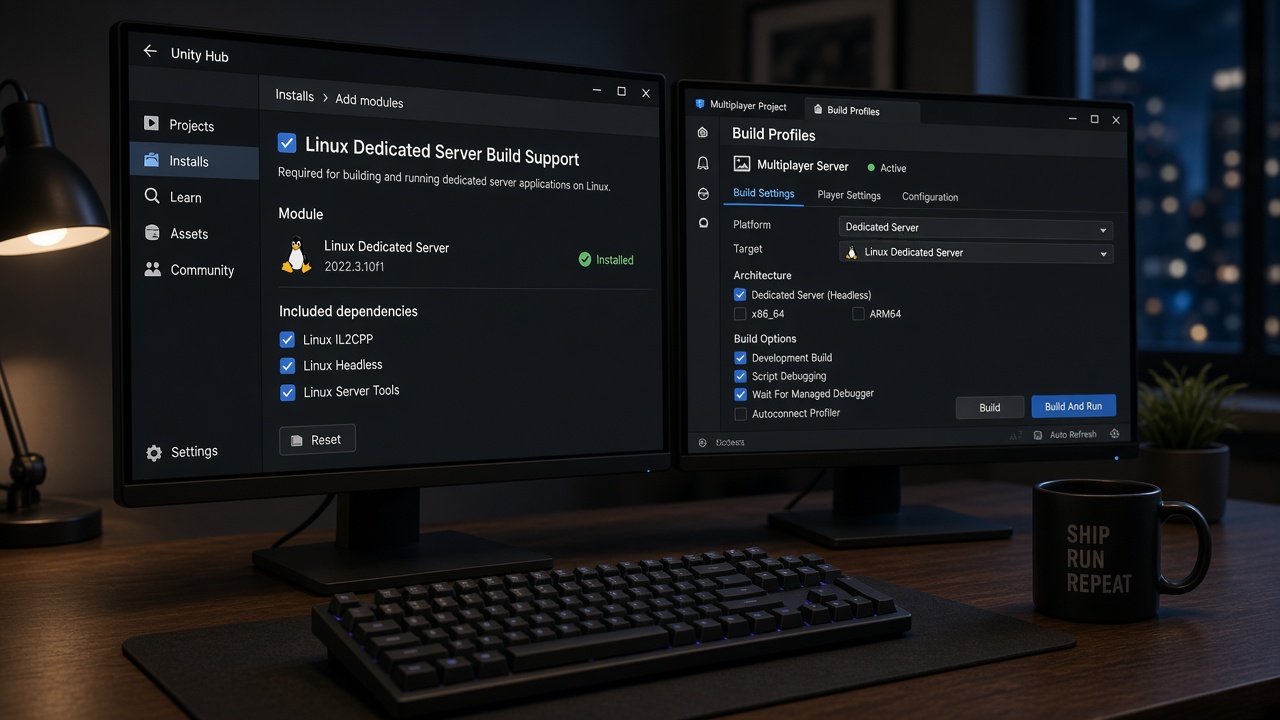
With listen-host coupling out of the way, the first practical step is a Unity module, not a Fish-Net setting. You need Dedicated Server Build Support for the server operating system installed before any headless build. That OS is usually Linux; Windows and macOS modules exist if you must host there, but Linux is the one we install first so browser IO and fat-game instances pack densely on a box.
Add it from Unity Hub or Build Profiles on the same editor version the project already uses, and leave WebGL Build Support sitting next to it. One project then emits the thin URP client and the stripped Linux server without forking the repo or swapping toolchains.
Use the Dedicated Server target
The module only pays off if you actually build with it. Switch to Unity’s Dedicated Server target rather than a Linux player with the window hidden. Unity then strips shaders, fonts, and other graphics-oriented assets and code paths a headless process never runs, which cuts CPU, memory, and disk versus a full player build — the difference that lets several IO instances share a machine.
- Linux Dedicated Server Build Support matching the editor version you ship from.
- WebGL Build Support so the URP client stays a first-class output of the same project.
- Dedicated Server selected as the build target when you produce the headless binary — not a disguised player build.
Treat Dedicated Server as a first-class platform in that project, not a late export trick. Until both modules sit side-by-side and that target is the one you actually compile, you are still shipping player weight into a process that should only own simulation.
Auto-Start the Headless Server, Then Bind Port From the Command Line
With the dedicated target stripping unused graphics and code, the remaining question is how that process actually starts listening. With the default settings, Fish-Net detects a dedicated server build and starts the server as soon as the NetworkManager is loaded. For browser IO and fat games that is the right default: the process exists to own simulation, so it should listen without a host button, a splash scene, or a player clicking Start Server.
You still need a lever when bootstrap is not instant. ServerManager’s Start on Headless control is that lever. Leave it enabled for a stock auto-listen. Disable it when you must delay — load config, warm object pools, wait on a health check — then call StartConnection yourself once the world is ready. That is also where UNITY_SERVER code belongs: custom listen logic on the server build, nothing extra on the WebGL client.
Containers and hosters will assign ports at deploy time. Do not bake them into a rebuild. Parse -port and a bind address from the command line before you start the server, apply those values to the transport, then listen. The binary stays immutable; orchestration owns the socket.
Keep editor play mode honest
Guard editor versus headless so local testing still works. Under UNITY_SERVER, parse args and start — or delay-start — exactly as production does. In the Editor, keep Start on Headless from hijacking listen-host or offline sessions; drive those from your usual debug UI or an editor-only bootstrap. One NetworkManager prefab, two honest paths, and the dedicated process can own the sim while clients stay thin.
Bind Tugboat and Bayou So WebGL Clients Can Reach You
Guard those editor paths, then treat the values you parsed as the source of truth for the transport—not whatever happened to sit in the inspector when you last hit Play. On a Linux dedicated process that transport is Tugboat first, and it has to own the socket before any client can find you.
The default transport Tugboat should in most cases have the Reuse Address option enabled. That flag lets the process reclaim the same port after a crash, a rolling restart, or a container recycle instead of failing the bind while the old socket is still in TIME_WAIT. Pair it with Port and Server Bind Address that match the host: 0.0.0.0 when you want every interface, or a specific private IP when the machine has more than one NIC and you are stacking instances. In production, feed both from the command line you already parse. Hard-coded inspector values are how two shards fight over the same port and how a fat-game deploy looks “down” when the process is healthy.
WebGL cannot speak raw UDP
WebGL clients cannot use raw UDP the way a native player can. Plan Bayou—or an equivalent WebSocket path—toward the dedicated box so the browser handshake actually completes. That often means Tugboat for tools and native traffic, with Bayou (or a reverse proxy terminating WSS) in front of the same simulation. Validate firewall rules and that proxy path before the first public build. A mis-bound server—wrong interface, closed UDP or TCP, or a proxy that never reaches Fish-Net—is the first-deploy failure we see most often on browser IO titles.
Strip the Headless Binary: Shaders, Client Code, and Server RPCs
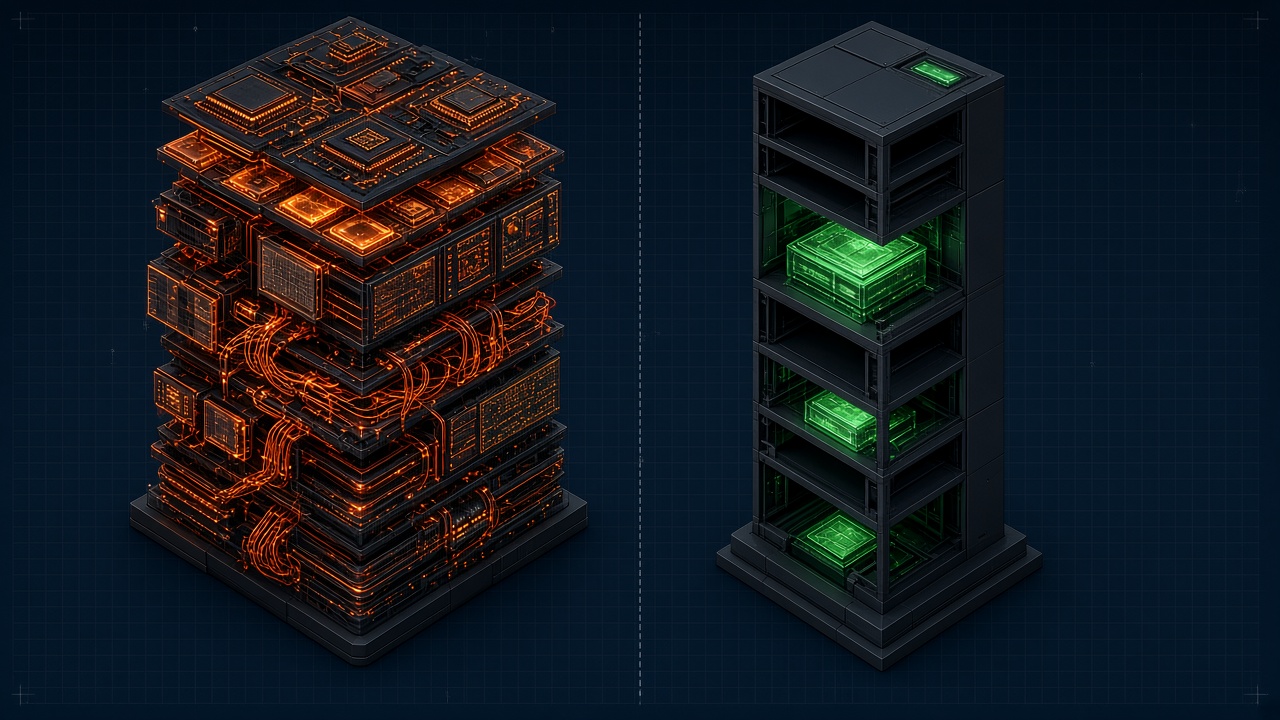
A reachable socket is not a cheap process. After Tugboat and Bayou are bound, whatever URP shaders, fonts, and client UI still sit in the Linux binary will spend RAM and dump shader noise into the same stdout you need when a tick stalls. The dedicated Fish-Net instance is supposed to own simulation and nothing else. Stripping is how you make that true — for size, for CPU, and so WebGL never receives server logic it should not see.
Dedicated Server Optimizations first
Enable Dedicated Server Optimizations under Player Settings > Other Settings > Optimization. Unity then strips shaders and fonts from the server output, which removes most of the headless shader errors and warnings that otherwise flood the process the moment it boots. That is not cosmetic: a quiet graphics stack leaves CPU for interest management and entity ticks instead of compiling variants that will never draw.
UNITY_SERVER, assembly definitions, then Pro
Keep client-only URP and UI out of the server with UNITY_SERVER / !UNITY_SERVER and assembly definitions. Cameras, canvases, and presentation-side pools should not compile into the dedicated target, and server simulation should not compile into WebGL. Exclude that code with the UNITY_SERVER preprocessor so the dedicated binary never carries presentation assemblies.
Fish-Net Pro code stripping automatically removes server-only RPCs, Server and Client attributes, and callbacks such as OnStartServer from client builds, and strips client-only code from the server. That shrinks both binaries and hides sensitive logic players should never inspect in a browser download.
- Enable Dedicated Server Optimizations so shaders and fonts leave the headless build and most shader errors go with them.
- Guard client URP and UI with UNITY_SERVER and assembly definitions so presentation code never reaches the server binary.
- Turn on Strip Release Builds so Pro stripping runs on shipping player and server outputs, not just play mode.
For fat games and browser IO, treat stripping as anti-cheat and RAM budget, not optional polish. A dedicated process that still packs client UI — or a WebGL build that still contains server callbacks — is a listen host in a thinner disguise.
Headless Logging: Surface Ticks, Joins, and Failures
That stripped process still has to talk. A Linux dedicated server has no Game view, no Scene view, and no HUD, so logging is the primary runtime signal. It is how you confirm NetworkManager came up, a client joined, or local tick stopped advancing in a fat-entity room.
Assign a Level Logging Configuration asset and set Headless Logging to Common. Common surfaces regular debug logs in dedicated builds, including connection events such as clients joining and leaving and the server starting. Keep timestamps and local tick on those lines so a desync reads as a gap in tick numbers and a failed join reads as a missing connection event after bind.
Skip Warning-only configs on production IO hosts. They look quiet, then hide tick stalls and join flaps until something throws—often after the room is already empty.
Ship those logs to the hoster's stdout and to rotating files the orchestrator can tail. Containers, systemd, and typical dedicated-host panels already scrape stdout; that is the channel you use to prove auto-start and bind without attaching a debugger. If output only lands in a player-data folder, you will never see the first join from outside the box, and you will not catch a tick that froze under load until players already left.
Shared Bootstrap, Thin URP Clients, and the Hosting Handoff
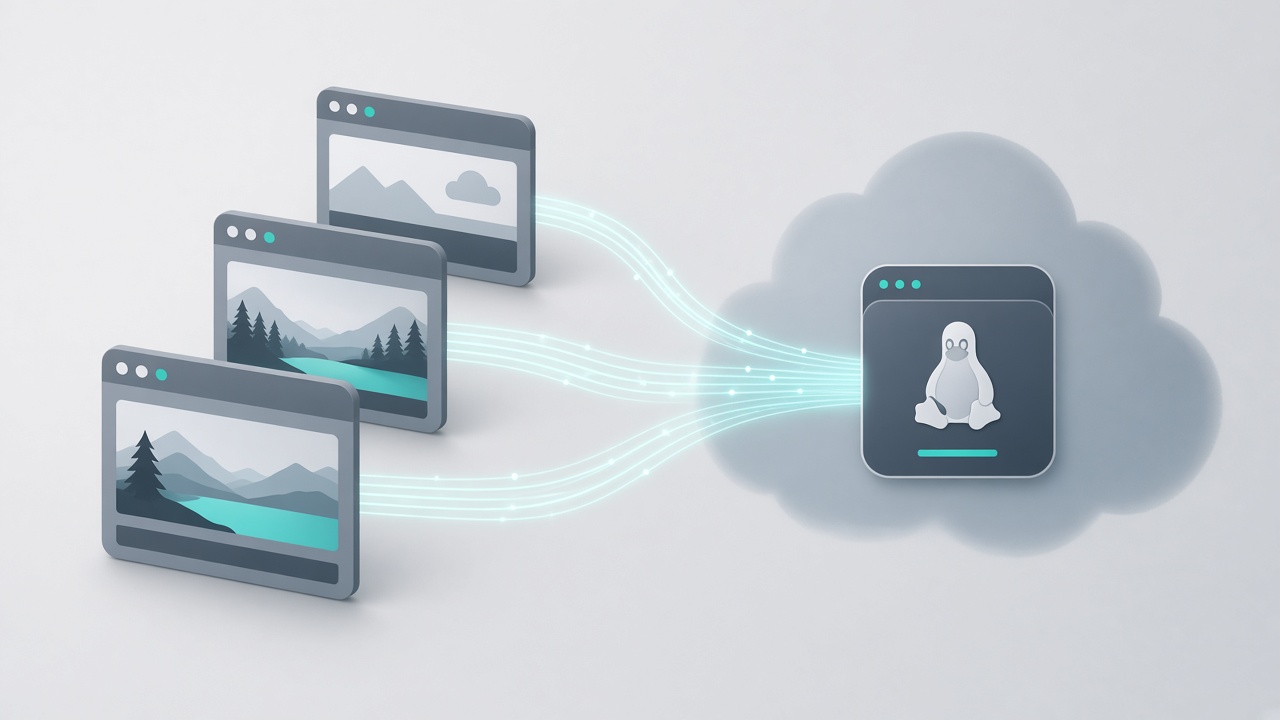
Those stdout and rotating-file streams only help if both binaries actually reach a living NetworkManager. That is the last piece of the loop: a shared bootstrap both builds can load, a WebGL client that stays thin on URP, and a runbook the hoster can follow without opening the editor.
Put a tiny bootstrap scene in both the WebGL and Linux Dedicated Server build lists. That scene should contain — or immediately load — a NetworkManager that already has transport, spawnable prefabs, and scene management wired. Shared world scenes are fine if every client-only camera, canvas, and URP volume is gated so the headless path never instantiates them. The server then loads simulation scenes only; the WebGL build loads the same world plus the presentation layer. If NetworkManager is missing on either path, you get a silent hang instead of a join.
Keep the browser on URP; leave simulation on the box
URP is the renderer to use for WebGL because it scales content across devices and works with the SRP Batcher. Treat draw-call discipline as a client problem: batch, pool, and keep materials instanced so the browser stays playable while the dedicated process owns ticks, physics, and authority. Do not drag extra cameras, volumes, or post into server scenes — the headless binary should never be a second renderer.
Interest management and Network LOD on the instance that owns the world
With simulation off the client, interest management and Network LOD finally pay rent. Network LOD (Pro) scales how often an object syncs based on distance from owned objects: distant entities throttle, nearby interactions stay high-fidelity. That cut in server bandwidth and client CPU is what lets one dedicated instance carry high entity counts without drowning observers — the difference between an IO arena that stays joinable and one that melts under watchers.
WebSocket clients, Docker, and the operator runbook
With a WebSocket path already in front of the sim, hosters such as Edgegap can compile a Fish-Net project into a dedicated Linux server and wrap it in Docker without a custom pipeline. Hand whoever runs that container a short checklist — then stop. The architecture is complete: an auto-starting headless server that logs and owns simulation, paired with thin WebGL plus URP clients, past what a listen host can carry.
- Port and bind address from environment variables or start args so the orchestrator assigns sockets without a rebuild.
- Health and join signals already going to stdout (and rotating files) so the hoster can tell a live tick from a stall.
- Which bootstrap scene and NetworkManager path each build uses, so a container restart does not hang on a missing manager.
Key Takeaways
Stand up a stripped Linux headless Fish-Net server next to your thin WebGL clients and take browser IO and fat games past listen-host limits.
Frequently Asked Questions
You Might Also Like
- Fish-Net Multiplayer Fish-Net Bayou WebGL Transport for Seamless Multiplayer Browser IO and Fat Games in Unity
- Performance What Runs Where: Splitting Fish-Net Simulation and URP Rendering for Browser IO Fat Games
- Fish-Net Multiplayer Scaling Fish-Networking for High-Player Browser IO Experiences
- Guides Server Authoritative vs Client Authoritative in Modern Multiplayer Game Development with Fish-Networking
- Fish-Net Multiplayer Mass-Aware Interest Management for Browser Fat Games with Fish-Net and URP