
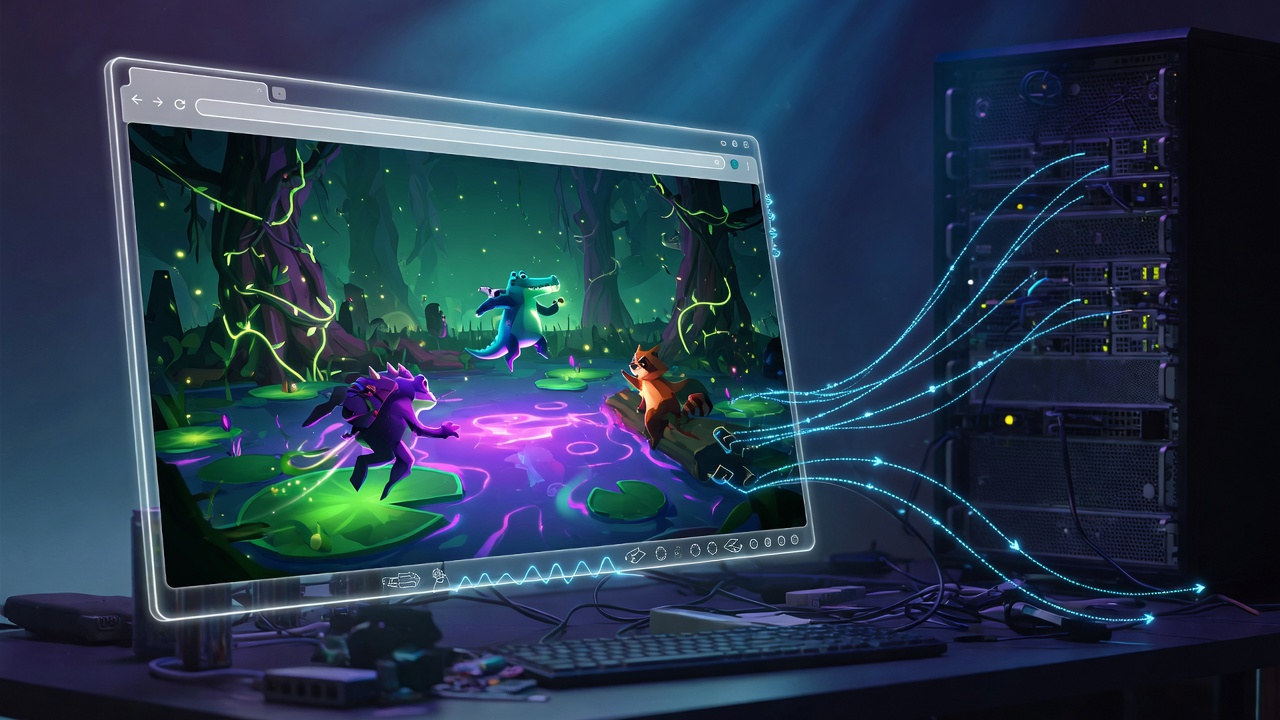
Fish-Net Bayou WebGL Transport for Seamless Multiplayer Browser IO and Fat Games in Unity
Browser multiplayer is the last mile that kills otherwise solid Unity netcode. Your Fish-Net server runs clean on UDP with Tugboat, prediction and interest management are tight, yet the moment you target WebGL the transport wall appears: no raw UDP sockets, mandatory WebSockets, TLS for production, and a client that must load fast enough that players do not bounce. That gap is exactly what Bayou closes.
Bayou is a WebGL transport, evolved from SimpleWebTransport, built for seamless browser communication with Fish-Net. You install it from GitHub releases, drop it on the NetworkManager, and assign it in the Transport Manager. From there the production path is concrete: enable WSS with certificate path and password, keep the default port 7770 and Maximum Clients of 2000 unless your host dictates otherwise, build a headless Linux server that starts on launch, containerize it, and ship a Gzip-compressed WebGL client with Decompression Fallback. Dual builds become routine instead of a special case.
This article is the end-to-end playbook for that swap. You will wire Bayou correctly, host on WSS without cert or port mismatches, keep URP and WebAssembly 2023 in the performance budget, and lean on Fish-Net’s zero hotpath allocations, multi-condition AOI, Network LOD, and pooling so high-entity IO and fat games stay stable in the browser instead of melting bandwidth or CPU. No CCU caps, any host you choose, and a stack that already proved it can move a live title from crashing near 40 CCU to over 300 CCU stable with roughly 75% server cost savings. Let’s get the transport right first.
- Bayou is Fish-Net’s dedicated WebGL/WebSocket transport (from SimpleWebTransport); install from GitHub, add to NetworkManager, assign on Transport Manager.
- Production defaults: WSS with cert path/password, port 7770, Maximum Clients 2000; enable Start On Headless for server builds.
- Ship dual builds—headless Linux server (containerized) plus Gzip WebGL client with Decompression Fallback—and host on matching WSS ports.
- Pair Bayou with Fish-Net AOI, Network LOD, pooling, and prediction plus URP (SRP Batcher, baked lighting, LODs) so high-entity browser IO stays bandwidth- and CPU-safe.
- Common breakages are protocol/port mismatch, missing headless start, and weak SSL—not the netcode itself.
Why Desktop Transports Collapse the Moment You Target WebGL
That starts with a hard browser constraint most teams hit only after the first WebGL build. Tugboat speaks UDP. Browsers do not. There is no raw socket API available to a Unity WebGL client, so the connection path that worked in the editor and in a standalone player simply never leaves the page. What you see instead is a silent failure: the client sits on “connecting,” the server never logs a peer, and nothing in the console points at the transport itself. Editor-only flows hide the same problem—play mode still runs on the desktop stack, so the project looks healthy until you actually ship the browser build.
Bayou exists to close that gap. It is the dedicated WebSocket (and WSS) transport for Fish-Net, evolved from SimpleWebTransport and built for exactly this job: carrying Fish-Net traffic between a headless server and a browser client. It is not a generic networking upgrade or a performance patch. It is the required pipe once your players are inside Chrome, Firefox, or a WebGL build hosted on itch.io. Swap it in, lock the protocol and port, and the rest of the stack can finally talk to the clients you actually care about.
Transport correctness is what unlocks the outcomes Fish-Net already proved on live titles. With no CCU caps or paywalls and the freedom to run on any host—including your own—the same project that once fell over near forty concurrent users can hold past three hundred while cutting server spend by roughly three-quarters. Those numbers only materialise when browser clients can reach the server at all. Get the WebSocket path right first; then zero-allocation hot paths, interest management, and the rest of the Fish-Net feature set have something real to push through.
Installing Bayou and Wiring It into the Transport Manager
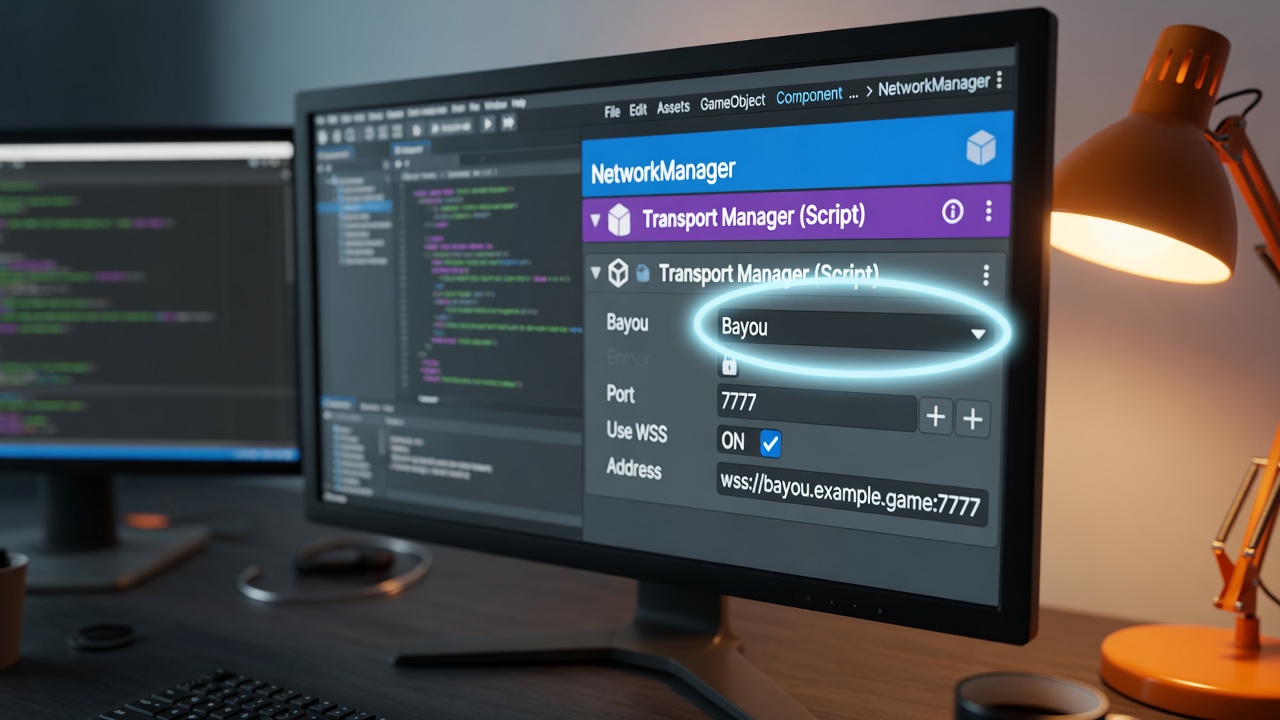
Getting that WebSocket path right starts with the right package. Bayou is the WebGL-focused transport evolved from SimpleWebTransport, purpose-built so Fish-Net clients in the browser can talk to the server without raw sockets. It is not bundled with the core Fish-Net package; you pull the release separately from its GitHub repository and drop the assembly into your project the same way you would any other transport dependency.
Once the assets are in the project, open the NetworkManager in the scene that owns your multiplayer bootstrap. Add the Bayou component directly onto that GameObject (or onto a child dedicated to transports). Then switch to the Transport Manager reference on the same NetworkManager and set Bayou as the active transport. Clients and server builds must share that single transport identity—mixing Bayou on the WebGL client with Tugboat on the headless server is exactly the silent-connect failure mode the previous section warned about. One transport assignment, one protocol path, both sides of the connection.
Platforms Bayou actually covers
Before you sketch a hybrid roadmap, lock the supported matrix in your head. Bayou fully supports Windows, Mac, Linux, Web, iOS, Android, and Xbox. It does not support PlayStation or Nintendo. That means you can ship a WebGL browser client talking to a Linux dedicated server, or an iOS companion build on the same stack, but you cannot plan a PlayStation or Switch WebGL hybrid that rides Bayou. Keep the transport choice honest with the platforms you actually intend to ship; the rest of the Fish-Net feature set only helps once every target build can open a socket the same way.
With Bayou installed, attached, and selected, the transport layer is no longer the blocker. The next decisions—WSS certificates, MTU, client limits, and how the server starts headless—determine whether that clean WebSocket path stays stable under real CCU and real packet sizes.
Bayou Settings That Decide CCU, Security, and Packet Fit
Those decisions live in the Bayou component you just selected. The defaults will get a title online, but the wrong port, an unsecured socket, or an MTU that fights your entity update rate will still drop connections the moment real CCU and real packet sizes show up.
Port and Maximum Clients
Bayou ships with port 7770 and a Maximum Clients ceiling of 2000. Keep 7770 unless your host, reverse proxy, or container already claims that port—then match client, server, and edge config to the same number so nothing silently refuses the handshake. Maximum Clients is a hard cap on simultaneous connections, not a soft suggestion. For fat-game rooms with fixed party sizes, lower it to the real room cap so the process does not reserve sockets and buffers you will never use. For open IO worlds where players stream in and out continuously, leave the default or raise it only when the host hardware and your interest-management budget can absorb the extra concurrent sessions without stalling tick work.
WSS Certificates for HTTPS-Hosted Clients
Pages served over HTTPS refuse plain ws:// connections. Enable Use WSS on Bayou, then set the certificate path and password to a TLS cert the server process can read at startup. Without that pair, production WebGL clients never finish the handshake—even when the same build connected fine over plain WebSocket on localhost. Treat cert path and password as required production fields, not optional polish.
MTU and Channels for High-Entity Updates
Bayou exposes an MTU aimed primarily at the unreliable channel. Size it for the update patterns your high-entity IO or fat-game sessions actually send: large enough that common state batches avoid pointless fragmentation, small enough that a single spike does not stall the WebSocket frame path. Reliable traffic still rides the ordered channel; treat MTU as the unreliable budget, not a global free-for-all. Get port, client cap, WSS, and MTU aligned with how you host and how dense the world is, and the transport stays out of the way for the dual-build work that follows.
- Port — default 7770; match client, server, and host exactly
- Maximum Clients — default 2000; lower for fixed fat-game rooms, keep or raise only for open IO capacity you can actually serve
- Use WSS — enable with cert path and password so HTTPS-hosted WebGL clients can connect
- MTU — tune for unreliable high-entity batches; avoid both chronic fragmentation and oversized frames
The Dual-Build Pipeline That Keeps Server and Browser in Lockstep
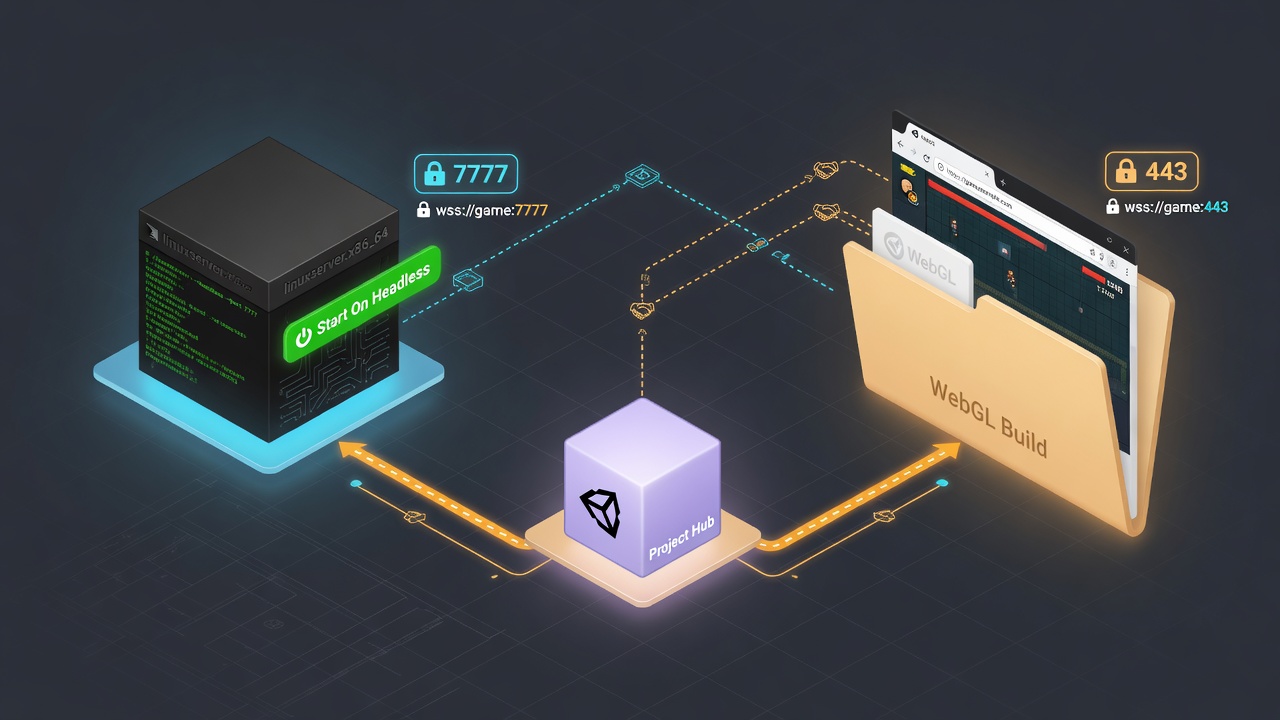
Those four knobs only matter if both binaries agree on them every release. The production pattern is a dual-build pipeline: one headless Linux server that actually binds Bayou after boot, and one WebGL client compressed hard enough for itch.io-style impulse traffic—both wired to the same transport identity so you never ship a Tugboat residual into a WebSocket world.
Headless Linux server that listens on first frame
On the server side, enable Start On Headless on the NetworkManager so Bayou starts the moment a display-less process launches. Target a Linux Dedicated Server (or plain headless) player, strip graphics, audio, and any editor-only assemblies, then launch with -batchmode -nographics (or your orchestrator’s equivalent). That combination keeps the process alive and forces the transport to bind the configured port immediately after boot—critical inside containers where a silent failure looks like a healthy pod that never accepts connections. Expose and map that same port in the container definition; if the host or platform expects WebSocket traffic on a different external port, reverse-proxy or map explicitly so inbound frames reach Bayou’s listener rather than dying at the edge.
WebGL client compression for fast host loads
For the browser build, switch the platform to WebGL and turn on Gzip compression together with Decompression Fallback. That pair keeps the initial download small on itch.io, static CDNs, and similar hosts while still expanding correctly across browsers that differ on Brotli support. Keep the WebGL template lean, enable code stripping, and push heavier content behind Addressables or asset bundles so IO players reach a joinable state quickly. The client scene must carry the identical Bayou component and Transport Manager selection as the server—same port, same WSS posture, no leftover desktop transport.
Repeatable dual-build checklist
Run the same short checklist on every release so transport configs never drift:
- Confirm Bayou is the sole active transport on the NetworkManager for both server and client scenes or prefabs.
- Server build: Linux headless/dedicated, Start On Headless enabled, graphics and audio stripped, launched with batchmode/nographics flags.
- Client build: WebGL platform, Gzip plus Decompression Fallback, matching port and WSS settings.
- Scan for any residual Tugboat or alternate transport assignment and remove it.
- Tag both artifacts with the same version identifier so a mismatched pair cannot be deployed together.
- Smoke-test a local WebGL build against the headless process before pushing containers or uploading the client build.
Treat that list as a gate, not a suggestion. When it passes, the server is listening on Bayou the instant the container starts, the browser client loads fast enough for impulse sessions, and both ends speak the same WebSocket dialect—ready for the hosting and certificate work that comes next.
Container Hosting, WSS Certs, and the Port Triangle
That dual-build gate leaves you with a listening headless server and a fast WebGL client—now they need a place to meet. The cleanest production pattern is the Edgegap-style Fish-Net + Bayou path: a Linux container that maps a single external port straight onto Bayou’s listen port, paired with a WebGL client uploaded to itch.io (or any static host) with Gzip already enabled. Edgegap’s own guide walks the full loop—Fish-Net’s WebSocket transport Bayou, headless server containerization, and the itch.io client upload—so you are not inventing the wiring from scratch.
WSS is non-negotiable once the client lives on HTTPS. Drop the certificate and key into the paths Bayou expects, flip Use WSS, and make sure the container (or reverse proxy in front of it) terminates TLS on the same port the browser will dial. The classic failure mode is simple disagreement: the client’s WSS URL points at one host:port, the container maps a different external port, and Bayou itself is still listening on its default 7770. Any one of those three out of sync and you get silent connect failures that look exactly like the old Tugboat/WebGL mismatch. Lock the triangle—client address, mapped port, Bayou listen port—before you ship the next build.
Minimal post-deploy smoke test
Once the container is live and the client is public, run this short checklist every release. It catches the port triangle, cert problems, and the browser’s habit of throttling background tabs before players do.
- Open the hosted WebGL build and confirm the client reaches the WSS endpoint without console errors.
- Connect, spawn a networked object, and verify ownership and state replicate both ways.
- Idle for thirty seconds; watch for unexpected disconnects or growing allocation spikes.
- Background the tab for a minute, then return and confirm the session re-establishes cleanly (or recovers via your reconnect path).
- Repeat from a second browser or device to prove Maximum Clients and interest management still behave under real concurrent load.
When that smoke test passes, hosting is no longer the variable. The stack is ready for the quieter limits that only appear once real browser sessions stay open—tab throttling, WebGL CPU ceilings, and the runtime behaviours that can still stall an otherwise solid multiplayer loop.
Browser Limits That Masquerade as Network Failure
Those quieter limits surface first as hitching that feels like packet loss or high ping—even when Bayou’s WebSocket path is clean and the smoke test already passed. On WebGL the CPU-side dispatch of graphics work is slower than native OpenGL, so a surge of draw calls can stall the main thread long enough that Fish-Net’s tick loop and receive buffer look late. Teams that chase the transport or MTU at that point are fixing the wrong layer; the hitch is client-side render pressure masquerading as network failure. Enable WebAssembly 2023 for SIMD and best performance on newer browsers, then treat draw-call count as a first-class multiplayer budget alongside bandwidth.
A URP client baseline beside Bayou
Unity recommends URP over the Built-in Render Pipeline for web builds because it scales efficiently across devices. Enable the SRP Batcher to cut CPU rendering cost, then lock in a deliberate performance envelope rather than leaving the client as an afterthought:
- Bake lighting wherever possible and keep real-time lights sparse
- Use LODs and occlusion culling so distant or hidden entities never hit the GPU
- Pool networked objects instead of Instantiate/Destroy thrash
- Ship content through Addressables and compress textures and meshes for smaller loads
- Limit post-processing to a light, WebGL-safe stack
Those steps sit beside Bayou, not instead of it: the transport gets packets in; the URP baseline keeps the browser able to consume them without stalling the frame.
Background tabs and the 60 fps assumption
Browser IO players also leave tabs open or switch away mid-session. Most browsers throttle a hidden tab to roughly one update per second, so any reconnect or catch-up logic that assumes a steady frame rate will misbehave. Unity itself baselines Application.targetFrameRate against 60 fps for all browsers; design tick-smoothing, prediction reconciliation, and background-tab reconnect so they tolerate long gaps without flooding the server or desyncing the local simulation. Once those client realities are priced in, Bayou and the dual-build pipeline stop absorbing blame for problems they never caused.
Bayou Is the Pipe — Scale Entities with Fish-Net’s AOI, LOD, and Prediction
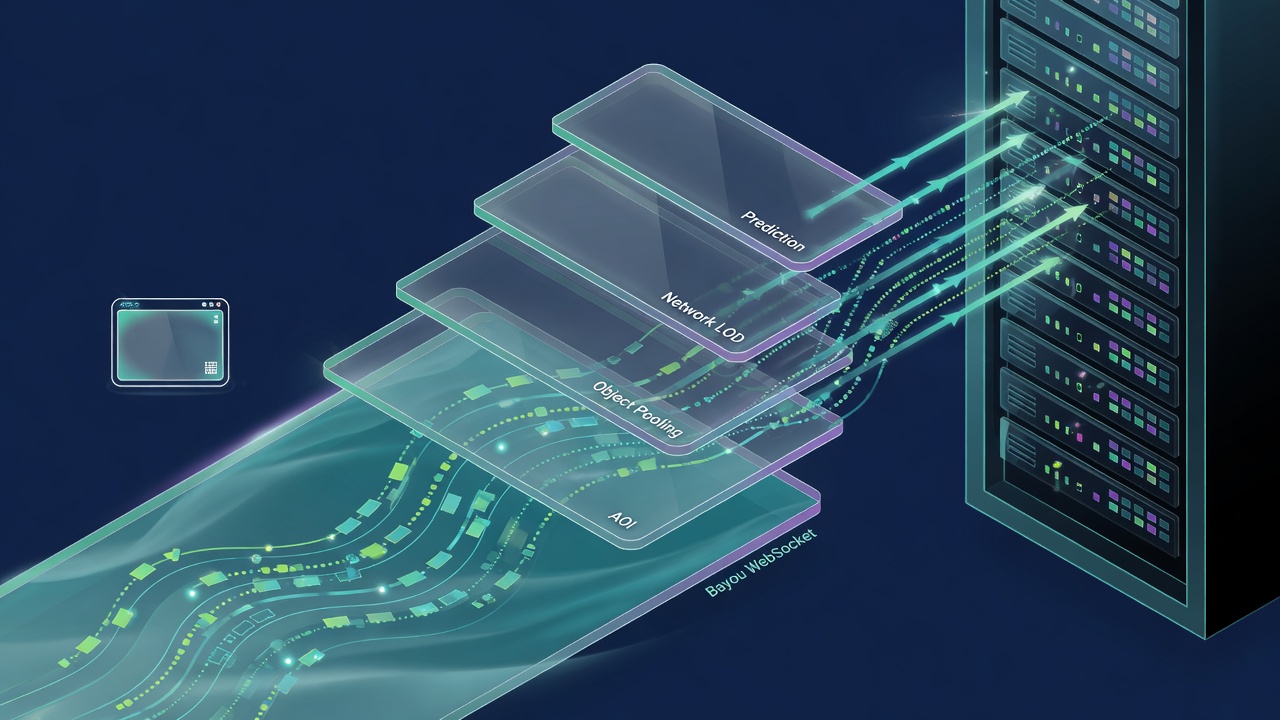
With client hitching, tab throttling, and frame-rate assumptions no longer mistaken for transport failure, the remaining work is wiring. Bayou is the pipe: it moves bytes over WebSocket for browser clients the same way Tugboat moved them over UDP for desktop. It does not replace interest management, LOD, pooling, or prediction. Those stay Fish-Net’s job—the entity-scale controls already covered elsewhere on this site—and they matter more once WebGL is online, not less.
Fish-Net’s traits that pay off in the browser are the ones that keep GC and bandwidth quiet under load. Unlike Mirror and Netcode, it does not allocate on the hot path; tests show it can push anywhere from a few megabytes to a few hundred megabytes over the network without the garbage spikes that stall WebGL’s slower CPU dispatch. Large-packet support, multi-condition AOI, Network LOD, built-in prediction, and automatic prefab detection with pooling are the same tools you use on desktop—they simply become the difference between a fat IO room that holds and one that melts when entity counts climb.
Multi-condition AOI is the sharpest lever. Fish-Net lets several conditions run at once—scene plus distance, team plus relevance, or whatever your design needs—so the server stops shipping state clients will never see. That cuts bandwidth and server work in the exact place browser clients feel it: fewer packets, less reconciliation thrash, and more headroom for the prediction and tick-smoothing you already tuned for background tabs.
Enable transport first, then layer interest
Practical order keeps teams from tuning graphics to hide a bad socket setup. Get Bayou selected on the Transport Manager, WSS and port matched across the dual builds, and a clean connect/spawn/idle smoke test on the hosted container before you touch AOI radii or Network LOD distances. Only after the pipe is stable do you enable multi-condition observers, dial LOD tiers for high-entity density, confirm pooled spawns, and validate prediction reconciliation under intentional lag and tab-throttle. Graphics and URP batching stay last: they polish frame time; they do not fix a transport that never delivered the state.
That sequence is the whole stack in miniature. Bayou replaces Tugboat so browser clients can join. The dual-build pipeline and container port triangle keep server and WebGL client in lockstep. URP and client baselines stop the browser from masquerading as network failure. Fish-Net’s zero-allocation hot path, large packets, multi-condition AOI, Network LOD, pooling, and prediction then scale the world on top of a pipe that actually works. Ship that order and seamless multiplayer browser IO stops being a research project—it becomes the release path.
Key Takeaways
Download Bayou, lock your dual-build and WSS pipeline, and ship the same Fish-Net browser stack that already moved live titles from crash-at-40 to 300-plus CCU.
Frequently Asked Questions
You Might Also Like
- Fish-Net Multiplayer Scaling Fish-Networking for High-Player Browser IO Experiences
- Fish-Net Multiplayer Mass-Aware Interest Management for Browser Fat Games with Fish-Net and URP
- Fish-Net Multiplayer Cut Fish-Net Bandwidth Costs: Network LOD and Serialization for High-Entity Unity IO Games
- Fish-Net Multiplayer Advanced Client-Side Prediction with Fish-Networking in Unity
- Fish-Net Multiplayer Fish-Net NetworkTransform and Rigidbody Synchronization for Smooth Multiplayer Physics in Unity IO Games