Advanced Client-Side Prediction with Fish-Networking in Unity
In fast-paced multiplayer browser games, even a fraction of a second of input delay can ruin the player experience. Traditional server-authoritative netcode keeps gameplay secure but introduces jarring latency as players wait for the server to acknowledge every keystroke. To solve this, developers turn to client-side prediction. According to official Fish-Net documentation, client-side prediction is a technique used to move in real-time on clients, providing responsiveness actions, while also ensuring such actions cannot be cheated.
Implementing this architecture from scratch is notoriously difficult, but Fish-Networking is the only free solution to provide built-in client-side prediction with only a few lines of code. According to official documentation, implementing prediction is done by creating a replicate and reconcile method, and making calls to the methods accordingly. Additionally, Fish-Net includes components for desynchronization smoothing, and rigidbody prediction, allowing developers to handle complex physics-based movement out of the box.
However, out-of-the-box solutions can still run into edge cases when pushed to the limits of high-latency browser environments. Developers frequently report weird latency issues with CSP v1 in Fish-Net, such as delayed movement after actions leading to desync. For instance, a player might execute an action like a punch, and while they attempt to move immediately, the server observes the client punch but only begin moving some time later. To eliminate these timing mismatches, we must dive deep into Fish-Net's tick-based simulation loop, structure our replication structures correctly, and configure robust reconciliation parameters.
- Client-side prediction (CSP) provides instant local input feedback while maintaining strict server authority to prevent cheating.
- Fish-Networking is unique as the only free Unity netcode solution offering built-in CSP out of the box.
- Implementing CSP in Fish-Net relies on structuring paired replicate and reconcile methods within the simulation loop.
- Desynchronization smoothing and built-in rigidbody prediction components help resolve physics-based jitter.
- Eliminating input-timing mismatches and latency desyncs requires a deep understanding of Fish-Net's tick-based architecture.
Why Client-Side Prediction Defines the Browser IO Experience
In fast-paced browser IO games, players expect instant responsiveness. Even a fraction of a second of input lag can make a game feel sluggish and unplayable. This is where client-side prediction (CSP) becomes indispensable. By predicting movement locally, clients can move in real-time to provide immediate responsiveness, while the server retains authority to validate those actions and prevent cheating.
Fish-Networking makes implementing this architecture remarkably accessible. Unlike other multiplayer frameworks that lock advanced prediction systems behind expensive premium tiers, Fish-Net offers robust, out-of-the-box CSP features—including the PredictedObject component and replicate/reconcile workflows—entirely in its free version. This is a massive advantage for developers rapidly prototyping competitive IO titles on tight budgets.
Navigating the Pitfalls of Web-Based Latency
Despite these tools, browser-based multiplayer introduces unique challenges. High jitter, packet loss, and fluctuating frame rates can easily disrupt the tick-based simulation loop. Common pitfalls include:
- Input Timing Mismatches: When client inputs arrive at irregular intervals, the server can misinterpret the sequence, leading to severe positional desyncs.
- Naïve Physics Synchronization: Relying on standard non-deterministic physics engines without proper rollbacks causes correction jitter.
- Inefficient Packet Bundling: Failing to group inputs into single, tick-aligned network packets increases overhead and exacerbates web-socket congestion.
Configuring PredictedObject for Tick-Aligned Simulation
To overcome these synchronization pitfalls, developers must bridge the gap between Unity's update cycles and the network's timeline. This begins by assigning the PredictedObject component directly to your player controller prefabs. In Fish-Networking, this component acts as the orchestrator for state reproduction.
Setting up the PredictedObject correctly requires aligning your local simulation ticks with incoming network updates. Instead of relying on standard Update or FixedUpdate loops, all movement logic must run inside Fish-Net's tick-based events. This ensures that every player input is processed exactly once per simulation tick, preventing the input-processing delays that occur when frame rates fluctuate independently of the network tick rate.
Preparing for Deterministic Physics
Because standard Unity physics are non-deterministic, you must prepare your Rigidbody or character controller properties for manual rollback and replay. When configuring your PredictedObject, ensure you:
- Disable automatic physics simulation so the network tick can manually step the physics scene.
- Cache critical transform and velocity states at the start of each tick.
- Keep prediction data lightweight to minimize the serialization overhead when bundling inputs.
Authoring Replicate and Reconcile Methods for Deterministic State Sync
To implement prediction, you must author dual methods that process inputs on both sides of the network: a replicate method and a reconcile method. The replicate method runs on both the client (predictively) and the server (authoritatively) to execute the simulation step based on the player's input payload. The reconcile method acts as the corrective mechanism, resetting the client's state to match the server's authoritative state whenever a mismatch is detected.
Structuring the Replicate Method
The replicate method must be decorated with Fish-Net's [Replicate] attribute. This method processes the client's input data structure, applying forces or translating positions for a specific tick. When calling this method, the client runs it instantly to achieve zero-latency responsiveness, while bundling and sending the input payload to the server. The server then executes the same method with the corresponding tick data to validate the movement.
Implementing Reconcile Logic and Ownership Checks
The reconcile method, marked with the [Reconcile] attribute, handles state correction. If the server detects a discrepancy between its simulation and the client's predicted state, it sends the authoritative state back. The client then rewinds its local timeline, resets its transform and velocity to the reconciled state, and re-runs the replicate method for all unacknowledged ticks.
When writing this logic, you must carefully handle network ownership. Prediction should only execute on the client that owns the object. Non-owning clients do not predict; instead, they receive interpolated state updates from the server. Checking ownership ensures that you do not waste CPU cycles running prediction code for other players' entities, which would otherwise lead to visual jitter and simulation desynchronization.
Advanced Latency Mitigation and Input Bundling under Network Stress
Ensuring prediction runs exclusively on the owning client is only the first step in stabilizing a fast-paced browser IO game. Under real-world network conditions, players face fluctuating ping and packet loss that can disrupt the delicate alignment between client inputs and server execution.
Resolving Action-to-Movement Latency Gaps
A common hurdle when working with Fish-Net's client-side prediction involves unexpected timing gaps between different types of player actions. Developers frequently report weird latency issues with client-side prediction v1 in Fish-Net, where performing an action—such as a melee attack or a quick ability—causes a temporary delay in movement immediately afterward, resulting in a noticeable simulation desync. This manifests when a client executes an action and immediately begins moving in a direction; on the server, the movement is registered as starting significantly later than it did on the client.
This discrepancy occurs because the non-movement action interrupts the continuous stream of movement ticks or is processed out of sequence. To prevent this, all player actions must be treated as part of the same replicated input structure, ensuring they are tied to the exact same tick as the movement data itself.
Bundling Inputs and Simulating Real-World Conditions
To mitigate packet overhead and prevent the server from receiving fragmented state updates, you should bundle inputs into single packets. Instead of sending discrete RPCs for attacks, jumps, or direction changes, consolidate these states into a unified input structure passed through your replicate method. This guarantees that the server processes the action and the subsequent movement on the exact same tick, preserving determinism.
To validate these optimizations, you must rigorously test your implementation under simulated browser latency. You can achieve this by using the following methods:
- Using Fish-Net's built-in network simulator to inject artificial lag, jitter, and packet loss directly into your local editor workflow.
- Testing your WebGL builds using browser developer tools to throttle network speeds and simulate high-latency cellular or unstable Wi-Fi connections.
- Monitoring the reconciliation frequency to ensure the client is not constantly being snapped back by the server during rapid transitions between actions and movement.
Smoothing Out Desyncs and Jitter in Fast-Paced IO Games
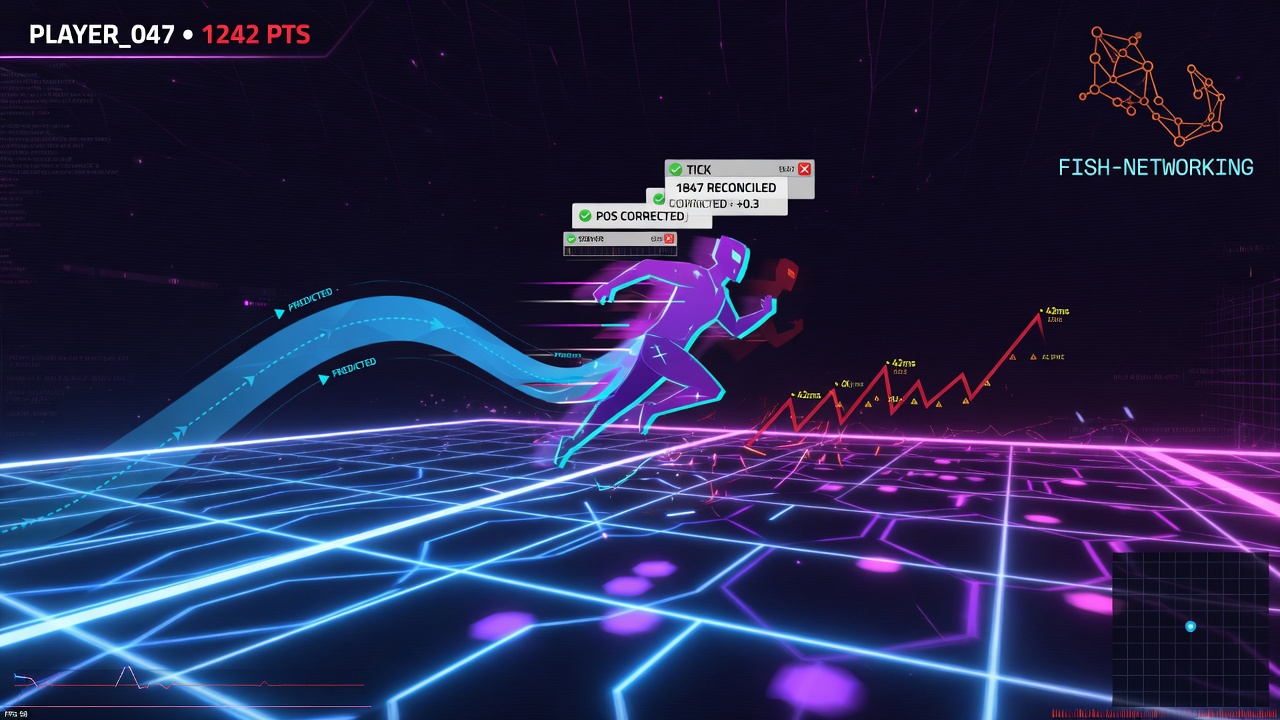
Even with perfectly synchronized ticks, network fluctuations will inevitably trigger reconciliation. When the server overrides a client's predicted position, an abrupt snap occurs. For a competitive browser IO game, this visible jitter ruins the gameplay experience. To prevent this, developers must decouple the visual representation of the player from the underlying physics simulation, allowing the visual model to smoothly interpolate to the corrected position rather than snapping instantly.
Fortunately, Fish-Net provides built-in tools to handle this complex interpolation automatically. Out of the box, the framework includes dedicated components designed specifically for desynchronization smoothing and rigidbody prediction. By utilizing these tools, you can ensure that when a reconciliation event occurs, the client-side visual transform gently glides into its corrected state over a fraction of a second, completely hiding the underlying physics corrections from the player.
Optimizing Rigidbody Prediction
When configuring these smoothing components for rigidbodies, pay close attention to your interpolation settings and velocity thresholds. If the desynchronization distance is tiny, aggressive smoothing is unnecessary and can make the controls feel mushy. Conversely, if a major desync occurs, you want a rapid but smooth correction. Tuning these thresholds ensures that high-speed collisions and rapid directional shifts remain visually crisp, maintaining the responsive, snappy feel that players expect from real-time web-based multiplayer games.
Mastering the Prediction Debugging Loop: Diagnosing Desyncs in Real Time
Even with an optimized setup, network edge cases will occasionally trigger prediction errors. Debugging these desyncs requires a systematic approach to isolating whether the issue stems from state-tracking mismatches, ownership confusion, or deterministic drift.
Inspecting Reconcile Callbacks and Ownership
Your first line of defense is subscribing to Fish-Net's reconcile callbacks. By logging the exact tick and state data when a reconciliation is triggered, you can pinpoint the variance between the client's predicted position and the server's authoritative state. A constant stream of reconciliations indicates a fundamental mismatch in how inputs are processed or how physics is stepped.
Always verify client ownership before running prediction logic. If a non-owning client accidentally runs prediction code, or if the server attempts to predict instead of purely validating, you will experience severe visual jitter and state fighting. Ensure your replicate methods are strictly guarded by ownership checks so only the controlling client simulates ahead.
Iterative Testing Workflow for Browser IO Games
Because browser-based IO games encounter highly volatile network conditions, you must test your prediction under simulated stress. Use the following iterative workflow to harden your implementation:
- Apply Artificial Latency: Use network simulation tools within Unity or external link conditioners to introduce 100ms to 300ms of artificial ping and packet loss.
- Monitor Tick Alignment: Watch the tick rate closely to ensure the client is not drifting too far ahead or falling behind the server's simulation window.
- Validate WebGL Builds Early: Do not rely solely on the Unity Editor. Regularly build and test WebGL instances in multiple browser tabs to catch single-threaded performance bottlenecks that disrupt timing.
Key Takeaways
Explore our suite of advanced Unity URP and optimization tools to further elevate your game's performance and visual quality.