
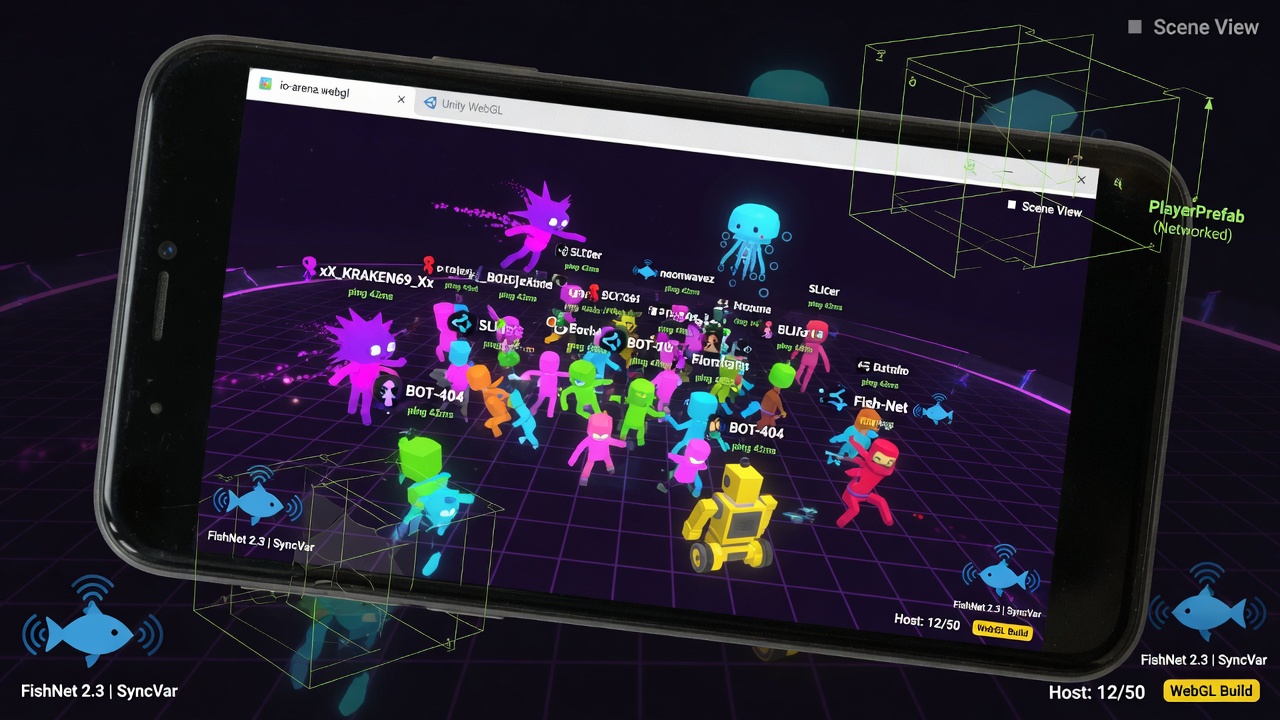
Unity URP Mobile Rendering Optimization for Browser Games
Building multiplayer games for mobile browsers presents a brutal technical paradox. You are tasked with running a real-time, high-tick-rate netcode framework like Fish-Net alongside a modern rendering pipeline, all within the single-threaded, memory-constrained sandbox of a mobile browser's WebGL wrapper. Without rigorous optimization, even a modest number of synchronized players will cause immediate frame-rate collapse on average smartphones.
While many developers assume Unity's legacy Built-in Render Pipeline is the only viable option for web exports, the Universal Render Pipeline (URP) actually provides superior WebGL performance, yielding smaller build sizes and offering modern, web-optimized shader features when configured correctly. Achieving this performance requires moving away from default URP templates and systematically tuning the pipeline for low-end mobile hardware. By targeting the specific bottlenecks of mobile GPUs—such as fill rate, memory bandwidth, and draw call overhead—you can deliver desktop-grade responsiveness directly in a mobile web browser.
- URP outperforms the Built-in Render Pipeline on modern WebGL by offering smaller build sizes and web-optimized shader features.
- Mobile browser performance is primarily constrained by GPU fill rate, overdraw, and memory bandwidth copies.
- Fish-Net multiplayer games require aggressive rendering optimization to free up CPU and GPU cycles for high-frequency network synchronization.
- Optimizing URP for web browsers involves disabling desktop-grade post-processing, minimizing active cameras, and utilizing efficient batching techniques.
Configuring the Universal Render Pipeline for WebGL Performance
Transitioning to WebGL for mobile multiplayer games requires a fundamental shift in how we configure Unity's Universal Render Pipeline (URP). While developers historically favored the Built-in Render Pipeline for web exports, URP provides better WebGL performance than Built-in, delivering smaller build sizes and offering modern shader features specifically optimized for web environments.
To unlock these benefits under the heavy CPU and network loads of a Fish-Net multiplayer session, you must strip away default settings that cripple mobile browser performance. Start by enforcing a strict Forward rendering path. Deferred rendering introduces massive memory bandwidth overhead that mobile tile-based GPUs cannot handle, especially when restricted by WebGL's execution layer.
Essential Pipeline Disables for Mobile Web
To prevent browser-level WebGL 2.0 context loss and maintain high frame rates, disable the following features in your URP Asset:
- High Dynamic Range (HDR): Disable HDR to eliminate the costly floating-point render textures that drain mobile fill rate.
- Post-Processing: Turn off post-processing entirely on your main URP asset; mobile browsers struggle with full-screen blit passes.
- Additional Lights: Limit per-pixel additional lights to zero, forcing all secondary lights to be evaluated per-vertex or ignored.
- LOD Crossfade: Disable crossfading to prevent the pipeline from rendering two models simultaneously during transitions, which spikes draw calls.
By aggressively pruning these features at the pipeline level, you establish a lightweight, highly stable foundation that ensures your multiplayer logic has the performance headroom it needs to run smoothly.
Streamlining Camera Setup and Rendering Paths for Dense Browser Scenes
To maintain that performance headroom, you must address how your cameras interact with the scene geometry. In high-entity multiplayer environments, every active camera acts as a massive multiplier on your rendering overhead. Each camera requires its own culling pass, shadow-casting calculations, and draw call submissions. For mobile WebGL, the golden rule is simple: stick to a single main camera wherever possible and completely avoid UI overlay cameras or secondary camera setups that force additional render passes.
Furthermore, the choice of rendering path remains a critical bottleneck. While deferred rendering is tempting for complex lighting, the Forward rendering path is non-negotiable for low-end mobile browser targets. Forward rendering avoids the heavy memory bandwidth overhead of Geometry Buffers (G-buffers), which mobile GPUs—sharing system memory with the CPU—struggle to process efficiently.
To squeeze the remaining overhead out of your camera rendering pipeline, implement these configuration rules:
- Set Store Actions to Discard or Auto: Ensure that the color and depth buffers are not needlessly copied back to system memory after rendering, which is a major source of thermal throttling on mobile devices.
- Disable HDR and Post-Processing: Keep the frame buffer format to a standard 8-bit-per-channel LDR format to bypass expensive tonemapping and color grading passes.
- Turn Off LOD Crossfades: Avoid the alpha-dithered blending transitions between Level of Detail levels, as transparent discard operations destroy mobile GPU early-Z optimizations.
Optimizing Shaders for Crowded, Network-Synced Environments
To maintain high frame rates when dozens of Fish-Net synced player entities crowd the screen, you must look beyond cameras and buffers directly at your material costs. The default URP Lit shader is far too heavy for mobile web browsers, as it calculates physical lighting properties like roughness, metallic maps, and micro-surface details on every single pixel.
Strategic Shader Allocation
To drastically reduce this per-pixel overhead, you should split your material strategy based on whether an object is static or dynamic:
- Use Baked Lit for Static Objects: For environment meshes, terrain, and structural props that do not move, rely entirely on baked lightmaps. The Baked Lit shader completely bypasses runtime lighting calculations, rendering complex light and shadow detail with minimal GPU cost.
- Use Simple Lit for Dynamic Objects: For active network-synced entities, projectiles, and moving hazards, swap out standard Lit materials for Simple Lit. This shader uses simpler, non-physical Blinn-Phong lighting approximations, which drastically lowers the instruction count on mobile GPUs.
Adhering to these shader selections ensures that even when a sudden wave of Fish-Net network updates spawns dozens of active entities in the player's viewport, the mobile GPU's fragment processors are not bottlenecked by expensive, unnecessary BRDF lighting calculations.
Conquering Overdraw in Dense, Multi-Entity Browser Environments
Even with optimized shaders, performance will rapidly degrade on mobile browsers if the GPU is forced to draw the same pixel multiple times per frame. In high-density multiplayer environments, overdraw is the silent killer of fill rate.
The main performance wins on mobile hardware come from aggressively reducing per-pixel shader complexity and avoiding overdraw entirely. Every transparent surface, particle effect, and layer of foliage forces the mobile GPU to blend pixels repeatedly, quickly exhausting its limited memory bandwidth.
Practical Rules for Eliminating Alpha Blending
To maintain a locked frame rate in crowded IO-style game areas, you must ruthlessly design around these rendering limitations:
- Eliminate Transparent Surfaces: Replace transparent alpha-blended materials with opaque or simple alpha-cutout (masked) shaders where absolutely necessary, though fully opaque geometry is always preferred.
- Minimize Foliage and Particle Overlap: Avoid dense grass, layered tree leaves, or large, overlapping particle systems in areas where player entities frequently gather.
- Simplify UI Overlays: Keep the game canvas clean. Heavy, full-screen UI overlays that sit on top of the 3D viewport contribute heavily to overdraw and should be disabled or minimized when action is intense.
By enforcing strict opaque-first art pipelines, you ensure that the GPU's early-Z testing can successfully discard hidden pixels before they ever run a fragment shader, preserving precious fill rate for the actual gameplay.
Leveraging the SRP Batcher and Smart Render Scaling for High-Entity Performance
Even with an optimized opaque-first art pipeline, managing the sheer volume of draw calls in a dense, Fish-Net-synced multiplayer game can quickly bottleneck the CPU. On mobile WebGL, where JavaScript execution overhead is already high, reducing driver-level CPU overhead is paramount.
To combat this CPU bottleneck, enabling the Scriptable Render Pipeline (SRP) Batcher within your URP Asset is one of the most effective optimizations available. The SRP Batcher speeds up CPU rendering times significantly on mobile by caching material bind commands and rapidly uploading compatibility data to the GPU, bypassing standard draw-call setup overhead.
Sustaining Frame Rates with Dynamic Render Scaling
While the SRP Batcher alleviates CPU-side pressure, a massive influx of networked players can still overwhelm a mobile browser's fill rate. When the screen is packed with dynamic entities, adjusting the render scale is your safety valve.
Dropping the URP render scale reduces the internal rendering resolution without changing the UI layout. This drastically cuts down the number of pixels the GPU has to shade, allowing low-end mobile devices to maintain a fluid, playable frame rate even during intense, high-traffic multiplayer battles.
Squeezing Mobile Memory: Managing Store Actions and Pipeline Bandwidth
Beyond reducing the raw pixel count, managing how those pixels are stored and transferred across the hardware's memory bus is critical for sustaining performance over long multiplayer sessions. Mobile system-on-chip (SoC) architectures share memory between the CPU and GPU, making memory bandwidth a notorious bottleneck for browser-based WebGL games.
To prevent the hardware from choking on memory transfers, you must optimize your render pass configurations. On lower-end mobile platforms, set Store Actions to Auto or Discard, so that URP doesn't use memory bandwidth to copy the render targets from each pass into and out of memory. When you discard depth and auxiliary buffers that the GPU no longer needs for the final frame, you eliminate useless read/write cycles, keeping the chip cool and preventing thermal throttling.
This focus on bandwidth preservation is also why disabling high-dynamic-range (HDR) rendering, post-processing stacks, and Level of Detail (LOD) crossfading is non-negotiable for mobile web builds. HDR forces the use of larger 16-bit floating-point textures, doubling the bandwidth required for every read and write operation. Similarly, post-processing requires extra full-screen render passes, while LOD crossfading introduces alpha-blended transparency that destroys early-Z optimizations. Keeping your pipeline strictly low-bandwidth ensures your multiplayer web game runs smoothly for hours on end.
Key Takeaways
Explore the bigfatgames.com suite of Unity URP optimization tools to easily streamline your mobile WebGL game and maximize your network-synced performance today.