Unity 6 URP GPU Resident Drawer for High-Entity Multiplayer IO Games with Fish-Networking
High-entity IO games live or die on the main thread. Food pellets, projectiles, growing player blobs, and spectator swarms all compete for the same CPU slice that Fish-Networking needs for interest management, prediction, and tick simulation. When draw submission chews that budget, tick rate slips, AOI updates lag, and CCU headroom vanishes—even if your URP scene still looks fine in the editor.
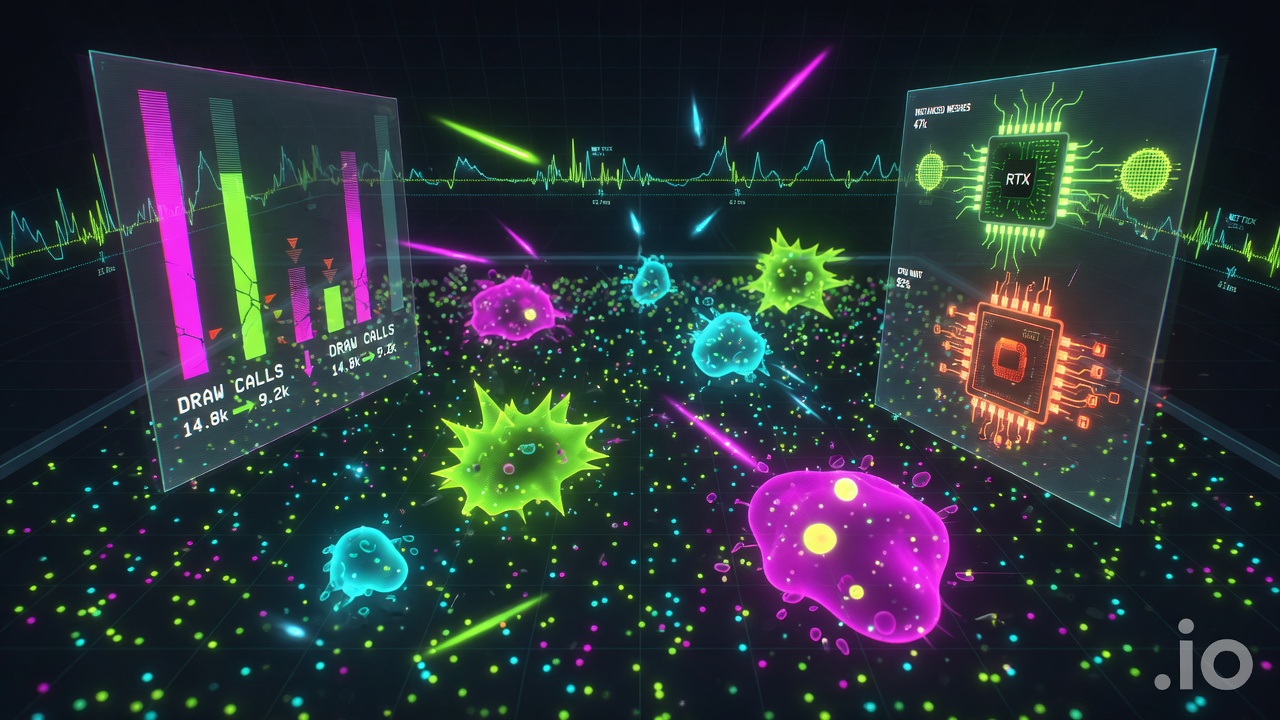
Unity 6 URP's GPU Resident Drawer changes that trade-off. It automatically routes compatible MeshRenderers through the BatchRendererGroup API so repeated meshes instance on the GPU instead of issuing thousands of CPU draw calls. In large scenes packed with shared meshes—the exact pattern of pellets, debris, and cloneable player parts—you can see up to 50% CPU frame-time reduction for GameObjects, with real tests dropping on the order of 43.5k draw calls and batches down to 128. That reclaimed time is what Fish-Net spends on observers, Network LOD, and zero-hotpath-allocation networking.
This article walks the full handoff: how Resident Drawer works beside Forward+ and GPU Occlusion Culling, how to enable it on networked prefabs without breaking Fish-Net spawn/despawn, how to align render batches with AOI so you only pay for what clients should see, how to profile the budget transfer, and how to keep WebGL memory honest when browser IO builds already run fat. The goal is evergreen and practical—setup that stays correct whenever you open the project, not a one-off demo flag.
We start where every multiplayer IO title actually hurts: the CPU tug-of-war between rendering and the network tick.
- GPU Resident Drawer uses BatchRendererGroup instancing on MeshRenderers so repeated IO meshes stop flooding the main thread with draw calls.
- Expect up to 50% CPU frame-time reduction on large shared-mesh scenes; foliage-style tests have dropped ~43.5k batches to 128.
- Pair it with Fish-Net AOI, Network LOD, and object pooling so only relevant entities are both rendered and synced.
- Requirements matter: Forward+, DOTS-instancing shaders, no MaterialPropertyBlocks misuse, Static Batching off, compute-capable platforms.
- Freed main-thread budget improves tick rate, prediction, and server CCU headroom while URP visuals stay intact—watch WebGL memory (~100 MB class trade-offs).
Where Draw Submission and the Network Tick Collide
In practice that tug-of-war looks like a swarm. IO titles and other fat browser multiplayer games routinely spawn hundreds of short-lived pellets, shards, bots, and projectiles that share a handful of meshes. Each one still walks the MeshRenderer submission path on the main thread, inflating draw work at the exact moment Fish-Net must evaluate ticks, area-of-interest, and observers. The two systems are not sequential luxuries; they compete for the same CPU slice every frame.
Fish-Net already removes one classic bottleneck: it produces zero allocations on the hot path, unlike Mirror and Netcode, which keeps garbage collection from stealing frames when entity and player counts climb. That advantage is wasted, however, the moment traditional MeshRenderer submission still dominates frame time before the tick and observer systems ever run. You end up throttling simulation rate or thinning AOI simply to keep the render loop inside budget—precisely the wrong trade for a high-entity IO swarm.
The useful mental model is a budget transfer, not a generic FPS chase. Every millisecond reclaimed from draw-call overhead becomes usable headroom for a higher tick rate, denser interest management, or more concurrent users—without stripping URP visuals. Single-player foliage benchmarks can look dramatic because the meshes are largely static or slowly culled; live multiplayer entity churn is a different problem. Objects appear, grow, and despawn every few frames, and both the renderer and the network stack must reason about them on the same thread that is still building command buffers the old way.
Unity 6’s URP rendering path improvements are built for exactly this pressure. Depending on content they can cut overall CPU workload by 30–50 percent, smoothing the frame so the reclaimed time can go straight back into Fish-Net’s simulation and interest work. That is the transfer the rest of this article sets up: move draw submission off the main thread so the network tick can finally breathe under real IO entity load.
What the GPU Resident Drawer Actually Offloads
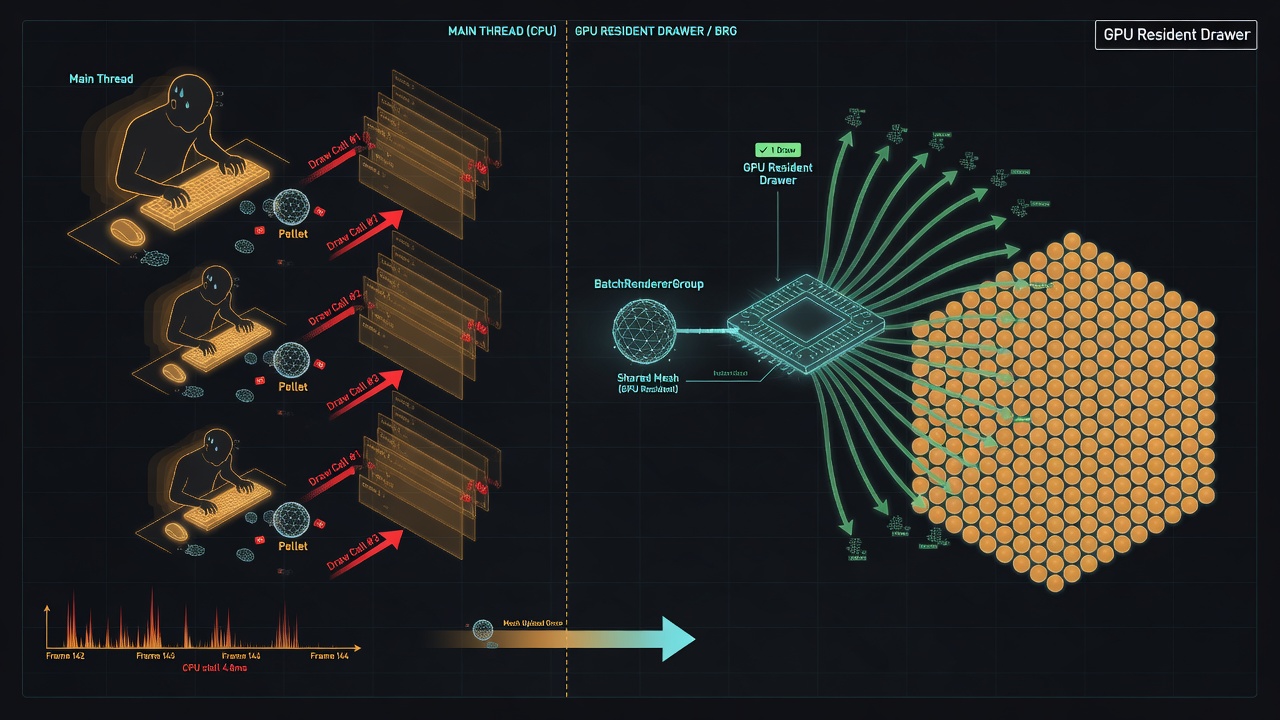
The mechanism that makes that transfer real is Unity 6’s GPU Resident Drawer. On the Forward+ path it automatically routes eligible MeshRenderers through the BatchRendererGroup API, so repeated instances of the same mesh collapse into GPU-driven instanced draws instead of per-object CPU submission every frame. Unity’s enablement guidance puts it plainly: the drawer “automatically uses the BatchRendererGroup API to draw GameObjects with GPU instancing, which reduces the number of draw calls and frees CPU processing time.” That freed time is the main-thread budget Fish-Net can spend on ticks, AOI, and prediction instead of feeding the renderer.
The fit with high-entity IO games is almost one-to-one. These titles run large scenes packed with pellets, shards, bots, and projectiles that almost always share a small set of meshes. The Resident Drawer is most effective exactly in that setup: a large scene where multiple GameObjects use the same mesh so they group into single draw calls. Static Batching must be disabled so those meshes stay available for BRG grouping rather than being locked into static batches the drawer cannot reclaim. With that path open, the swarm that used to hammer MeshRenderer.Submit every frame becomes a handful of instanced draws the GPU owns.
Dynamic spawn, growth, and pool loops still update
A common worry is that anything GPU-resident must be static foliage. It is not. Objects created, transformed, or destroyed each frame—exactly the growth, death, and object-pooling loops that define an IO match—continue to update correctly under the drawer. The system tracks changes and keeps the resident data in sync; you only need the Disallow GPU Driven Rendering component when a specific object must stay on the traditional path. That distinction matters for multiplayer: you can keep pooling food and projectiles aggressively without losing the draw-submission offload on the rest of the swarm.
GPU Occlusion Culling can ride alongside the drawer later for overdraw reduction, but the core win here is simpler and more immediate: draw submission itself moves off the main thread. MeshRenderer-only, no MaterialPropertyBlocks, DOTS-instancing-compatible shaders (Shader Graph handles this automatically), and a compute-capable platform are the practical constraints. Meet them and the CPU side of rendering stops competing with Fish-Net for the same milliseconds—leaving the network tick room to breathe under real entity load.
Checklist: Enabling GPU Resident Drawer on Fish-Net Prefabs and Shared Meshes
Those constraints only pay off when every shared-mesh prefab in the Fish-Net pool is wired the same way. Miss one toggle and the Resident Drawer falls back to ordinary MeshRenderer submission—the exact main-thread work you were trying to reclaim for AOI and ticks. The enablement path is short; the silent breakers are where most multiplayer projects lose the budget again.
URP asset and project settings
Open the active URP Asset and turn on GPU Resident Drawer (listed under Instanced Drawing). Switch the renderer to the Forward+ path—the Resident Drawer does not run on the classic Forward path. In the same asset, set BatchRendererGroup variants to Keep All so every BRG shader permutation the drawer needs is present at runtime. Finally, disable Static Batching in Player Settings; static batches fight the GPU-driven path and re-introduce CPU-side combine work you just removed.
Networked-prefab checklist
- Every visual root uses MeshRenderer only—no SkinnedMeshRenderer, no particle systems on the same object the drawer is meant to own.
- Materials have Allow GPU Instancing checked; Shader Graph lit/unlit graphs already emit the required DOTS-instancing variants.
- Hand-written shaders declare proper instancing; without those declarations the drawer silently skips the batch.
- Pooled Fish-Net objects (pellets, shards, bots, projectiles) share the same mesh and material set so BRG can collapse them.
- Rare unique bosses or world-space UI hybrids get a Disallow GPU Driven Rendering component so they stay on the CPU path without poisoning the rest of the swarm.
Silent batch breakers on multiplayer visuals
The most common failure on IO-style games is per-player tinting. MaterialPropertyBlocks used the wrong way will silently break batching even when the prefab otherwise looks correct. Prefer material variants or GPU instancing properties for team colours and growth stages; stuffing a unique block onto every networked instance forces the drawer to treat each object as unique and the CPU cost returns. The same trap appears when a designer drops a non-instanced overlay material onto a pooled projectile prefab.
Build time and platform limits
Build times are longer because Unity compiles all the BatchRendererGroup shader variants into your build. Budget that extra compile once; it is the cost of keeping the drawer automatic. If the title ships to browser or constrained mobile targets, keep a separate URP asset with the drawer off rather than hoping for a graceful fallback.
With the checklist applied, shared-mesh swarms stop competing with the network tick. The next step is making sure Fish-Net’s AOI and Network LOD only wake the entities the drawer actually needs to see.
AOI First: Feed the Resident Drawer Only What Clients Need to See
That handoff only holds if the Resident Drawer never sees entities Fish-Net has already decided a client does not need. Treat observers and Area of Interest as the first cull, not a filter layered on a fully populated scene. Entities outside interest should stay unspawned or sit inactive in the pool so their MeshRenderers never enter the BRG path. The drawer then works on a smaller, hotter set of shared-mesh objects—the exact pattern automatic instancing thrives on.
Multiple AOI conditions, one dense visible set
Fish-Net’s AOI system drastically improves bandwidth and server performance by not sending unnecessary information to clients, and it allows multiple conditions to run at once. Distance grids, team filters, and match-phase masks can all gate the same prefab family without stacking competing observer stacks. What remains on a given client is almost always the high-duplicate pellet, bot, and projectile swarm—the meshes you already prepared for Resident Drawer. You are not fighting a mixed bag of unique geometry; you are feeding BRG the crowded, identical set it was built to collapse.
Pair Network LOD with nearby GPU-driven density
For entities that stay in interest but sit farther out, Network LOD throttles updates for distant entities while maintaining high-fidelity precision for nearby interactions. That cuts server bandwidth and client-side CPU on the same axis the drawer is cutting draw submission. Nearby dense clusters keep full tick rate and full GPU-resident batching; distant ones quiet down on the network without unique materials or Disallow flags. Bandwidth, client CPU, and main-thread draw work shrink together instead of trading off against each other.
A practical entity pipeline
Keep the lifecycle explicit so BRG state stays consistent from admit through recycle:
- Pull from the pool with renderers disabled and network behaviour dormant.
- Observer admit when AOI conditions pass—enable the NetworkObject and relevant observers.
- Enable MeshRenderers on shared materials that already carry DOTS-instancing support.
- Resident Drawer picks them up into Hybrid Batch Groups automatically.
- On leave-interest or despawn, disable renderers and return to pool; dynamic updates continue without tearing the batch path.
No MaterialPropertyBlocks on the hot path, Static Batching stays off, and bosses or UI hybrids still sit behind Disallow GPU Driven Rendering so they never pollute the swarm batches. That alignment is what turns the enablement checklist into a real budget transfer: AOI decides who exists, Network LOD decides how often they talk, and the Resident Drawer draws the survivors with almost no CPU left on the table.
Profiling the Budget Handoff: From Draw Calls to Tick Headroom
GPU Resident Drawer reclaims main-thread time on the submission path. That reclaimed main-thread time is the currency you spend on higher tick rates, wider prediction budgets, and denser observer sets—if you can prove the transfer actually landed.
Unity’s own guidance anchors expectations at up to 50% CPU frame-time reduction for GameObjects when rendering large, complex scenes across high-end mobile, PC, and consoles. In a Fish-Net IO title that figure is not an FPS brag sheet. It is spare milliseconds on the main thread you can hand straight to the network tick, client-side prediction reconciliation, or an extra ring of AOI without cutting URP quality.
The ceiling illustration is the dense-instance case: a test scene with over 35,000 foliage objects saw draw calls and batches fall from roughly 43,500 to 128 once GPU Resident Drawer was enabled, and the CPU stopped being the bottleneck. Your pellet-and-player swarm will not match that foliage count, but the pattern is identical—thousands of shared-mesh MeshRenderers collapsing into a handful of Hybrid Batch Groups. Replicate a smaller IO test by pooling a few thousand pellets plus a few hundred player capsules on one shared material each, admit them through observers, and toggle Resident Drawer on the URP asset. Capture before/after under the same camera and density so the delta is apples-to-apples.
What to instrument side by side
Open the Frame Debugger and confirm draws land under Hybrid Batch Group rather than individual MeshRenderer submissions. Cross-check Rendering Debugger stats for batch counts and GPU-resident instance totals. In the Unity Profiler, park the CPU Usage and Rendering markers beside Fish-Net’s tick-duration and bandwidth overlays so you read the handoff on one timeline: draw submission falling while network markers stay flat or gain headroom as you raise entity count.
Success is not a prettier batch graph alone. It is stable frame time while you increase pellet density, observer radius, or concurrent players—proof the Resident Drawer budget is funding the multiplayer systems that needed it.
If frame time climbs again under load, the bottleneck has moved—profile AOI evaluation, serialization cost, or a shader that slipped out of DOTS instancing—rather than assuming the drawer failed. When the numbers hold as you push swarm size, you have a measured pipeline from shared-mesh entities to real tick spare time.
WebGL Budgets: Memory, Strict Pooling, and GPU Occlusion Culling
That measured pipeline still has to live inside a browser. Desktop foliage benches can absorb a modest resident-set bump; WebGL fat-game budgets cannot. Enabling GPU Resident Drawer in dense tests increased memory by about 100 MB—the cost of keeping instance data and BRG structures resident on the GPU. On a shipped IO title that already juggles texture atlases, audio, and Fish-Net snapshots, that hundred megabytes is a real slice of the heap you cannot reclaim mid-session. Treat it as a fixed overhead you pay once for the shared-mesh swarm, not a per-frame tax you can ignore.
The only way the trade-off stays honest is strict pooling and mesh sharing. Every unique MeshRenderer that churns through spawn and despawn still costs resident bookkeeping even when the drawer batches what it can. Keep pellets, shards, bots, and projectiles on a handful of shared meshes and materials, pull them from Fish-Net-aware pools, and never hand the drawer a one-off instance that will live for a single tick. You already disabled Static Batching and avoided MaterialPropertyBlocks in the enablement checklist; the same discipline stops the 100 MB class cost from climbing with CCU.
Pair the drawer with GPU Occlusion Culling so the GPU itself finishes the work AOI started. Occlusion uses a depth buffer from the previous frame to test whether a particular instance is hidden by other geometry, then drops those draws entirely on the GPU. In the messy piles that define IO combat—overlapping pellets, stacked bodies, projectile storms—this removes overdraw that no main-thread cull can cheaply catch, without adding Fish-Net observer traffic or extra CPU markers.
Before you raise CCU targets, run a browser-oriented validation loop: take a memory snapshot with and without the drawer so the ~100 MB delta is visible against your WebGL heap limit; confirm Hybrid Batch Group counts stay flat under swarm load; watch Fish-Net bandwidth and tick time while observer density climbs; and lock URP mobile-friendly settings (reduced shadow distance, tighter MSAA, Forward+ only) so the reclaimed main-thread budget actually reaches networking instead of browser composite. When those four signals stay green, the budget handoff from draw submission to AOI and ticks is ready for production—high-entity multiplayer without cutting the URP visuals players came for.
Key Takeaways
Enable GPU Resident Drawer on your Fish-Net IO prefabs with the checklist above and measure the tick and AOI headroom you get back on your next dense swarm test.
Frequently Asked Questions
You Might Also Like
- Fish-Net Multiplayer Mass-Aware Interest Management for Browser Fat Games with Fish-Net and URP
- Performance Optimization Unity URP Draw Call Reduction Techniques
- Fish-Net Multiplayer Cut Fish-Net Bandwidth Costs: Network LOD and Serialization for High-Entity Unity IO Games
- Fish-Net Multiplayer Scaling Fish-Networking for High-Player Browser IO Experiences
- Fish-Net Multiplayer Fish-Net Object Pooling and Network Spawning Best Practices