Fish-Net NetworkAnimator Synchronization for Smooth Multiplayer Character Animations in Unity IO and Fat Games
In IO arenas and fat-character sessions, animation is not a cosmetic layer—it is a continuous stream of state that competes with movement, interest management, and prediction for every byte on the wire. Full Animator state-machine replication looks convenient until you field dozens or hundreds of skinned entities and watch remote blends pop, desync from locomotion, or quietly exhaust the budget that best-optimized online games keep near a few kilobytes per second total.
Fish-Net’s NetworkAnimator is built for this reality. It can run server-authoritative or client-authoritative, automatically detects parameter, layer-weight, and speed changes, and exposes Play, CrossFade, and SetTrigger on the NetworkAnimator reference so actions actually replicate. Pro Synchronized Parameters let you network only the floats, bools, and triggers observers need. Interpolation is specified in ticks and should match NetworkTransform so movement and animation stay locked. Smooth Floats keeps blend trees from snapping on receivers. Prediction is the remaining edge case: NetworkAnimator does not align with Fish-Net’s Client-Side Prediction API, so animations can advance slightly before predicted state—owner feel has to be designed, not assumed.
This article walks that full stack from the bandwidth trap through authority choice, replication surface, tick-locked blends, observer parameter budgets, prediction-safe owner feel, and how to compose NetworkAnimator with pooling, LOD, and URP skinned-mesh work so IO and fat characters stay smooth at scale. We start where most projects quietly fail: treating every Animator parameter as free to sync.
- Treat NetworkAnimator as a bandwidth cost center: whitelist only observer-critical parameters with Pro Synchronized Parameters.
- Match NetworkAnimator interpolation ticks exactly to NetworkTransform so locomotion and animation stay tick-aligned.
- Enable Smooth Floats so remote blend trees transition without popping.
- Call Play, CrossFade, and SetTrigger on the NetworkAnimator reference—not the raw Animator—so actions replicate.
- Plan local overrides or timing offsets because NetworkAnimator can update slightly ahead of Fish-Net client-side prediction.
The Bandwidth Trap: Full Animator Sync Past 100 Characters
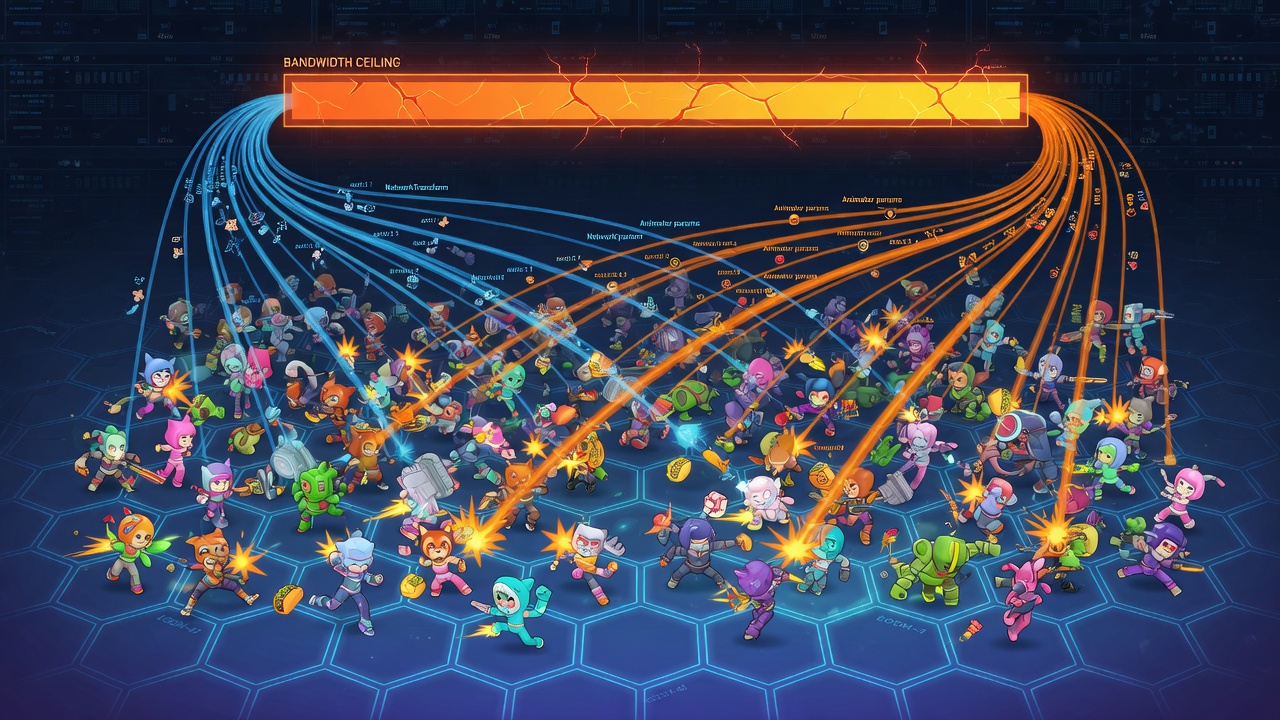
That assumption is the trap. Full Animator state-machine replication—every float, bool, trigger, and transition the controller owns—gets widely called out as impractical once you push past roughly 100 networked animated characters. Sync that ships the entire state machine, including transitions, simply does not hold when each entity is burning bandwidth on detail no remote observer needs frame-perfect. At IO and fat-character density, the Animator stops being a free local system and becomes a per-entity tax on the wire.
Real multiplayer budgets make the math unforgiving. Best-optimized online games often transfer as little as 8 kilobytes of data per second total. Clients and servers typically exchange small packets at a high frequency—usually 20 to 30 packets per second. Spread that envelope across a crowded arena and there is no headroom left for wholesale Animator dumps. Every extra float you replicate is competing with positions, interests, and gameplay events that actually decide who wins the round.
A minimal remote vocabulary for IO and fat characters
Map the gameplay to what remote clients must see, not what the local owner feels. For typical IO and fat titles that vocabulary is short: a locomotion blend parameter, an eat/grow pulse, a boost trigger, and a death state. Idle fidgets, skin jiggle, victory flourishes, and other cosmetics stay local-only on the owning client—or fire as one-shot VFX that never touch the network layer. Remotes get the readable silhouette of motion; owners keep the full machine for responsiveness.
Treat every Animator parameter as a line item on a fixed bandwidth budget. If a remote observer would not change their play decision when that parameter updates, do not synchronize it.
Component reference docs almost never quantify that high-entity pressure. They list which APIs replicate; they do not frame NetworkAnimator as a bandwidth cost center under 100+ simultaneous characters. This article does. Whitelisting only observer-critical parameters, locking interpolation to NetworkTransform, and planning local offsets so owner feel survives prediction are not convenience checkboxes—they are deliberate cuts against that single-digit KB/s envelope. The rest of the stack only works if you accept the trap first and design the replication surface around it.
Client vs Server Authority on NetworkAnimator for Fat and IO Controllers
Once that envelope is accepted, the next cut is who is allowed to write into it. NetworkAnimator is not locked to a single authority model: it supports both server-authoritative and client-authoritative modes, so either the server or the owning client can drive parameter changes. That choice is not cosmetic. It decides whether the owner’s locomotion and eat pulses feel immediate or whether every flip of a bool waits for a round-trip before observers—and the owner themselves—see it.
For fat and IO controllers the practical split is straightforward. Put owner locomotion blends, eat/grow pulses, and boost triggers under client authority. The owner already owns input and prediction; letting them write those few whitelisted parameters keeps the local feel snappy while the rest of the stack stays inside the budget. Leave NPC prey, environmental hazards, and any emote or taunt that could be abused for griefing or cheating under server authority. The server is the only writer there, so observers never see a spoofed death or an invented boost.
In client-authority mode the path is a relay, not a free-for-all: the owner sends the parameter change, the server validates it against whatever rules you attach, then relays the accepted value to other clients. Observers never talk to each other; they only ever receive the server’s copy. That keeps the replication surface small and auditable even when dozens of fat characters are changing blend weights every tick.
The same discipline shows up in Mirror’s NetworkAnimator: client authority is optional, and triggers are never read off the raw Animator—you call SetTrigger on the NetworkAnimator component so the change is captured and sent. Fish-Net follows the identical pattern. Whether you are on Fish-Net or Mirror, treating the networked wrapper as the sole API for Plays, CrossFades, and triggers is what keeps the authority model honest and the bandwidth bill predictable. Get the writer right first; the next layer is which exact calls you are allowed to make on that writer.
The Replication Surface: Auto-Synced State vs Explicit Calls
That writer surface is narrower than most teams expect on first pass. NetworkAnimator splits replication into two lanes: what it watches for free, and what you must route through it on purpose. Parameter values, layer weights, and Animator speed changes fall in the first lane—Fish-Net detects those mutations and synchronizes them efficiently without extra bookkeeping on your side. Locomotion blend floats, a squish overlay weight, or a temporary speed punch after a boost all ride that automatic path once the owning side changes them under a valid authority model.
The second lane is explicit action APIs. Play, CrossFade, SetTrigger, and the related one-shot helpers do not magically mirror from a raw Animator reference. You call each of those methods on the NetworkAnimator component itself so the wrapper can pack and relay the intent to observers. Skip that hop and the owner looks correct while every remote client stays on the previous clip—exactly the desync that shows up as “my eat animation never plays on other players” in fat and IO builds.
IO and fat calls that earn a network slot
Keep the surface tight. A boost trigger, an eat one-shot CrossFade, a death Play, or a brief layer-weight pulse for squish-on-impact are observer-critical: other players need them to read combat and growth. Idle blinks, cosmetic wiggle layers, and UI-only poses stay on the local Animator only—they never justify a replication slot. In practice the owner controller looks more like this:
// Owner-authoritative fat controller
[SerializeField] private NetworkAnimator _netAnim;

void OnBoostStarted() {
    _netAnim.SetTrigger(BoostHash);   // replicates
}

void OnEatConfirmed() {
    _netAnim.CrossFade(EatStateHash, 0.05f, 0);
}

void OnImpactSquish(float weight) {
    // layer weight auto-detected after this set
    _netAnim.Animator.SetLayerWeight(SquishLayer, weight);
}

// Failure mode — looks fine locally, silent on remotes:
// animator.SetTrigger(BoostHash);
The failure mode is easy to ship and hard to spot in a solo play mode: calling Animator.SetTrigger (or Play/CrossFade) directly drives the owner’s mesh immediately, so playtests feel finished, yet observers never receive the RPC-backed action. Mandate the NetworkAnimator reference in code review the same way you mandate NetworkTransform for root motion. Everything that must be seen by other clients either changes a watched parameter/weight/speed or goes through that wrapper’s Play, CrossFade, and SetTrigger entry points—nothing else crosses the wire.
Tick-Locked Blends: Match Animator Interpolation to NetworkTransform
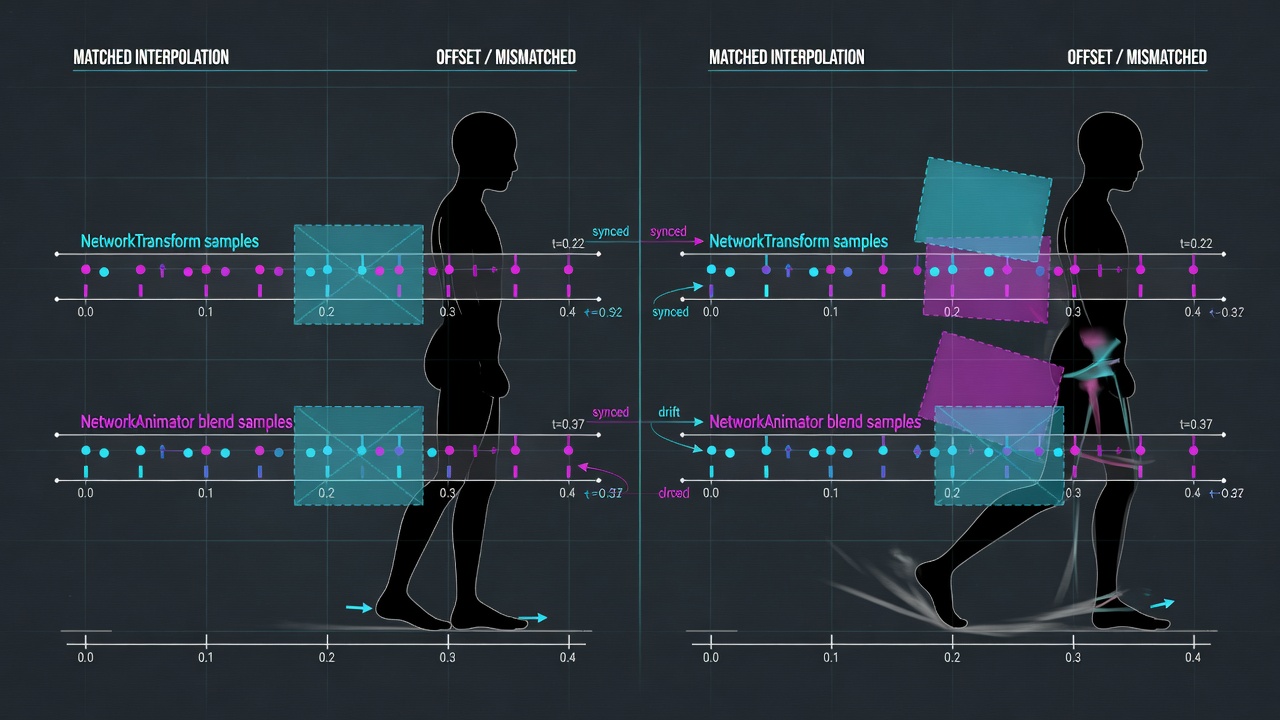
Getting the calls onto the right component is only half the job. Once those parameters and triggers are crossing the wire, they still have to land on remote clients in lockstep with the body that is carrying them. NetworkAnimator measures interpolation in ticks—the same unit NetworkTransform uses—and that number is not a soft preference. It is how many ticks behind the latest snapshot the animator will sit before it starts iterating data. To keep movement and animation aligned, set that value to the exact same tick count you already use on the NetworkTransform for that pawn.
When the two components disagree, remote clients feel it immediately. Root motion eases over one delay while the blend tree eases over another. Feet slide under a body that has already arrived. A hard turn pops the upper body a frame or two after the capsule has rotated. An eat or lunge one-shot fires against a transform that is still catching up, so the bite animation hangs in empty space or clips through the target. In a dense IO arena those micro-desyncs stack across dozens of observers and read as cheap, rubbery motion even when your bandwidth budget is otherwise healthy.
Matching the tick count removes the phase offset. Both systems then reconstruct the same historical window, so locomotion blends, grow pulses, and death poses stay glued to the interpolated root. Leave Smooth Floats enabled as well. That option moves float parameters over time on receivers instead of snapping them to the latest packet. Blend trees that transition between walk, sprint, boost, and size-driven grow states then ease instead of popping—exactly the behaviour you want on every non-owner client watching a fat or IO character change shape mid-fight.
Checklist for physics-driven IO pawns
If you have already tuned NetworkTransform interpolation for your physics pawns, walk the animator through the same numbers rather than inventing a second schedule:
- Read the interpolation tick value on the root NetworkTransform and copy it verbatim onto NetworkAnimator—no “close enough” offsets.
- Confirm Smooth Floats is on so locomotion and grow/boost floats ease on observers.
- Verify that every observer-critical float, bool, and trigger still routes through the NetworkAnimator surface you locked down in code review.
- Play a remote client against a boosted, eating, turning pawn and watch feet, facing, and lunge timing; any residual slide means a mismatched child transform or a second animator that never received the same tick value.
- Document the shared tick count next to your NetworkTransform preset so future pawns inherit alignment by default instead of rediscovering the desync in playtests.
Tick-locked blends will not shrink your parameter list—that work comes next—but they stop the remaining surface from fighting the transform pipeline. Movement and animation then share one reconstruction window, which is the minimum requirement before you start whittling which floats and triggers actually deserve a seat on the wire.
Whitelisting the Wire: Observer Parameter Budgets
With movement and animation sharing one reconstruction window, the remaining work is deciding which floats and triggers actually deserve a seat on that wire. Fish-Net Pro’s Synchronized Parameters is the control that makes the cut deliberate: instead of shipping every Animator parameter by default, you network only the floats, bools, and triggers you name. Everything else stays local—exactly the lever you need once entity counts climb and every replicated value is a recurring cost against the budgets already set.
Treat the Animator controller as two lists. Observer-critical parameters are the ones remote clients must see to read another avatar correctly: locomotion blend inputs, boost state, eat or grow pulses, and whether the entity is still alive. Local-only parameters never leave the owner’s machine—face detail, pure cosmetic secondary motion, idle fidget weights, debug flags, camera-facing blinks, or any layer that exists only to sell feel to the person driving the pawn. If a remote player would not change their next decision after seeing it, it does not belong on the network.
A minimal sheet for a fat / IO avatar
For a typical fat or IO controller the observer-critical set collapses to a handful of entries. One practical whitelist looks like this:
| Parameter | Type | Role on remotes | On the wire? |
|---|---|---|---|
| MoveX / MoveY or Speed | Float | Locomotion blend tree drive | Yes |
| IsBoosting | Bool | Boost pose / trail state | Yes |
| EatTrigger | Trigger | Eat / grow one-shot | Yes |
| Alive | Bool | Death / despawn pose gate | Yes |
| FaceDetail, Blink, EarTwitch | Float / Trigger | Owner-only face polish | No |
| SquishCosmetic, Jiggle | Float | Secondary motion for local feel | No |
| DebugState, AIIntent | Int / Bool | Dev and AI internals | No |
Configure that list under Synchronized Parameters on the NetworkAnimator. Owner locomotion still writes the full controller—including the cosmetic floats—but only the whitelisted names replicate to observers. Triggers such as EatTrigger continue to go through NetworkAnimator.SetTrigger so the one-shot actually lands on remotes; the difference is that unused parameters never consume bandwidth in the first place.
Each synced float is a recurring cost
This whitelist is not cosmetic hygiene—it is how you stay inside the earlier ceilings of roughly 8 kB/s total and 20–30 packets per second once you pass a hundred animated characters. Every extra float you leave synchronized is a value that updates, interpolates, and rides interest-management traffic for every observer who can see that pawn. Four observer-critical parameters per avatar scale; a dozen “just in case” floats do not. When you later combine this surface with Network LOD, object pooling, and URP skinned-mesh budgets, the animation channel is already lean enough that those systems have room to work.
Lock the list early, name only what remotes must reconstruct, and treat every addition as a budget request. The next pressure point is what happens when the owner’s predicted pose runs a few ticks ahead of the animation state those observers are still blending toward.
Owner Feel vs Remote Truth When Prediction Outruns NetworkAnimator
That pressure point shows up the moment client-side prediction is in the stack. The owner’s controller has already stepped the rigidbody a few ticks into the future; the animation state those observers are still blending toward is still catching up. Fish-Net is explicit about the gap: NetworkAnimator does not align with the Client-Side Prediction API, and animations will likely update slightly before the prediction state runs. The component remains useful—you simply stop expecting it to be frame-locked to predicted pose.
The practical response is not to wrench NetworkAnimator into the prediction pipeline. It is to keep owner presentation slightly ahead with tricks that never leave the local machine, while the whitelisted parameters you already locked continue to drive remotes.
Owner-only presentation that never hits the wire
Three patterns cover almost every fat and IO case. First, fire instantaneous triggers or short CrossFades straight on the local Animator for the owning client—boost burst, eat snap, collision squash—so the feel is immediate; still route the observer-critical version through NetworkAnimator so remotes receive the replicated call. Second, apply a short timing offset (a fixed local lead of a fraction of a tick, or a one-shot delay that matches your NetworkTransform interpolation) so the owner’s cosmetic reaction starts when the predicted body has already moved. Third, park pure cosmetics on layers that never touch Synchronized Parameters at all: fat-body squash/stretch, boost stretch ribbons, idle fidgets. Those layers stay offline; remotes reconstruct only the minimal locomotion and action vocabulary you whitelisted.
Do not double-write the same parameters
The failure mode is fighting the component. Once MoveX, IsBoosting, or EatTrigger are on the NetworkAnimator surface, do not also push the same values through a custom RPC or SyncVar “for safety.” Double-writing creates desync races between the two paths, burns the packet budget you just protected, and undoes the tick-locked interpolation you matched to NetworkTransform. Let NetworkAnimator own the remote truth; let local offsets and owner-only layers own the feel.
On a fat-body controller the squash must read as instant on collision for the player who caused it; observers only need a believable blend a few ticks later. On an IO boost the stretch and FOV kick belong to the owner the frame the input lands; remotes see the IsBoosting float ease in under Smooth Floats. Responsiveness for the owner matters more than frame-identical poses across the wire. Plan the local offsets early, keep cosmetics off the whitelist, and the prediction lead becomes a feature instead of a desync.
Composing the Stack: Multi-Animator Rigs, LOD, and Pooling at Scale
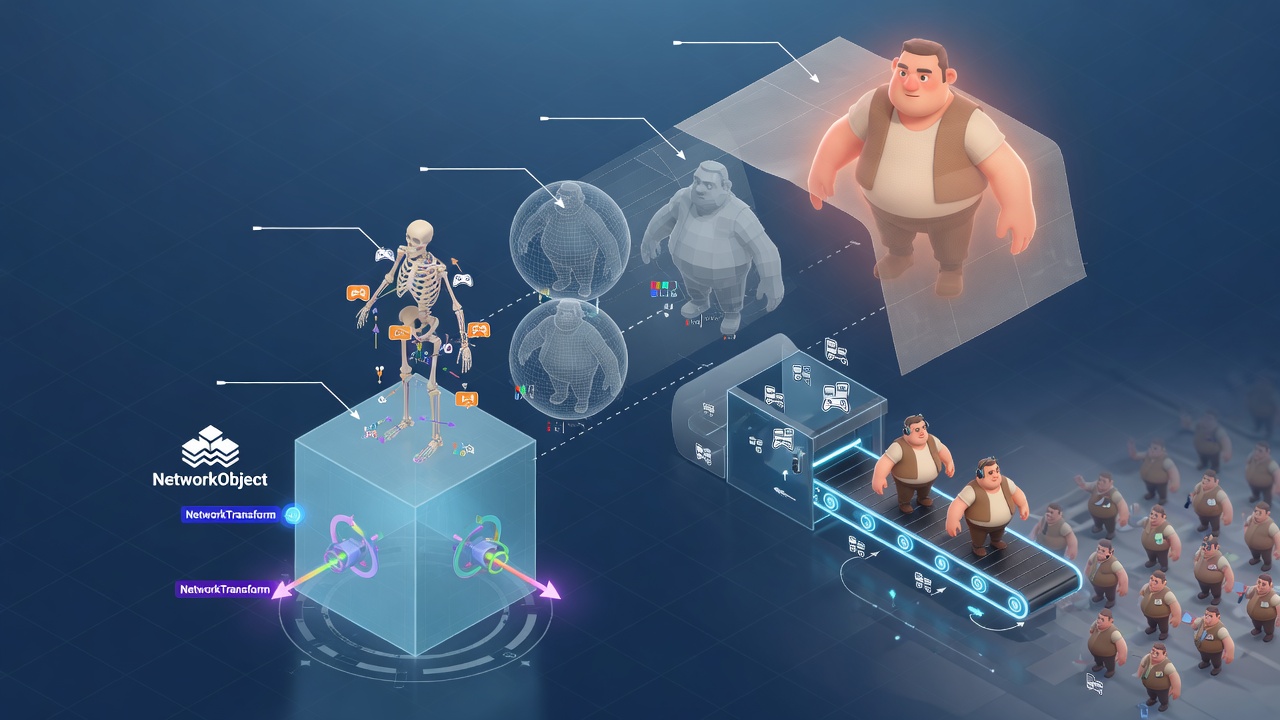
Once those owner-side offsets are locked in, the remaining work is composing NetworkAnimator with the rest of the multiplayer stack so the bandwidth discipline still holds when entity counts climb. The component does not live alone: it sits beside NetworkTransform, interest management, LOD, pooling, and whatever URP skinned-mesh budget the target platform allows.
Split rigs, one authoritative root
Fat characters and richer IO pawns often split the rig—body locomotion on the root mesh, face or prop controllers on children. Place a NetworkAnimator on each animated child that observers must see. Keep a single NetworkTransform on the root; that remains the authoritative transform source. Each child NetworkAnimator then carries only the observer-critical parameters for its slice of the state machine, still gated by the Synchronized Parameters whitelist you already defined. The root never duplicates transform traffic, and the children never invent their own position authority.
Kill animation cost when entities leave relevance
Cross-link that setup with interest management and Network LOD. Distant or off-screen entities should stop paying animation sync cost entirely—either by dropping their NetworkAnimator updates at coarser LOD levels or by despawning into the pool when they leave relevance. Object pooling is the other half of the bargain: when you recycle a pawn, reset every NetworkAnimator cleanly on despawn so stale triggers, layer weights, and blend values do not leak into the next occupant. In browser and WebGL builds the pressure is sharper still. Fewer concurrent skinned meshes, simpler controllers at distance, and aggressive pooling keep both GPU skinning and bandwidth inside the thinner client envelope.
Fish-Net’s free, no-CCU-cap model is what makes these high-entity IO experiments viable once the animation budget is disciplined. You can iterate on hundreds of animated characters without a paywall metering your playtests, provided every NetworkAnimator stays a deliberate cost center rather than a default add-component.
Full-stack checklist before you ship
- One root NetworkTransform; child NetworkAnimators only where the rig actually splits
- Interest management and Network LOD gate or drop animation traffic for distant entities
- Pool despawn resets every NetworkAnimator so triggers and weights do not carry over
- Whitelist stays minimal; cosmetics and debug parameters stay local
- Owner presentation offsets planned so prediction lead feels intentional, not broken
- WebGL builds further reduce active skinned meshes and simplify distant controllers
Treat NetworkAnimator as one deliberate line item in that stack—whitelisted, tick-aligned, prediction-aware, and culled when it is not needed—and smooth multiplayer character animation scales with the rest of the IO or fat-game simulation instead of becoming the first thing that breaks under load.
Key Takeaways
Open your Fish-Net project, whitelist only the observer-critical NetworkAnimator parameters, and lock their interpolation ticks to NetworkTransform before your next fat or IO playtest.
Frequently Asked Questions
You Might Also Like
- Fish-Net Multiplayer Fish-Net NetworkTransform and Rigidbody Synchronization for Smooth Multiplayer Physics in Unity IO Games
- Fish-Net Multiplayer Cut Fish-Net Bandwidth Costs: Network LOD and Serialization for High-Entity Unity IO Games
- Fish-Net Multiplayer Advanced Client-Side Prediction with Fish-Networking in Unity
- Guides Server Authoritative vs Client Authoritative in Modern Multiplayer Game Development with Fish-Networking
- Fish-Net Multiplayer Fish-Net Object Pooling and Network Spawning Best Practices