Fish-Net Scene Management for Seamless Multiplayer Level Transitions in Unity Browser IO and Fat Games
Browser IO and fat games put unusual pressure on multiplayer scene flow. You need several arenas or lobbies alive on one server at once, players that keep growing (or carrying inventory) as they move between those spaces, and WebGL clients that must not hitch, desync, or suddenly see objects they should never activate. Raw Unity scene loads will not keep connected or late-joining clients aligned. Fish-Net’s SceneManager exists for exactly that job: coordinated load and unload, global versus connection-specific ownership, stacking, and automatic observer updates through Scene Condition.
This article treats scene management as production infrastructure for those genres—not a checklist of API names. You will see when to load globally versus per connection, how stacking lets one process host many concurrent match instances, how to move spawned NetworkObjects so fat players and match state survive transitions, and how DefaultScene, scene events, caching, and custom processors (including Addressables) keep URP and browser builds lean. Pair that with ObserverManager’s Scene Condition and mass-aware interest management so high-entity worlds only activate for the clients who belong in each arena. The sections that follow start from the core distinction every correct setup depends on: using Fish-Net SceneManager for every networked load and unload so clients stay synchronized and observers enable and disable objects correctly.
- Always load and unload networked scenes through Fish-Net SceneManager so clients stay synchronized and Scene Condition observers update correctly.
- Global scenes apply to all current and future clients; connection scenes target specific clients—only connection scenes can stack for concurrent arenas.
- Enable AllowStacking on SceneLoadData to run multiple instances of the same arena or lobby on one server, optionally with isolated LocalPhysicsMode.
- Persist growing players and match state with MovedNetworkObjects and Global NetworkObjects; scene-placed NetworkObjects cannot currently cross scenes.
- For browser/URP IO and fat games, load additively where possible, use ReplaceScene options carefully, and lean on Addressables via a custom scene processor to keep WebGL builds small.
Why Browser IO Level Swaps Collapse Without Concurrent Match Instances
That distinction is not a nicety—it is the difference between a stable server and a browser tab full of ghosts. Browser IO and fat games are not one persistent open world that everyone shares forever. They are high-churn match instances: lobbies that fill and empty, arenas that spin up for a round, boss maps that appear only for the players who earned them. On a single server process you need many of those instances alive at once, each with its own NetworkObjects, physics, and observer set. Treat the problem like a single global level swap and you lose late joiners, orphan spawned state, and every client that should never have seen that arena in the first place.
Client-only loads and raw Unity SceneManager calls look fine in a solo playtest. In multiplayer they desync the moment a second connection arrives. Late joiners never receive the load, observers stay wrong because Scene Condition never saw a networked scene event, and objects you thought you moved simply vanish or double-spawn on the clients that already had the old scene. The same rule is explicit in adjacent stacks: any scene you want synchronized with currently connected or late-joining clients must be loaded through the networking layer’s scene API, not Unity’s alone. Fish-Net’s SceneManager is that layer here—and in 2025 comparisons it is repeatedly called out for scene management alongside client-side prediction, lag compensation, and bandwidth efficiency precisely because real-time action games with dozens to hundreds of players cannot afford ad-hoc loads.
Adjacent coverage already handles transport (Bayou), mass-aware area-of-interest, and the sim/render split that keeps WebGL and URP clients honest. What those pieces do not give you is the level-transition and multi-instance layer: how one server hosts many concurrent matches, how players move between them without tearing NetworkObjects, and how empty arenas unload under tight browser memory budgets. That is the gap this article fills.
The lifecycle you will build is deliberate. Bootstrap a global hub that every connection shares. Assign each connection to its match. Stack additional instances of the same arena scene on the server so two lobbies never collide. Move growing NetworkObjects with the load instead of despawning them. Unload cleanly when the round ends so WebGL clients stay inside their memory and GPU Resident Drawer budgets. Everything that follows—global versus connection scenes, stacking flags, MovedNetworkObjects, and Scene Condition observers—exists to make that loop reliable.
Global Hubs vs Connection-Scoped Match Scenes
Browser IO matchmaking needs two membership models at once: a shared layer every client always has, and private match spaces only a roster can see. Fish-Net’s SceneManager exposes both as first-class load scopes and coordinates server and clients so Scene Condition observers stay correct as those scenes appear and disappear.
The SceneManager exposes two load scopes that map cleanly onto how matchmaking actually works. Global scenes are the shared layer—hubs, menus, always-on services, or any world every client must see. When loaded globally, scenes will be loaded for all current, and future clients, so a player who joins mid-session still lands in the same hub without a special bootstrap path. Connection scenes are the opposite: they load only for the connections you name. That is where each concurrent match arena, lobby, or round instance lives—visible and simulated only for the players assigned to that instance.
| Concern | Global scenes | Connection scenes |
|---|---|---|
| Who receives the load | All current clients and every client that joins later | Only the connections you pass in |
| Typical use in IO / fat games | Shared hub, main menu shell, cross-match services | Per-match arena, private lobby, round instance |
| Observer impact | Scene Condition enables objects for everyone in that scene | Scene Condition scopes objects to members of that match only |
| Lifetime relative to matchmaking | Stays up across many matches | Loaded on assign, unloaded when the round ends |
SceneLoadData as the matchmaking contract
You do not sprinkle scene names through gameplay code. Targeted loads go through SceneLoadData, which holds one or more SceneLookupData entries (by name or handle) plus the options that decide scope, replace-or-additive behavior, and which connections receive the load. In an IO matchmaking flow that means: resolve the match, build SceneLoadData for the arena as a connection scene aimed at those players only, and let SceneManager drive the synchronized load. The same contract covers unload when the round ends, so WebGL clients drop the arena without leaving orphaned NetworkObjects or broken observer sets.
For the online/offline boundary itself, prefer the built-in DefaultScene component over hand-rolled bootstrap races. This component will automatically change between online and offline scenes depending on server and client connective state—so starting the network brings clients into your designated online hub (typically global), and stopping returns them to the offline scene without custom timing logic that breaks under browser tab suspension or reconnect churn.
Keep the mapping discipline simple: hubs and always-shared services stay global; every concurrent match instance is a connection scene loaded only for its members. Once that split is consistent, stacking multiple instances of the same arena scene on one server becomes a configuration choice rather than a second architecture—and that is where concurrent match density actually lands.
Stacking Concurrent Match Arenas on One Server
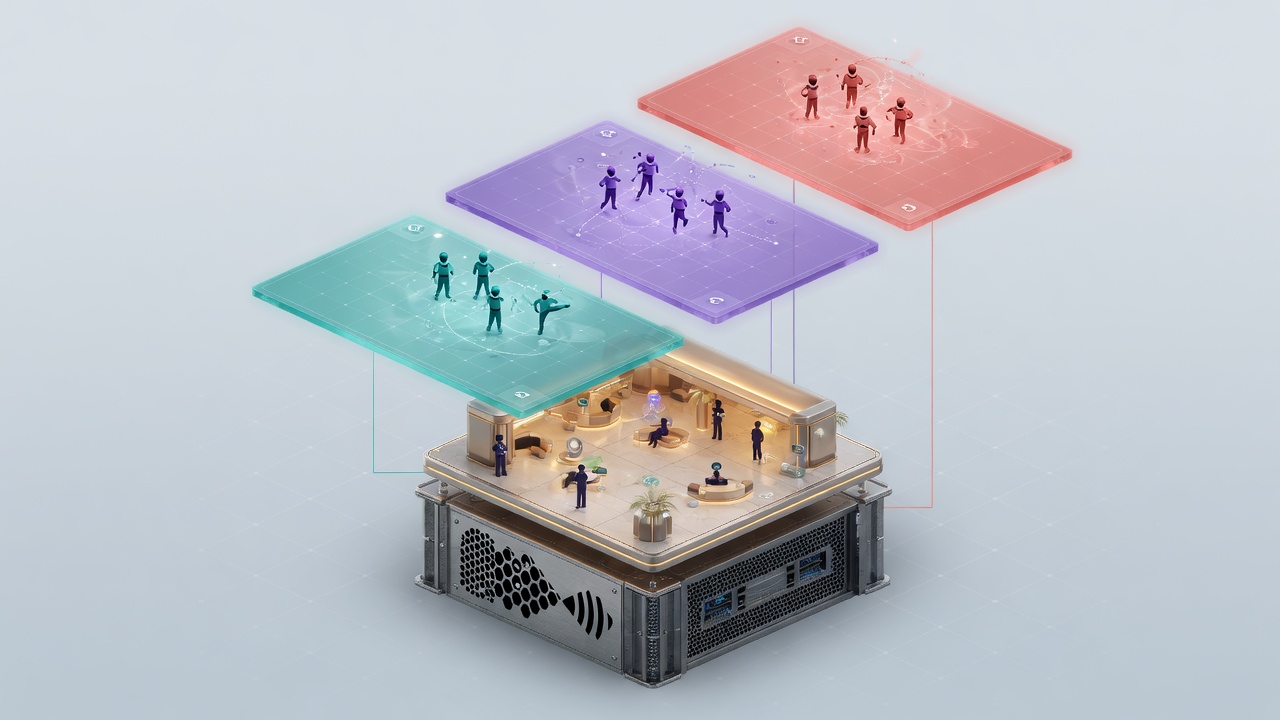
That configuration choice is almost entirely a SceneLoadData flag and a connection-scoped load path. Scene stacking is the ability for the server or host to load multiple instances of the same scene at once, usually with different clients and observers in each scene. For browser IO and fat games, that is how one process hosts Arena_01 for Match A, Match B, and Match C without cloning the project or standing up extra server binaries—the density model the earlier hub-versus-match split was building toward.
To stack, set AllowStacking to true on the Options of your SceneLoadData, then load by scene name through the connection methods so only the assigned members receive that instance. Global scenes cannot be stacked—Fish-Net will not treat a global load as a stackable match copy—so every concurrent arena must stay connection-scoped. That is not a matchmaking limitation; it is the rule that keeps hubs and always-shared services visible to every current and future client while each arena stays private to its roster and its SceneCondition observers.
When those stacked IO arenas run physics-heavy mass play, set LocalPhysicsMode on the same load so each instance gets its own 2D or 3D physics world. Collisions, triggers, and rigidbody work stay inside the match; a pile-up in one arena never bleeds into another even though both scenes share the Unity process and the same NetworkManager. That isolation matters more in browser fat games than in sparse shooters, because entity counts and continuous contact are the default, not the exception.
A practical spin–assign–unload loop
On the server, treat each filled lobby as a short lifecycle. When the roster is ready, build SceneLoadData for the arena name with AllowStacking enabled (and LocalPhysicsMode when physics must not cross matches), load it for those connections only, and bind the resulting scene handle to the match id. While the match runs, joiners and observers attach only to that instance. When the last player leaves, unload the connection scene—or keep an empty shell cached if your churn pattern rewards warm reuse over a cold load every time. The hub stays global the entire time, so the next wave still lands in shared lobby space without a process restart.
ReplaceScene: tear-down versus additive lobby + arena
The same SceneLoadData also carries ReplaceScene, which controls whether existing scenes unload before the new ones load. Use it deliberately:
- None — leave current online scenes in place for additive lobby-plus-arena layouts when players should keep the hub or staging space loaded under the match.
- Online Only — unload other networked scenes first for a clean match handoff when prior online scenes should not ride along on those clients.
- All — the heavier blank-slate option when you truly want everything prior torn down before the arena arrives.
Pick the option that matches the transition you actually want: soft stack for persistent lobby chrome, or hard replace when bandwidth and WebGL memory budgets say the previous online set should go. With stacking enabled, connection scope enforced, physics isolated where needed, and replace policy chosen, concurrent match density is a configuration habit rather than a second server architecture—and the next pressure point is moving the growing set of player and match NetworkObjects through those loads without dropping authority or observers.
Carry Growing Players Across Loads with MovedNetworkObjects
Stacking and replace policy only place the scenes. They still leave one critical job unfinished: getting the players themselves—and everything they’ve grown—into the newly loaded arena without a despawn. The fat-game payload lives on spawned NetworkObjects: expanding colliders, mass cores, score state, loadout visuals, cosmetics. Those must ride the load, not get torn down and rebuilt.
Populate SceneLoadData.MovedNetworkObjects before you call SceneManager’s load path. That array is the contract: every spawned avatar, mass core, and equipment root you list is moved into the newly loaded match scene (to the first valid scene when you load more than one). Do this on the server at assign time—after matchmaking has chosen the connection-scoped arena, before the load completes—so late observers and the owning client both see continuous ownership instead of a hole where the player used to be. Raw Unity scene moves will not keep Fish-Net’s spawn tables, observers, or tick alignment intact; only the SceneManager path does.
Globals for managers, moves for the living payload
Long-lived managers—match routers, economy services, cosmetic catalogs, shared UI directors—should be marked IsGlobal. Global NetworkObjects behave like DontDestroyOnLoad on both server and clients: they stay in the DDOL scene across loads and unloads with no extra re-wiring each hop. That keeps systems that must outlive any single arena out of the MovedNetworkObjects list and out of accidental unload. Reserve moves for the per-player, growing objects that actually belong inside the match instance.
Two hard limits matter in production fat and browser IO titles:
- Scene-placed NetworkObjects cannot currently persist across scenes—this is a Unity and Fish-Net design limit. Anything that must survive lobby → arena must be spawned at runtime, not left as a scene object in the level prefab.
- Nested NetworkObjects promote to root when moved. Hierarchy under a moved parent does not stay nested the way a pure Unity move might suggest; plan parenting and collider ownership accordingly so mass cores and cosmetic attachments do not surprise you after the hop.
- Only objects already spawned and networked belong in MovedNetworkObjects; unspawned prefabs and pure scene props are out of scope for this path.
That maps directly onto fat-game reality. Growing colliders, score, and cosmetics live on spawned objects that must not despawn between lobby and arena. If you rebuild them on the far side of the load, you pay WebGL hitch cost, risk observer flicker, and invite desync on anything that was mid-prediction. Move the living graph, keep managers global, and leave scene-only props behind for a clean arena bootstrap—then SceneCondition can isolate stacked matches without leaking entities that were never meant to cross the boundary.
Scene Condition Isolation Keeps Stacked Arenas From Leaking
That boundary only holds if observers are wired correctly. In Fish-Net an observer is a client which can see an object and use communications for the object. Non-observers never activate the NetworkObject and never receive its messages, so they cost nothing in bandwidth or WebGL CPU. When arenas are stacked on one server, scene membership has to be the first filter that decides who observes what—otherwise Match A’s mass cores, score orbs, and prediction state can wake up for clients still sitting in Match B.
ObserverManager already carries Scene Condition in its default set on the NetworkManager prefab, and those conditions are auto-applied to NetworkObjects. Almost all games should utilize at least the Scene Observer Condition. With it active, a client only observes objects that share a loaded scene with their connection. Foreign match instances stay dark: no enable flicker, no stray state snapshots, no cross-match RPCs or physics callbacks leaking through the stack. That is exactly what concurrent IO and fat-game instances need—dense arenas that remain invisible and inert to everyone who was never assigned to them.
The missing-connection failure that breaks isolation
The most common break is loading the arena as a connection scene yet forgetting to add the player’s NetworkConnection to that same scene. Objects then either stay permanently non-observers for the rightful client (the arena looks empty) or, if Scene Condition was removed entirely, enable globally for every connection on the server. Either outcome collapses the concurrent-match contract: late joiners spawn into silence, or worse, catch fragments of another match’s growing payloads. Always pair the SceneLoadData that targets named connections with an explicit add of those connections so Scene Condition has a clean membership list to evaluate after MovedNetworkObjects arrive.
Treat scene isolation as the hard outer boundary. Mass-aware AOI and other interest conditions refine visibility inside a single match—who sees the nearest blob cluster, who gets the score popup—but they assume the client is already a legitimate observer of that scene. Scene Condition does the gatekeeping first; everything else layers on top. When membership, MovedNetworkObjects, and observer rebuilds stay in lockstep with each connection-scoped load, stacked arenas stop leaking under browser budgets.
Addressables Processors, ReplaceScene Choices, and URP-Safe Pacing for WebGL
That same SceneManager pipeline is also where browser IO and fat games win or lose their payload budget. Once membership, MovedNetworkObjects, and Scene Condition are locked in, the remaining work is shrinking what clients download and pacing how URP absorbs each additive load so stacked arenas stay cheap on the wire and on the GPU.
Custom scene processors for Addressables
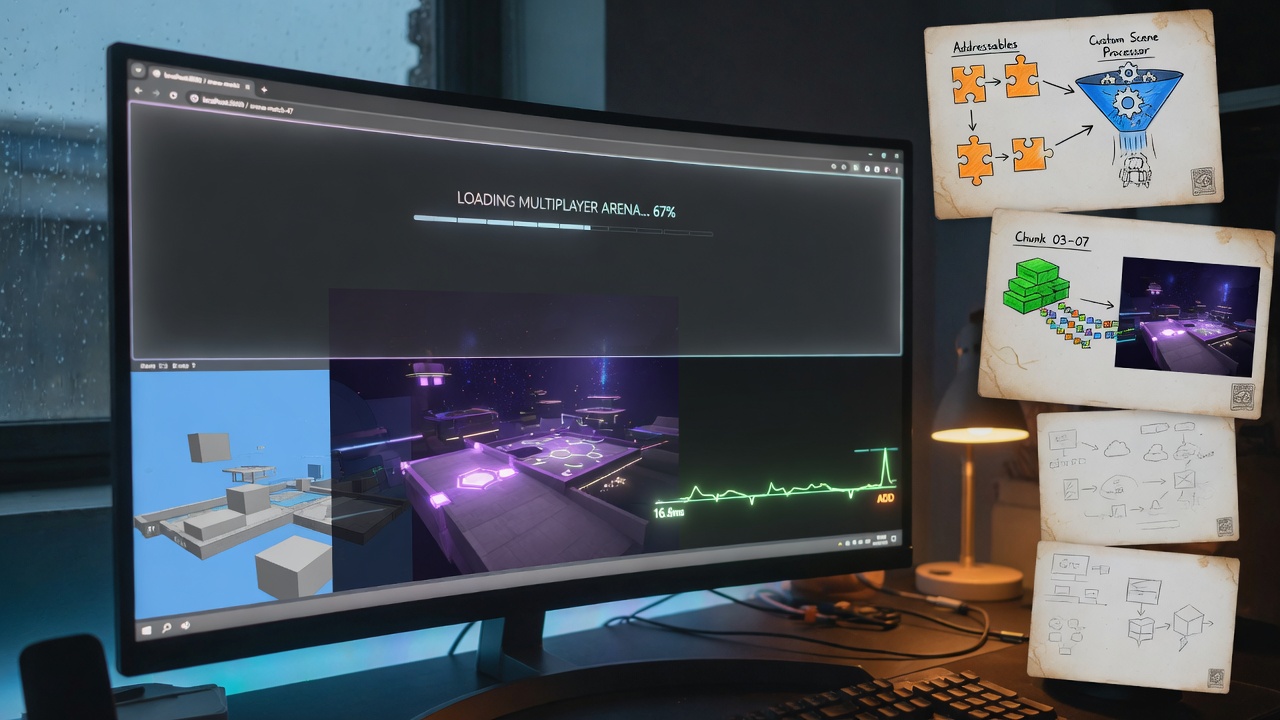
Fish-Net’s default scene processor talks to Unity’s built-in SceneManager. When arenas ship as Addressable variants—seasonal IO maps, mode skins, fat-game layouts—you swap in a custom scene processor so every networked load and unload still routes through Fish-Net SceneManager while the actual asset pull comes from Addressables. Fish-Net is explicit on this point: using Addressables, for example, would need a custom scene processor created. That single override keeps connection-scoped stack instances, observer rebuilds, and moved player payloads on the same path, while WebGL clients download only the arena bundle they were assigned instead of every map in the player build.
Choose ReplaceScene with intent
The ReplaceScene value on SceneLoadData Options is the main lever on how much stays resident when the next match arrives. Additive choices keep lobby or hub chrome loaded under the arena; stricter replace modes drop prior online scenes for the affected connections so browser tabs are not paying memory and GPU Resident Drawer cost for arenas nobody is in anymore. Match the option to the transition—soft stack for persistent lobby chrome, hard replace when the previous online set should go—before the load starts.
Pace loads around ticks and URP spikes
Heavy additive loads still hitch if they land at a bad moment in the frame. Pace SceneManager work so Addressable instantiation and URP batch rebuilds do not collide with simulation and NetworkTransform updates, giving the browser tab room for shader warm-up and drawer registration. Hook scene events—load start, progress, load end—to drive a lightweight connection-scoped progress UI without blocking gameplay. When the match ends, unload those connection scenes aggressively through the same SceneManager path; empty stacked instances should not linger on server or client once players have returned to the hub. Caching can keep a warm empty instance ready for the next spin-up, but only after the previous match’s NetworkObjects and observers are fully released.
Always unload connection-scoped match scenes through Fish-Net SceneManager after a match ends. Raw Unity unloads skip observer rebuilds and membership cleanup—leaked stacked arenas are the quickest way to blow a browser memory budget.
Used together, custom processors, intentional ReplaceScene values, tick-aware pacing, and event-driven unload close the loop the article opened with: one server hosts many concurrent match instances, WebGL clients stay inside their observer-safe arena, growing players cross loads without despawn, and URP never has to batch or draw foreign match state. That is the practical path from hub bootstrap to clean teardown for browser IO and fat games on Fish-Net.
Key Takeaways
Put Fish-Net SceneManager to work on your next browser IO or fat-game prototype and explore the URP tools and networking patterns we ship at bigfatgames.com.
Frequently Asked Questions
You Might Also Like
- Fish-Net Multiplayer Scaling Fish-Networking for High-Player Browser IO Experiences
- Fish-Net Multiplayer Fish-Net Bayou WebGL Transport for Seamless Multiplayer Browser IO and Fat Games in Unity
- Performance What Runs Where: Splitting Fish-Net Simulation and URP Rendering for Browser IO Fat Games
- Fish-Net Multiplayer Mass-Aware Interest Management for Browser Fat Games with Fish-Net and URP
- Fish-Net Multiplayer Fish-Net Object Pooling and Network Spawning Best Practices